TAPIP3D: Tracking Any Point in Persistent 3D Geometry


Bowei Zhang1,2, Lei Ke1\, Adam W. Harley3, Katerina Fragkiadaki1
1Carnegie Mellon University 2Peking University 3Stanford University
NeurIPS 2025
\* Equal Contribution
🚀 News
- (2025.12.28) 🔥 We have updated the Training and Evaluation code! Check out the new sections below.
Overview
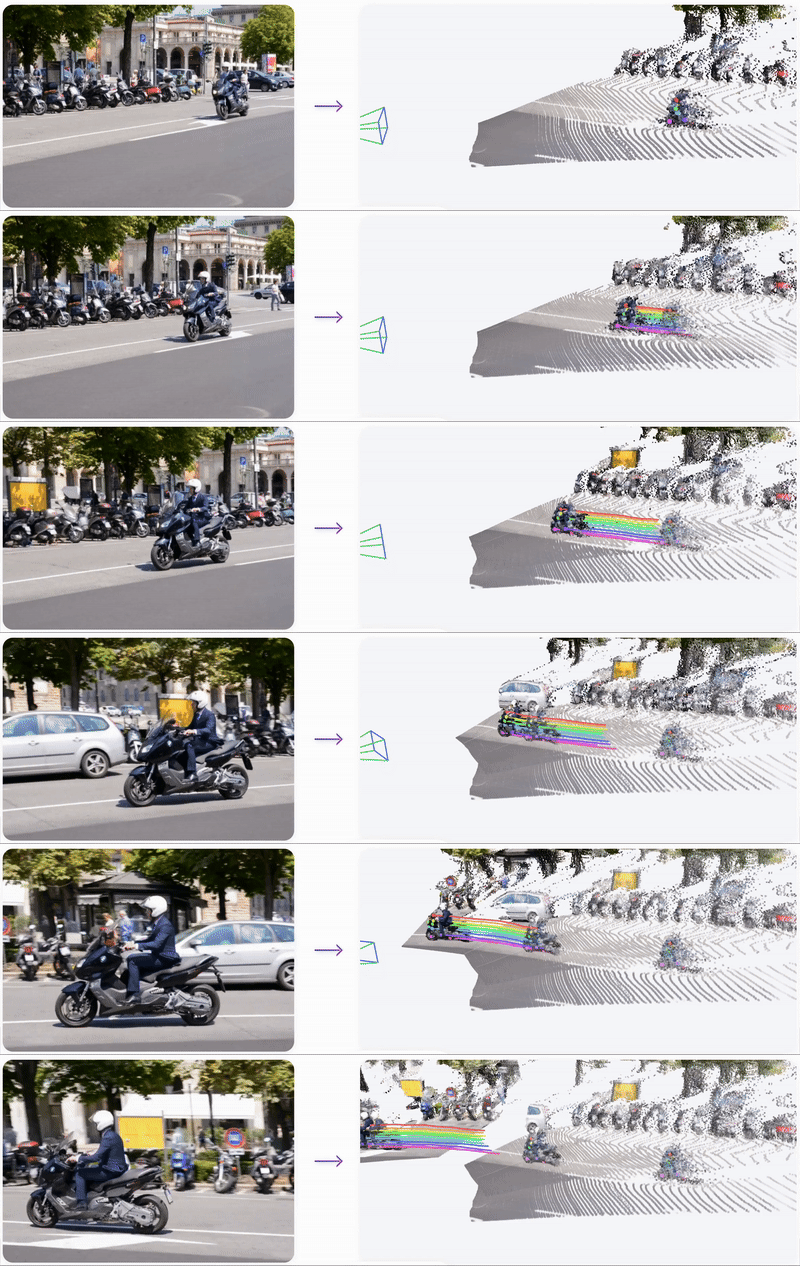
TAPIP3D is a method for long-term feed-forward 3D point tracking in monocular RGB and RGB-D video sequences. It introduces a 3D feature cloud representation that lifts image features into a persistent world coordinate space, canceling out camera motion and enabling accurate trajectory estimation across frames.We provide a detailed video illustration of our TAPIP3D.
Installation
Installing dependencies
- Prepare the environment
conda create -n tapip3d python=3.10
conda activate tapip3dpip install torch==2.4.1 torchvision==0.19.1 torchaudio==2.4.1 "xformers>=0.0.27" --index-url https://download.pytorch.org/whl/cu124
pip install torch-scatter -f https://data.pyg.org/whl/torch-2.4.1+cu124.html
pip install -r requirements.txt
- Compile pointops2
cd third_party/pointops2
LIBRARY_PATH=$CONDA_PREFIX/lib:$LIBRARY_PATH python setup.py install
cd ../..- Compile megasam
cd third_party/megasam/base
LIBRARY_PATH=$CONDA_PREFIX/lib:$LIBRARY_PATH python setup.py install
cd ../../..
Downloading checkpoints
Download our TAPIP3D model checkpoint here to checkpoints/tapip3d_final.pth
If you want to run TAPIP3D on monocular videos, you need to prepare the following checkpoints manually to run MegaSAM:
- Download the DepthAnything V1 checkpoint from here and put it to
third_party/megasam/Depth-Anything/checkpoints/depth_anything_vitl14.pth - Download the RAFT checkpoint from here and put it to
third_party/megasam/cvd_opt/raft-things.pth
Demo Usage
We provide a simple demo script inference.py, along with sample input data located in the demo_inputs/ directory.
The script accepts as input either an .mp4 video file or an .npz file. If providing an .npz file, it should follow the following format:
video: array of shape (T, H, W, 3), dtype: uint8depths(optional): array of shape (T, H, W), dtype: float32intrinsics(optional): array of shape (T, 3, 3), dtype: float32extrinsics(optional): array of shape (T, 4, 4), dtype: float32
Inference with Monocular Video
By providing a video as --input_path, the script first runs MegaSAM with MoGe to estimate depth maps and camera parameters. Subsequently, the model will process these inputs within the global frame.
Demo 1
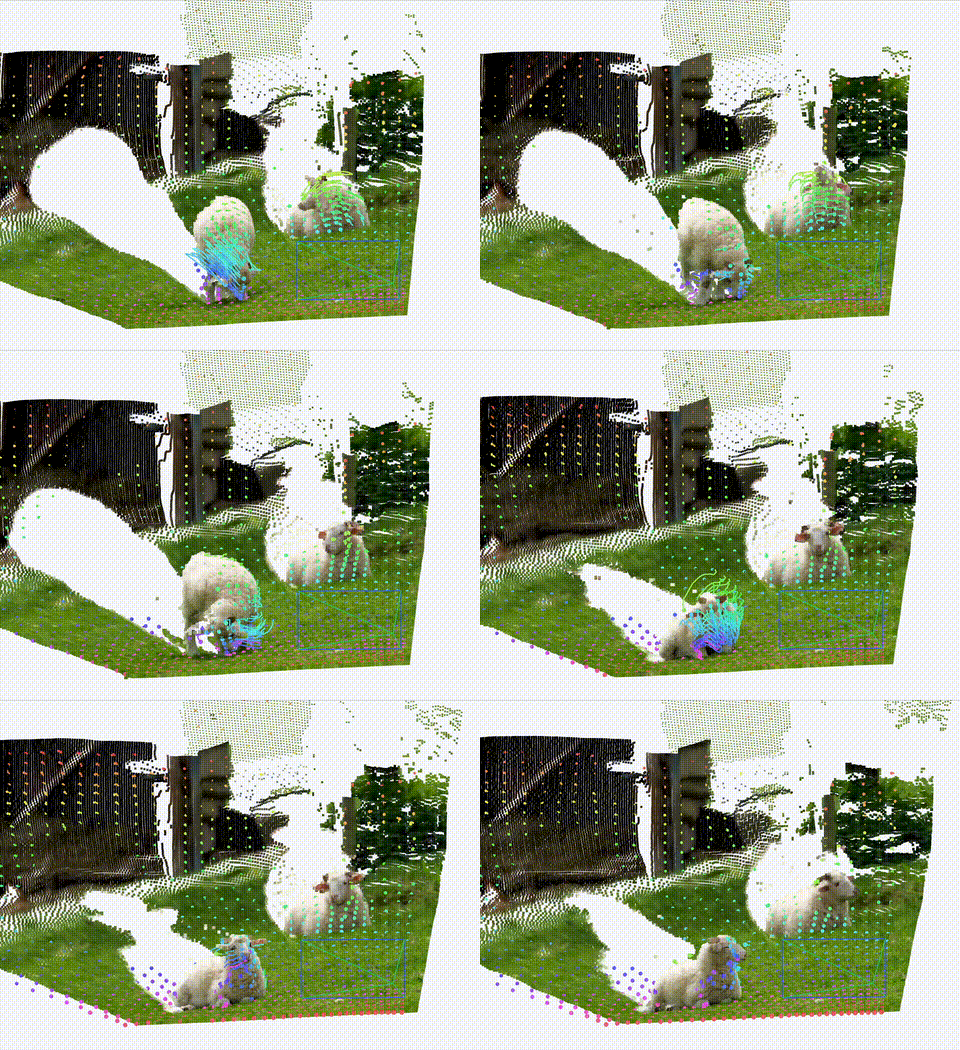
To run inference:
python inference.py --input_path demo_inputs/sheep.mp4 --checkpoint checkpoints/tapip3d_final.pth --resolution_factor 2An npz file will be saved to outputs/inference/. To visualize the results:
python visualize.py Demo 2
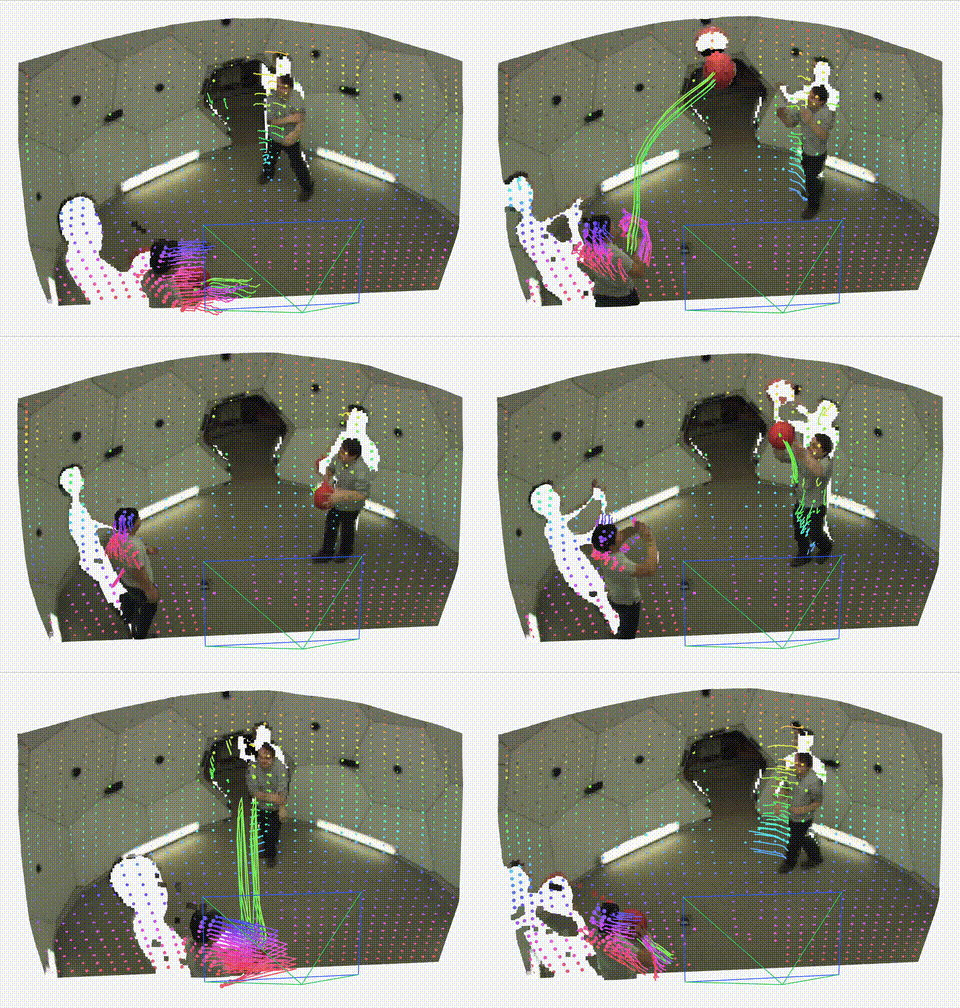
python inference.py --input_path demo_inputs/pstudio.mp4 --checkpoint checkpoints/tapip3d_final.pth --resolution_factor 2Inference with Known Depths and Camera Parameters
If an .npz file containing all four keys (rgb, depths, intrinsics, extrinsics) is provided, the model will operate in an aligned global frame, generating point trajectories in world coordinates.
We provide one example .npz file at here and please put it in the demo_inputs/ directory.
Demo 3
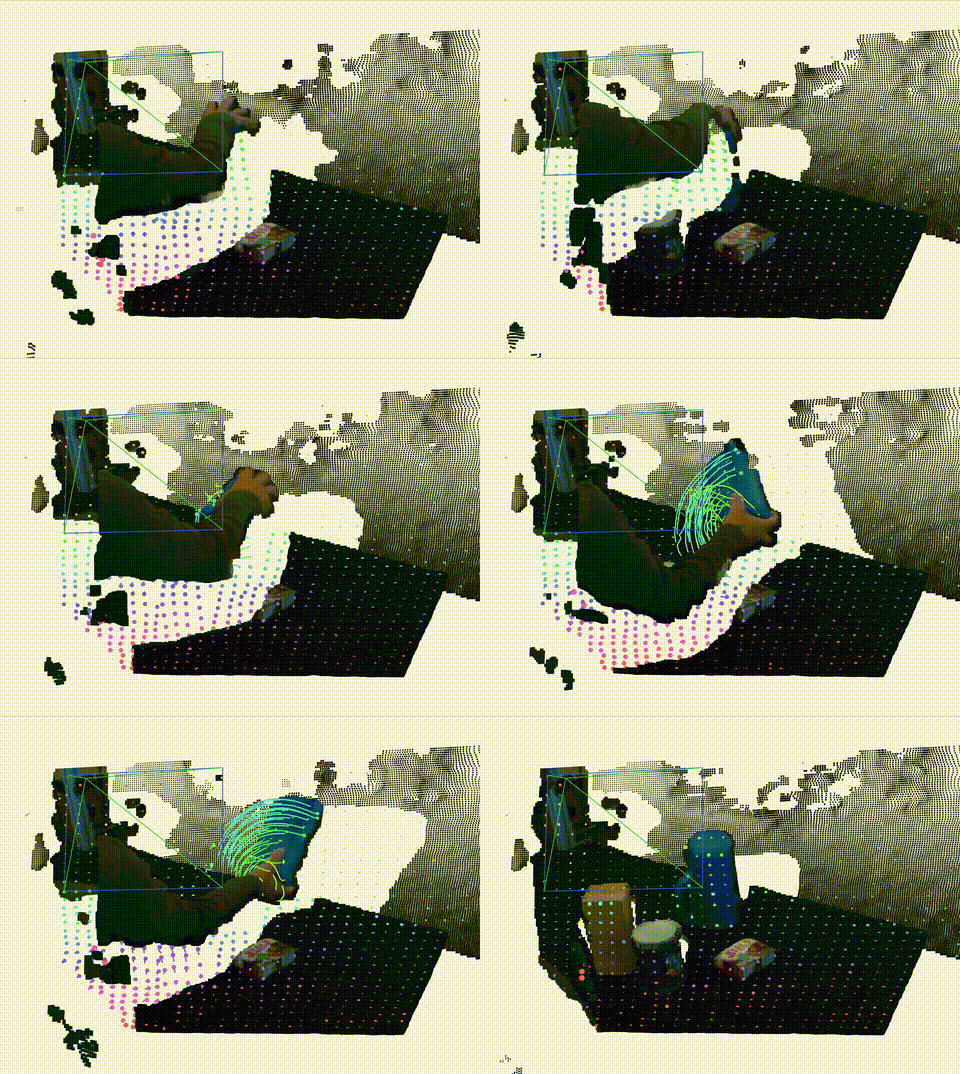
python inference.py --input_path demo_inputs/dexycb.npz --checkpoint checkpoints/tapip3d_final.pth --resolution_factor 2Training and Evaluation
1. Dataset Preparation
Please refer to DATASET.md for instructions on preparing datasets for both training and evaluation.2. Training
To start training, run:bash scripts/train.shexperiment_name: The run name shown on WandB.experiment_id: A unique identifier. Re-running with the sameexperiment_idwill automatically resume training from the latest checkpoint.
3. Evaluation
To evaluate a checkpoint, run:bash scripts/eval.shcheckpoint variable in scripts/eval.sh.Citation
If you find this project useful, please consider citing:@article{tapip3d,
title={TAPIP3D: Tracking Any Point in Persistent 3D Geometry},
author={Zhang, Bowei and Ke, Lei and Harley, Adam W and Fragkiadaki, Katerina},
journal={arXiv preprint arXiv:2504.14717},
year={2025}
}--- Tranlated By Open Ai Tx | Last indexed: 2026-02-12 ---