
[![Version][version-shield]][version-url] [![Download Counter][downloads-shield]][downloads-url] [![License][license-shield]][license-url] [![Weblate][weblate-shield]][weblate-url]
[version-shield]: https://img.shields.io/github/v/release/valnoxy/GoAwayEdge?color=9565F6 [version-url]: https://github.com/valnoxy/GoAwayEdge/releases
[weblate-shield]: http://translate.valnoxy.dev/widget/goawayedge/svg-badge.svg [weblate-url]: https://translate.valnoxy.dev/engage/goawayedge/
[downloads-shield]: https://img.shields.io/github/downloads/valnoxy/GoAwayEdge/total.svg?color=431D93 [downloads-url]: https://github.com/valnoxy/GoAwayEdge/releases
[license-shield]: https://img.shields.io/github/license/valnoxy/GoAwayEdge?color=9565F6 [license-url]: https://img.shields.io/github/license/valnoxy/GoAwayEdge
GoAwayEdge
Don't like Microsoft Edge? Me neither. Redirect all Edge calls to your favorite browser!
Download now · Report Bug · Discussions · Help me translate🎉 Version 2.0.1 is out. Check out the release notes here.
[!NOTE]
This application will modify the system. I won't be responsible for any damage you've done yourself trying to use this application.
🚀Introduction
GoAwayEdge is designed for those who, like me, aren’t fans of Microsoft Edge or Windows Copilot. If you find yourself constantly annoyed by Edge popping up unexpectedly, fear not! This clever utility redirects all Edge-related calls to your preferred browser, ensuring a seamless browsing experience.Here are some key points about GoAwayEdge:
- Purpose: The primary purpose of GoAwayEdge is to intercept any requests or actions that would normally trigger Microsoft Edge and reroute them to your favorite browser instead.
- How It Works: GoAwayEdge interrupts the Edge process from launching by hooking via Image File Execution Options. It then reads the arguments, parses them and redirects them to your default browser.
- Compatibility: It works on Windows 10 / 11 systems and provides a simple solution for those who want to avoid Edge altogether.
🤸 Installation methods
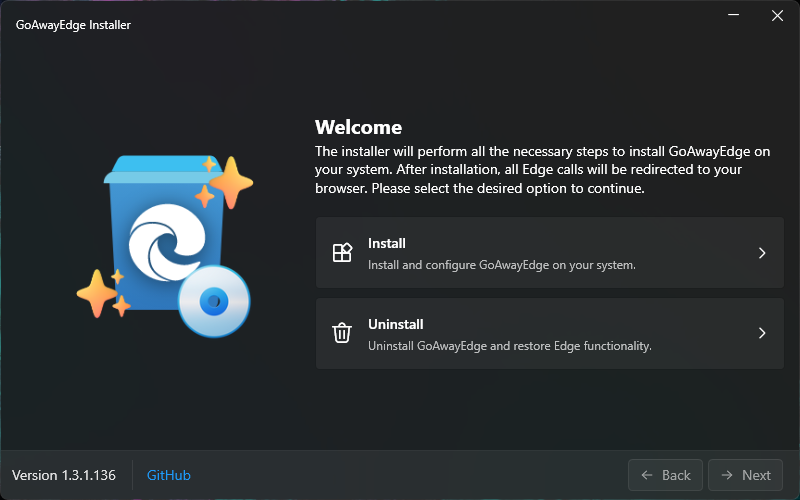
💿 1. Default Installation
- Download the latest version from GitHub.
- Start the application.
- Accept the license.
- Customize GoAwayEdge as you like.
- Done!
📦 2. Package Manager
| Package Manager | Command | | ------------------------ | ------------------------------------- | | winget |winget install Exploitox.GoAwayEdgeYou can also pre-configure GoAwayEdge with
--custom: winget install goawayedge --custom "-e:DuckDuckGo" | 🤫 3. Silent Installation
You can install GoAwayEdge silently by parsing the following arguments:| Switch | Description |
| ------------------------ | ------------------------------------------------------------------------------------------------------------------------------ |
| -s | Silent installation |
| -e: | Specify the Search Engine: Google (default), Bing, DuckDuckGo, Yahoo, Yandex, Ecosia, Ask, Qwant, Perplexity |
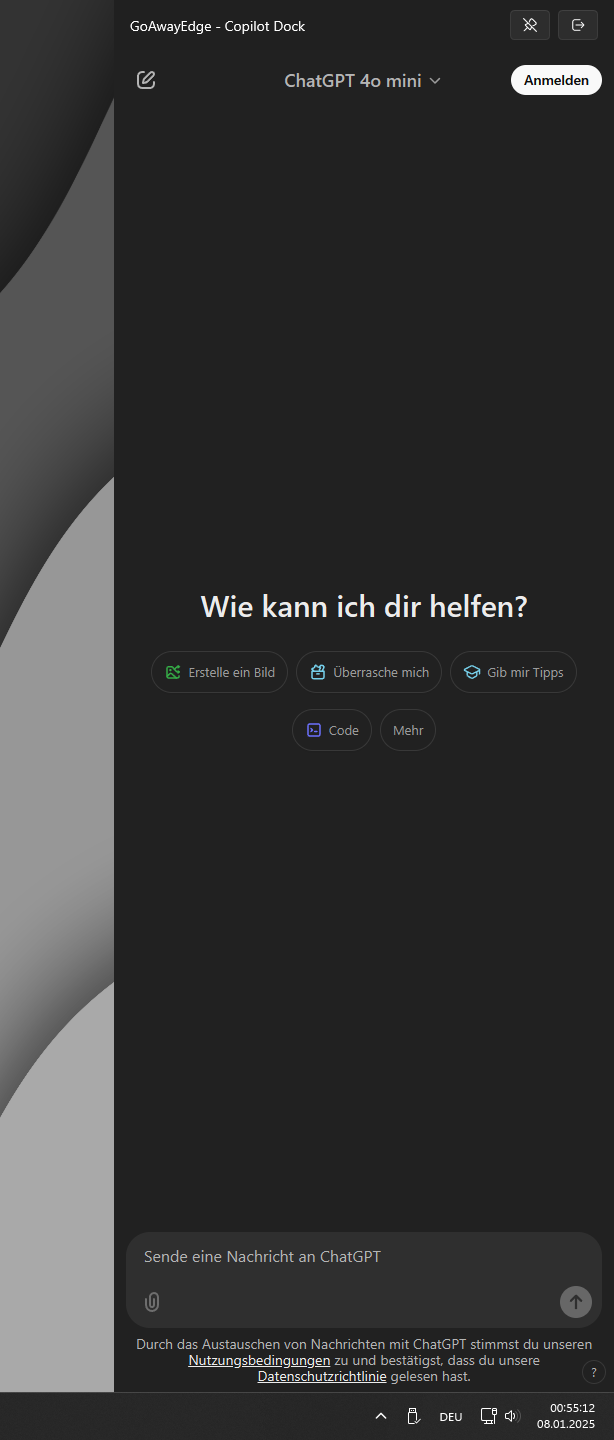
| -a: | Specify the AI Service: Default, Copilot, ChatGPT, Gemini, GitHub_Copilot, Grok |
| -w: | Specify the Weather Service: Default, WeatherCom, AccuWeather |
| --search-url: | Custom search query url (ex: https://google.com/search?q=) |
| --ai-url: | Custom AI website (ex: https://chatgpt.com) |
| --weather-url: | Custom weather query url (ex: https://my-weather.com/{country-code}/{latitude},{longitude}) |
Example:
GoAwayEdge.exe -s -e:DuckDuckGo🗑️ Remove GoAwayEdge
You can uninstall GoAwayEdge just like any other application. Alternatively, you can also take this way:- Download the latest version from GitHub.
- Start the application.
- Click on ``
Uninstall``. - Done!
GoAwayEdge.exe -u🖼️ Screenshots
🙏 Libraries
This project uses the following libraries:🧾 License
GoAwayEdge is licensed under MIT. So you are allowed to use freely and modify the application. I will not be responsible for any outcome. Proceed with any action at your own risk.© 2018 - 2026 valnoxy. All Rights Reserved.
By Jonas Günner <jonas@exploitox.de>

--- Tranlated By Open Ai Tx | Last indexed: 2026-05-05 ---