ClipSave - Clipboard History Management Tool
A cross-platform clipboard history management tool based on Wails + Vue 3 + TypeScript.
Available on App Store
https://apps.apple.com/us/app/剪存/id6754015301Features
- New Custom Scripts - Click to View
- Automatically saves clipboard history
- Supports multiple types including text, images, files, etc.
- Real-time search and filtering (supports OCR text search in images)
- Local SQLite database storage (all data stored locally, privacy and security guaranteed)
- Personalized settings: password protection, auto cleanup, shortcut configuration
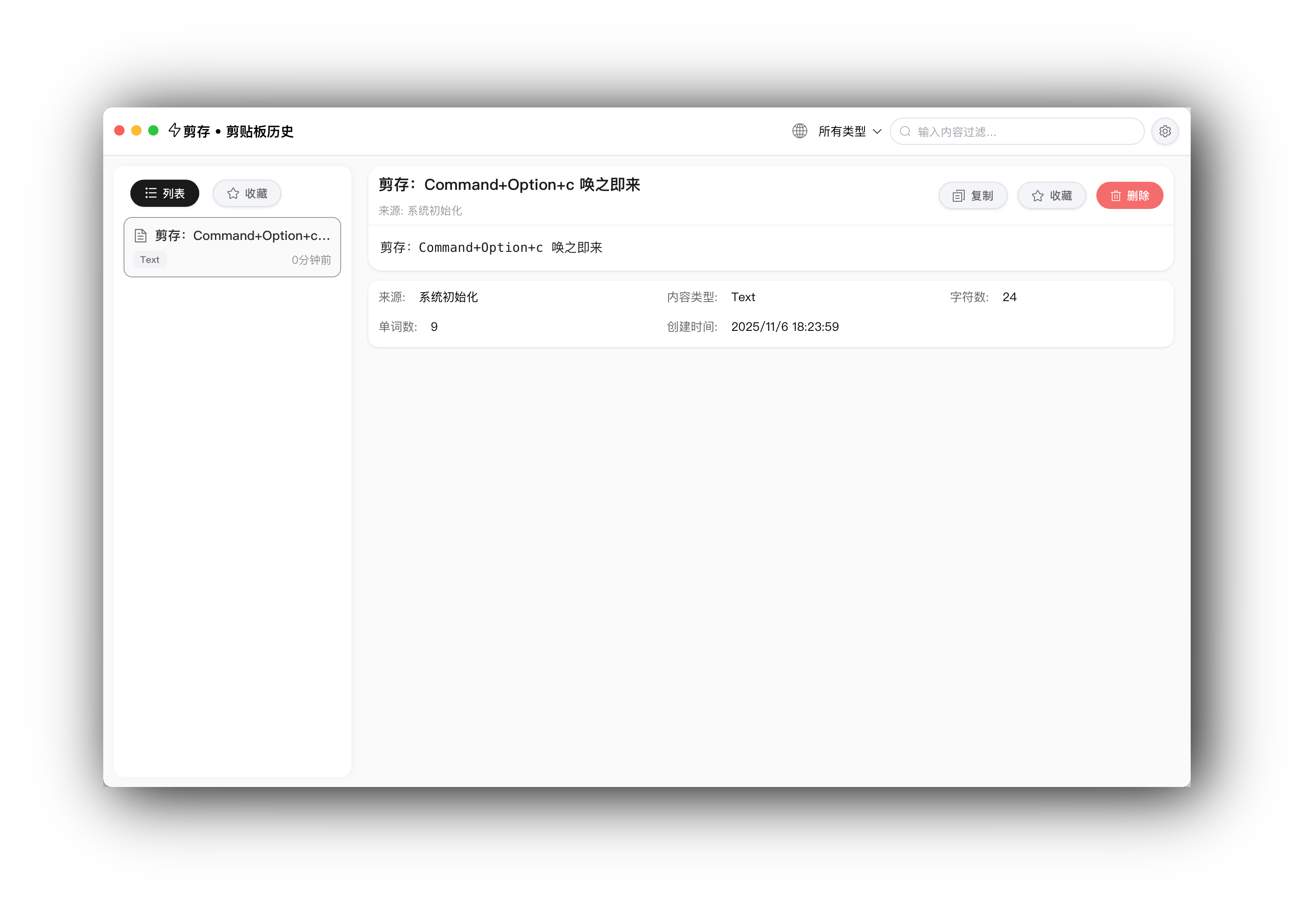
Project Screenshots
Technology Stack
- Backend: Go + Wails v2
- Frontend: Vue 3 + TypeScript + Vite
- Database: SQLite3
- Clipboard: golang.design/x/clipboard
Install Dependencies
1. Install Wails CLI
go install github.com/wailsapp/wails/v2/cmd/wails@latest2. Install Project Dependencies
# Go 依赖
go mod tidy前端依赖
cd frontend
npm install
开发
启动开发服务器
wails devThis will start the hot-reload development server:
- Backend Go code changes will automatically recompile
- Frontend Vue code changes will automatically hot reload
Debugging during development
In development mode, the application will automatically open the developer tools, where you can view:
- Console logs
- Network requests
- Frontend component state
Build
Build production version
wails buildAfter building, the executable file will be located in the build/bin/ directory.
Custom Script Deployment to Cloudflare Pages
The project uses Cloudflare Pages to host the online script list, allowing users to directly install and update scripts from the "Script Market."
#### 1. Install Wrangler CLI
npm install -g wrangler#### 2. Log in to Cloudflare
wrangler loginThis will open the browser and log in to your Cloudflare account.
#### 3. Deploy the script
wrangler pages deploy scriptingExample --project-name=clip-save-pluginsAfter deployment, the script can be accessed via the following URLs:
- Plugin list:
https://clip-save-plugins.pages.dev/plugins.json - Script file:
https://clip-save-plugins.pages.dev/{script filename}.js
After modifying any files in the scriptingExample directory, rerun the deployment command:
wrangler pages deploy scriptingExample --project-name=clip-save-plugins#### 5. Notes
- Ensure the
scriptUrlinplugins.jsonuses the Cloudflare Pages URL - Usually takes effect within a few seconds after deployment (Cloudflare Pages cache time is very short)
- Deployment history and logs can be viewed through the Cloudflare Dashboard
macOS Build Options
# 构建 Intel 版本
wails build -platform darwin/amd64构建 Apple Silicon 版本
wails build -platform darwin/arm64构建通用二进制(推荐)
wails build -platform darwin/universal
Windows Build
wails build -platform windows/amd64Linux Build
wails build -platform linux/amd64Project Structure
.
├── main.go                      # 主程序入口
├── app.go                       # Wails 应用结构和 API
├── wails.json                   # Wails 配置文件
├── go.mod                       # Go 依赖管理
├── common/                      # 共享代码
│   ├── clipboard.go             # 剪贴板逻辑
│   ├── clipboard_darwin.go      # macOS 特定代码
│   └── db.go                    # 数据库操作
├── frontend/                    # 前端代码
│   ├── src/
│   │   ├── App.vue              # 主应用组件
│   │   ├── components/
│   │   │   └── ClipboardHistory.vue  # 剪贴板历史组件
│   │   ├── main.ts              # 前端入口
│   │   └── style.css            # 全局样式
│   ├── index.html               # HTML 模板
│   ├── package.json             # 前端依赖
│   ├── vite.config.ts           # Vite 配置
│   └── tsconfig.json            # TypeScript 配置
└── build/                       # 构建资源和输出
    ├── bin/                     # 编译后的可执行文件
    ├── appicon.png              # 应用图标
    └── darwin/                  # macOS 特定配置
API Description
Backend API (Go)
Methods defined in app.go are automatically exposed to the frontend:
SearchClipboardItems(keyword, filterType, limit)- Search clipboard itemsGetClipboardItems(limit)- Get clipboard listGetClipboardItemByID(id)- Get item by IDCopyToClipboard(id)- Copy item to clipboardDeleteClipboardItem(id)- Delete itemGetStatistics()- Get statistics
Frontend Call Example
import { SearchClipboardItems } from '../wailsjs/go/main/App'// 搜索剪贴板项目
const items = await SearchClipboardItems('关键词', '所有类型', 100)
Instructions
- After launching the app, it will automatically save the system clipboard in the background
- Each time content is copied, it will be automatically saved to the history
- Use the top search box to quickly find history records (supports searching OCR text in images)
- Use filters to filter content by type (text/image/URL, etc.)
- Click any history record to view details
- For image types, click the "Extract Text" button to view OCR recognition results
- Click the "Copy" button to copy the content back to the clipboard
- Click the "Delete" button to delete the history record
OCR Text Recognition Features
- Automatic Recognition: After copying an image, the app will automatically recognize the text in the image in the background (macOS 10.15+)
- Smart Search: Recognized text is automatically added to the search index; enter keywords to find images containing that text
- Manual Extraction: On the image detail page, click the "Extract Text" button to view the full OCR recognition result
- Supported Languages: Supports recognition of Chinese (Simplified/Traditional) and English
- Performance Optimization: The same image is recognized only once, automatically reusing recognition results to improve performance
Data Storage
Clipboard history is saved at: ~/.clipsave/clipboard.db
The database is created automatically and includes the following fields:
- ID - Unique identifier
- Content - Content text
- ContentType - Content type
- ImageData - Image data (PNG format)
- Timestamp - Timestamp
- Source - Source
- CharCount - Character count
- WordCount - Word count
- OCRText - OCR recognized text content (for image types, used for search)
System Requirements
- macOS: 10.15 Catalina or later (required for OCR features)
- Windows: Windows 10/11 (1809 or later) + WebView2
- Linux: Distributions supporting WebKit2GTK
- Go: version 1.21 or higher
- Node.js: version 16 or higher
Development Notes
After Updating Go API
After each modification of the methods in app.go, the frontend bindings need to be regenerated:
wails generate modulewails devFrontend Development
The frontend uses Vite + Vue 3 + TypeScript:
- Supports TypeScript type checking
- Uses Composition API
- Automatically imports Wails bindings
- Hot Module Replacement (HMR)
CGO Dependencies
The project uses CGO (for SQLite and clipboard operations), requiring:
- macOS: Xcode Command Line Tools needed
- Windows: MinGW-w64 needed
- Linux: gcc needed
Common Issues
1. Build Failure
Make sure all dependencies are installed:
# macOS
xcode-select --installWindows
安装 MSYS2 和 MinGW-w64
Linux
sudo apt-get install build-essential libgtk-3-dev libwebkit2gtk-4.0-dev2. Frontend Unable to Call Backend API
Make sure you have run wails generate module to generate frontend bindings.
License
MIT License
Appreciation and Support
💗 Buy the Author a Coffee
If this software has saved you time (or at least didn’t drive you crazy), feel free to buy the author a coffee ☕ or a beer 🍺!
Every cup of coffee magically transforms into: new features, fewer bugs (I try my best), and the author's spirit boost during late-night coding sessions.
Your Stars ⭐ and donations are my motivation to fix bugs and add new features (and also my coffee fund)!
Scan with WeChat

"Buy me a cup of coffee ☕"
Give the Project a Star ⭐
If this project has helped you, please give it a Star ⭐; it’s the greatest support for me!
Acknowledgements
- Wails - Framework for building desktop applications
- Vue 3 - Progressive JavaScript framework
- golang.design/x/clipboard - Cross-platform clipboard library
- json-editor-vue
- highlight.js