
Fast to learn, fast to code, fast to run




Django Shinobi - Fast Django REST Framework
Django Shinobi is a web framework for building APIs with Django and Python 3.6+ type hints.
It's a fork of the fantastic Django Ninja library focused on community-desired features and fixes. Check out the list of differences if you're coming from Ninja, as well as the roadmap!
Key features:
- Easy: Designed to be easy to use and intuitive.
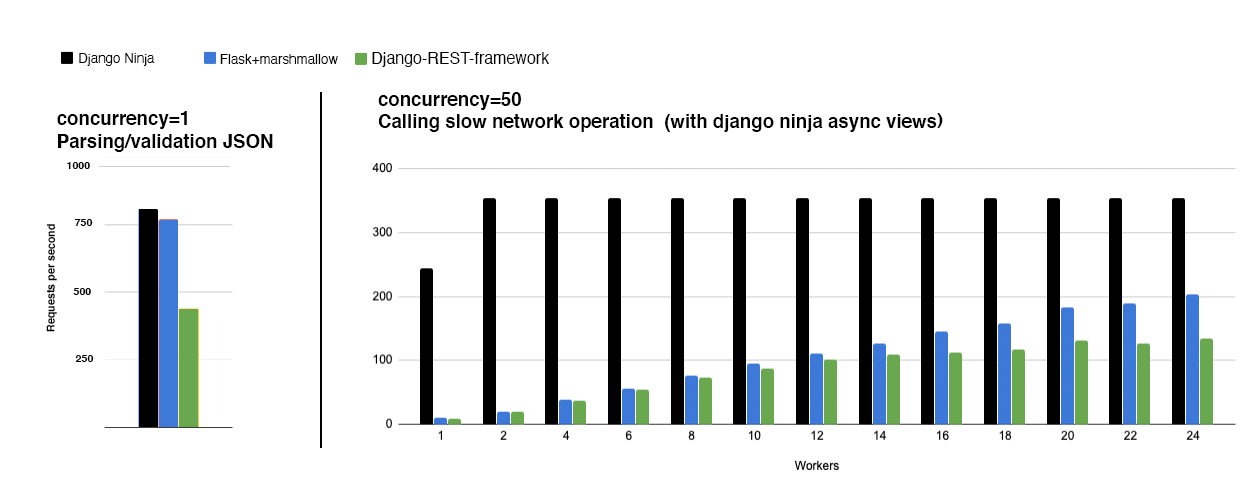
- FAST execution: Very high performance thanks to Pydantic and async support.
- Fast to code: Type hints and automatic docs lets you focus only on business logic.
- Standards-based: Based on the open standards for APIs: OpenAPI (previously known as Swagger) and JSON Schema.
- Django friendly: (obviously) has good integration with the Django core and ORM.
- Production ready: The original Ninja project is used by multiple companies on live projects.
Documentation: https://pmdevita.github.io/django-shinobi
Installation
In your Django project, add Django Shinobi.
pip install django-shinobipip install django django-shinobi
django-admin startproject apidemoUsage
In your Django project, next to urls.py, create a new file called api.py.
from ninja import NinjaAPIapi = NinjaAPI()
@api.get("/add")
def add(request, a: int, b: int):
    return {"result": a + b}
Now go to urls.py and add the following:
``Python hl_lines="3 7"
...
from .api import api
urlpatterns = [ path("admin/", admin.site.urls), path("api/", api.urls), # <---------- ! ]
shell python manage.py runsever ``That's it !/api/addNow you've just created an API that:
- receives an HTTP GET request at
atakes, validates and type-casts GET parameters andbdecodes the result to JSON generates an OpenAPI schema for defined operation Interactive API docs
Run your Django project
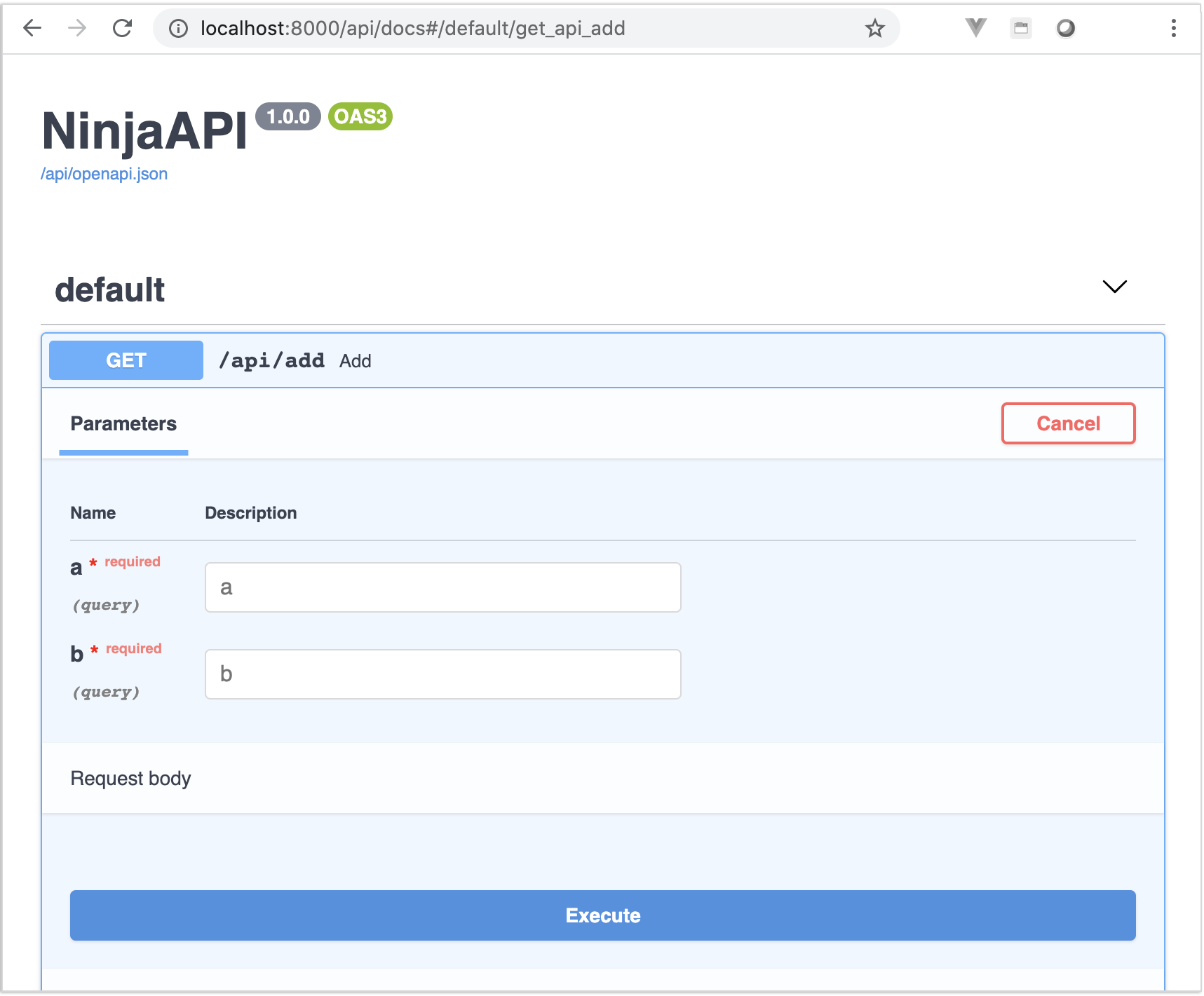
Now go to http://127.0.0.1:8000/api/docs
You will see the automatic interactive API documentation (provided by Swagger UI or Redoc):
What next?
- Read the full documentation here - https://pmdevita.github.io/django-shinobi
- To support this project, please give star it on Github.

- Share it via Twitter
- Share your feedback and discuss development on Discord https://discord.gg/ntFTXu7NNv