🌐 语言
prettier-plugin-classnames
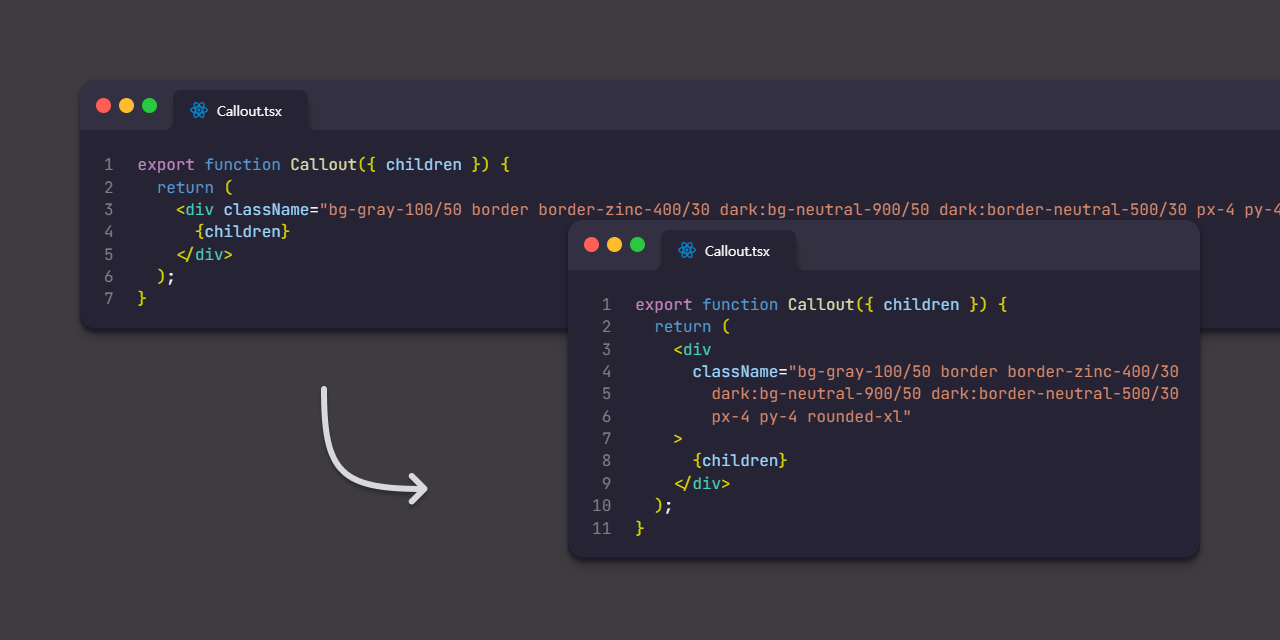
一个基于 printWidth 选项自动换行冗长类名的 Prettier 插件。
安装[^1]
npm install -D prettier prettier-plugin-classnames[^1]: 如果你的 prettier-plugin-classnames 版本低于 0.4.0,你还需要安装 @prettier/sync。
配置
JSON 示例:
{
  "plugins": ["prettier-plugin-classnames"]
}
JS 示例(CommonJS 模块):
module.exports = {
  plugins: ['prettier-plugin-classnames'],
  customAttributes: ['myClassProp'],
  customFunctions: ['clsx'],
};
JS 示例(ES 模块):
export default {
  plugins: ['prettier-plugin-classnames'],
  endingPosition: 'absolute',
};
Markdown/MDX 覆盖
该插件不支持 Markdown 和 MDX,但如果该插件支持代码块中的某种语言(例如 Vue),则代码块内部可能会发生非预期的格式化。
为防止非预期的格式化,您可以对 Markdown 和 MDX 使用配置覆盖。
JSON 示例:
{
  "plugins": ["prettier-plugin-classnames"],
  "customFunctions": ["clsx"],
  "overrides": [
    {
      "files": [".md", ".mdx"],
      "options": {
        "plugins": []
      }
    }
  ]
}
选项
自定义属性
包含类名的属性列表。
即使未指定任何选项,也始终支持 class 和 className 属性。
默认值 | CLI 覆盖 | API 覆盖
--- | --- | ---
[] | --custom-attributes | customAttributes: ["
自定义函数
包含类名的函数列表。
即使未指定任何选项,也始终支持 classNames 函数。
默认值 | CLI 覆盖 | API 覆盖
--- | --- | ---
[] | --custom-functions | customFunctions: ["
结束位置
首次在 v0.5.0 中提供。
absolute-with-indent 于 v0.6.0 添加。
absolute-with-indent 于 v0.8.0 移除,但使用 absolute 可获得相同输出。
默认值在 v0.8.0 中从 relative 更改为 absolute。
这是替换原始类名为多行类名时,每行结束类名的标准。
absolute示例:
------------------------------------------------------------| printWidth=60
export function Callout({ children }) {
return (
{children}
);
}
``
示例:
`
------------------------------------------------------------| printWidth=60
export function Callout({ children }) {
return (
{children}
);
}
`
默认值 | CLI 覆盖 | API 覆盖
--- | --- | ---
| --ending-position | endingPosition: ""语法转换
首次在 v0.7.7 中提供。
如果非表达式语法书写的类名发生换行,将转换为表达式语法。此转换不支持可逆格式化。
默认值 | CLI 覆盖 | API 覆盖
--- | --- | ---
| --syntax-transformation | syntaxTransformation: 类名打印宽度
首次在 v0.10.0 中提供。
指定类名的打印宽度。如果未提供值,则默认使用
的值。
默认值 | CLI 覆盖 | API 覆盖
--- | --- | ---
undefined | --classnames-print-width | classnamesPrintWidth: 与兄弟插件的版本关联
从
开始,如果一方有次要版本发布,我计划在可能的情况下将该变更反映到另一方。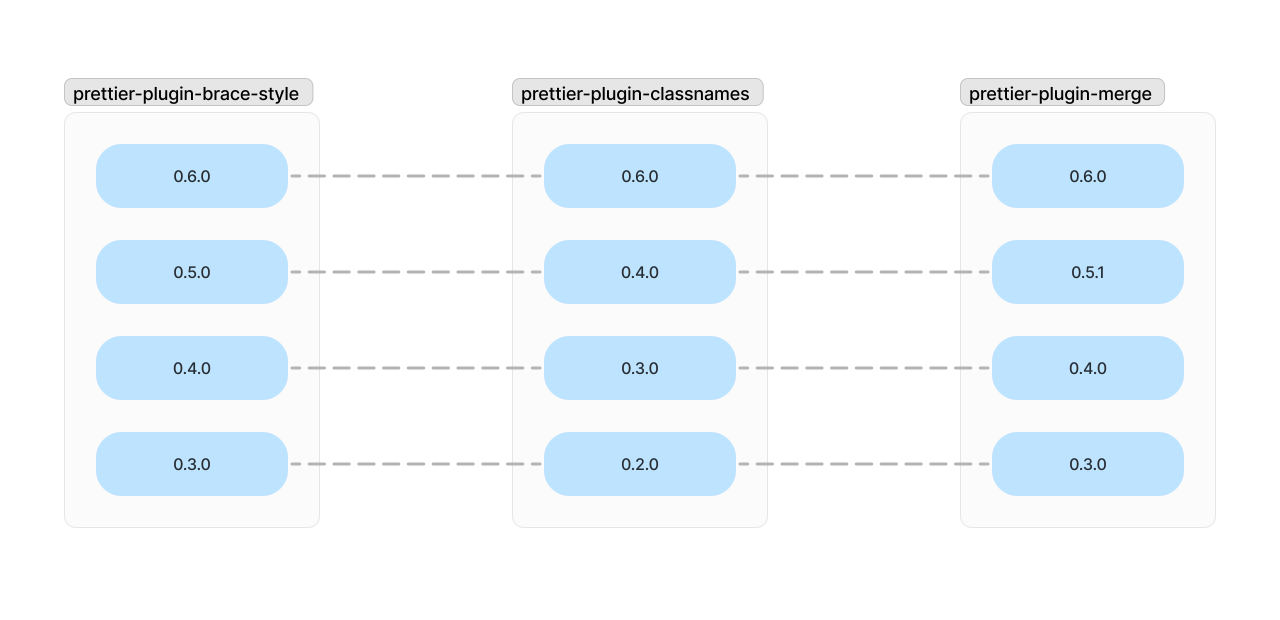
与其他 Prettier 插件的兼容性
如果有多个 Prettier 插件可以处理你要格式化的文本,Prettier 只会使用这些插件中的最后一个。
在这种情况下,你可以通过添加 prettier-plugin-merge 来按顺序应用这些插件,配置如下。
JSON 示例:
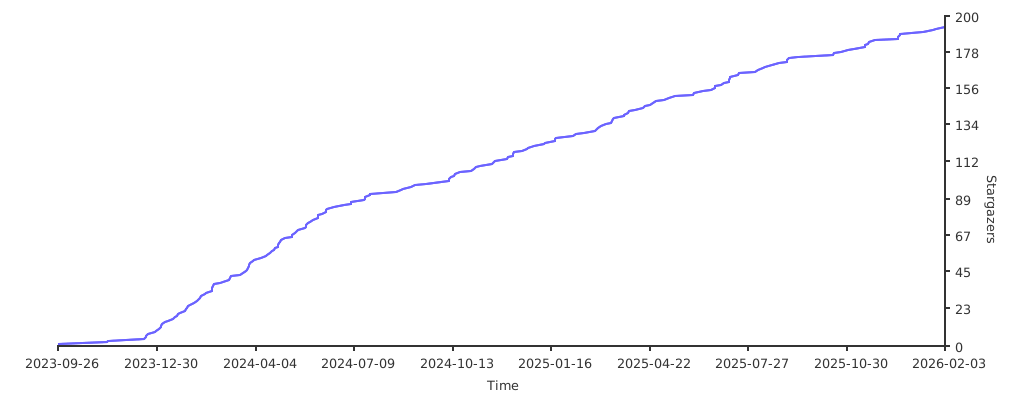
Stargazers over time
--- Tranlated By Open Ai Tx | Last indexed: 2026-06-03 ---