历史边界
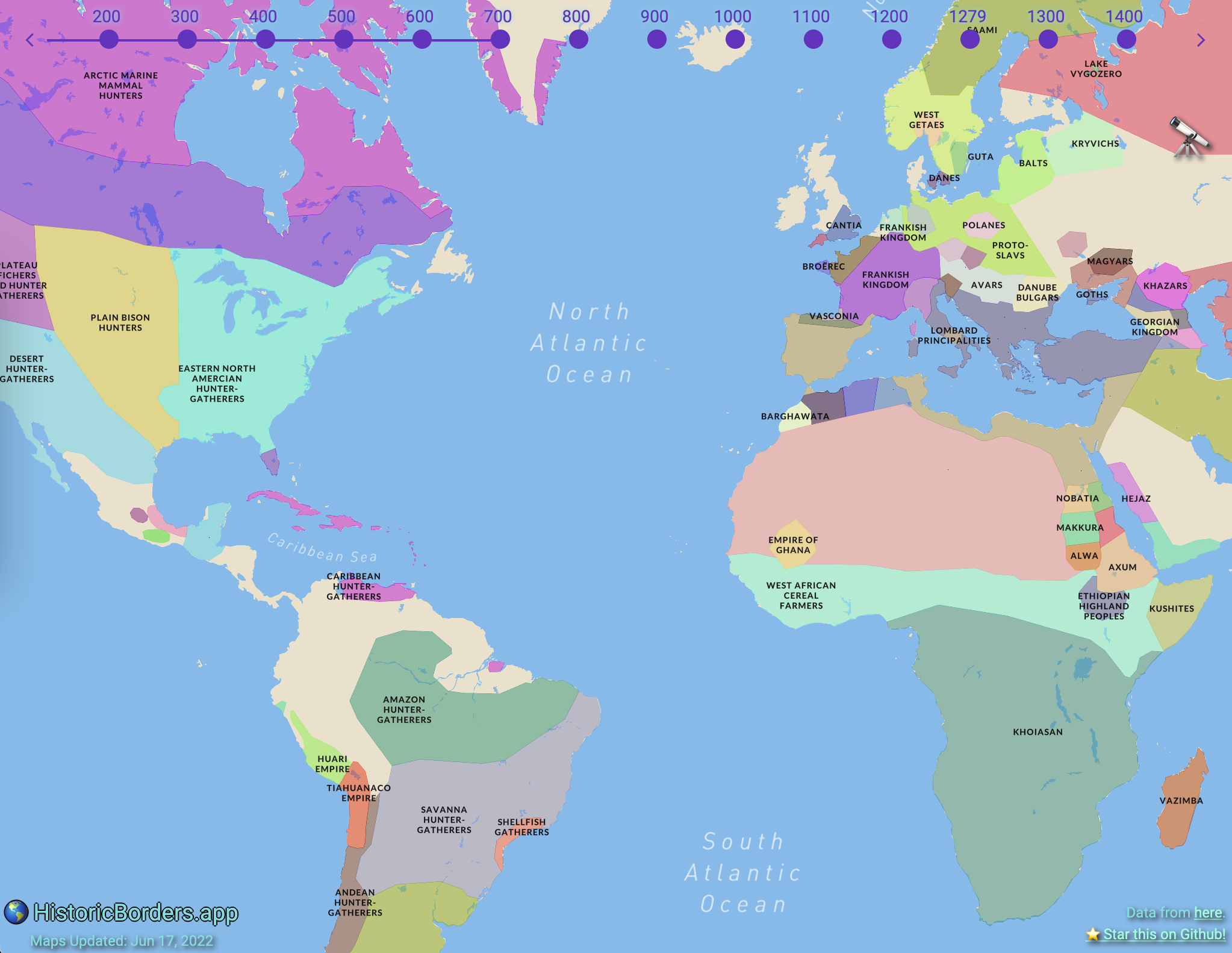
可视化不同时期的国家边界(公元前2000年-1994年)
截图
功能
信息来源
该应用通过两种来源提供国家信息:
- 维基百科(默认)- 实时获取维基百科的信息
- AI驱动 - 使用谷歌Gemini AI生成带有历史背景的国家信息
AI响应缓存
该应用使用 Redis 缓存AI响应以提升性能:
- ⚡ 即时响应,针对之前请求的国家/年份
- 💰 降低API成本 - 减少调用谷歌Gemini的次数
- 🔧 智能过期 - 1小时缓存TTL保持内容新鲜
- 📊 分析跟踪 - 在谷歌分析中统计缓存命中/未命中率
AI功能分析
该应用包含全面的谷歌分析跟踪AI功能,以了解用户参与度和性能:
#### 跟踪事件
提供者使用情况:
toggle_provider- 用户在维基百科和AI之间切换时enable_ai/disable_ai- AI功能启用/禁用provider_restored- 当偏好设置从localStorage加载时session_provider_active- 每个会话的活动提供者
request_initiated- AI请求开始response_success- AI响应成功response_time_success- 成功请求的响应时间response_length- AI响应的字符数response_word_count- AI响应的词数request_failed- AI请求失败api_error- 带状态码的API特定错误api_key_missing- 缺失API密钥事件
cache_hit- 从Redis缓存响应(更快)cache_miss- 无缓存响应,发起API调用cache_error- Redis不可用(回退至API)cache_write_success- 响应成功缓存cache_write_error- 缓存响应失败
popup_displayed- 弹窗显示AI与维基百科内容时content_displayed- 内容成功展示content_error_displayed- 向用户显示错误内容content_empty_displayed- 空白/无内容场景popup_closed- 用户关闭信息弹窗
- 响应时间(成功/失败)
- 内容质量指标(词数,字符数)
- 错误率及类型
- 用户参与模式
所有AI相关事件均使用类别 "AI Feature",方便在Google Analytics中筛选。
#### 数据隐私
分析跟踪是匿名的,侧重于功能使用模式而非个人信息。不会跟踪 API 密钥或敏感数据。
设置
前提条件
- Node.js 18 及以上版本和 yarn
- Google Gemini API 密钥(提供免费套餐)
- Google Analytics 4 资源(可选,用于分析)
安装
git clone https://github.com/nrgapple/historic-country-borders-app.git
cd historic-country-borders-app
yarn install
环境变量
创建一个 .env.local 文件:
# Optional for analytics
NEXT_PUBLIC_GA_FOUR=your_google_analytics_idOptional for map features
NEXT_PUBLIC_MAPBOX_ACCESS_TOKEN=your_mapbox_tokenRedis for AI response caching (required for caching)
REDIS_URL=your_redis_connection_stringRequired for AI features (server-side only)
GEMINI_API_KEY=your_gemini_api_key_here
获取 API 密钥
#### Google Gemini API(免费)
- 访问 Google AI Studio
- 使用您的 Google 账号登录
- 点击 “创建 API 密钥”
- 将生成的密钥复制到您的
.env.local文件中
- ✅ 每分钟 60 次请求(慷慨的免费额度)
- ✅ 无需信用卡
- ✅ 高质量的 AI 响应
- ✅ 优秀的历史知识
- 在 Vercel 或任何 Redis 提供商上设置 Redis
- 将
REDIS_URL环境变量添加到您的项目中 - 详见 REDIS_SETUP.md
- ⚡ 缓存内容瞬时响应
- 💰 减少 API 使用和成本
- 🔧 自动 1 小时缓存过期
- 📊 缓存性能分析
- 访问 Google Analytics
- 创建新的 GA4 属性
- 获取您的测量 ID(格式:G-XXXXXXXXXX)
- 添加到您的
.env.local文件中
开发
yarn dev打开 http://localhost:3000 查看应用。
测试
# Run all tests
yarn testRun tests in watch mode
yarn test:watchRun specific test files
yarn test hooks/__tests__/useAI.test.tsx
AI 功能故障排除
常见问题
“AI 信息需要设置 Gemini API 密钥”
- 将您的 Gemini API 密钥添加到
.env.local - 重启开发服务器
- 详细设置请参见 GEMINI_SETUP.md
- 正常响应时间:1-3 秒
- 检查您的网络连接
- Gemini API 有速率限制(60 请求/分钟)
- 尝试暂时切换到 Wikipedia
- 检查浏览器控制台的详细错误信息
- 验证您的 API 密钥是否有效
分析仪表盘
在 Google Analytics 查看 AI 功能分析:
- 进入 事件 → 所有事件
- 筛选 事件类别 = "AI Feature"
- 关键监控指标:
toggle_provider- 功能采纳率response_success与request_failed- 成功率response_time_success- 性能表现content_displayed- 用户参与度
性能监控
应用追踪多个性能指标:
- 响应时间:AI 响应平均时间与 Wikipedia 比较
- 成功率:AI 请求成功/失败比例
- 内容质量:AI 响应的字数和长度
- 用户参与度:用户如何与 AI 内容与 Wikipedia 内容互动
贡献指南
- Fork 本仓库
- 创建功能分支
- 进行修改
- 为新功能添加测试
- 确保所有测试通过
- 提交拉取请求
许可证
MIT 许可证 - 详情请见 LICENSE。
致谢
- 历史边界数据来自 World Historical Gazetteer
- AI 技术由 Google Gemini 提供支持
- 地图由 Mapbox 提供支持
- 分析由 Google Analytics 4 提供支持