mpv config

Overview
mpv is a free (as in freedom and free beer), open-source, and cross-platform media player. It supports a wide variety of media file formats, audio and video codecs, and subtitle types.
This repo contains my personal mpv configurations and scripts that I use and are significantly better than default mpv, VLC, and MPC. Before installing, please take your time to read this whole README as common issues can be easily solved by simply reading carefully.
Preview
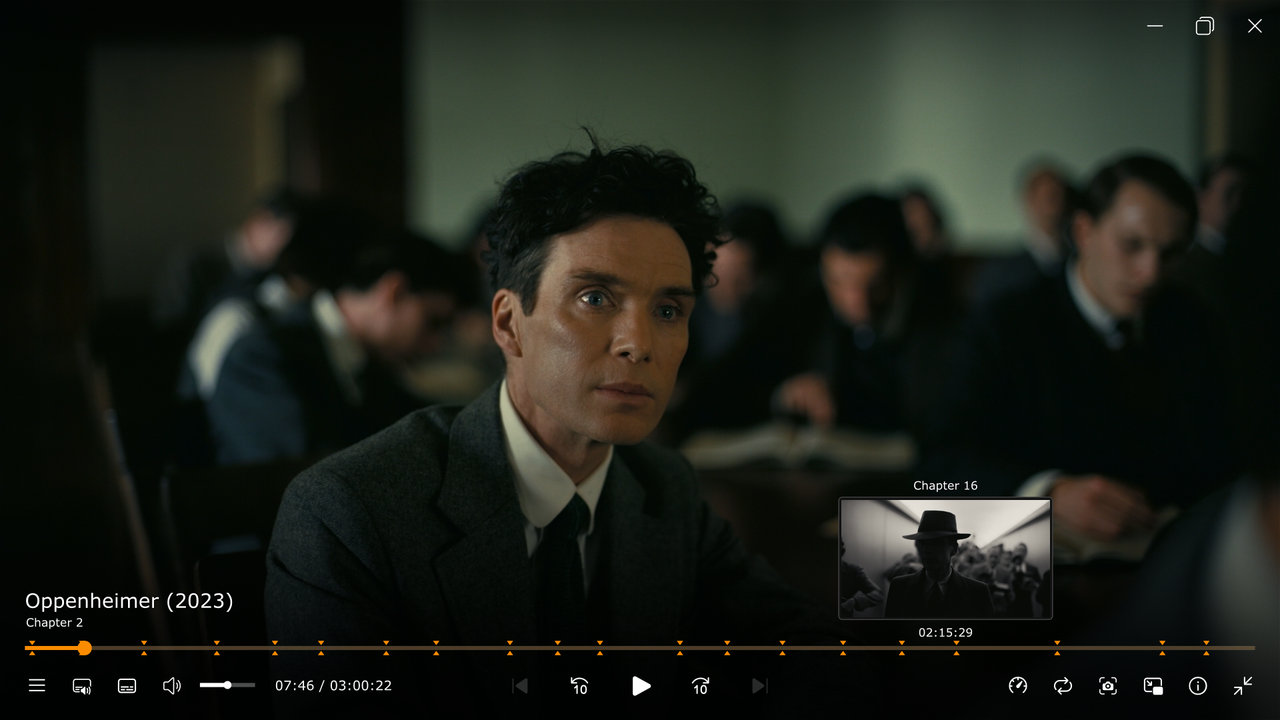
Installation
Windows
Here are the steps to install mpv and to use my configuration files on Windows:
- Download the latest 64bit mpv Windows build by shinchiro from mpv.io/installation or directly from here and extract it wherever you please. This is now your mpv folder
- Run
mpv-install.bat, which is located ininstallerfolder, with administrator priviledges by right-clicking and selecting Run as administrator - Download this repository as a ZIP file (or you can clone it using git)
- Create a folder named
portable_config(this is important), located at the same directory asmpv.exe - Extract or copy the contents of this repository that you have downloaded to the
portable_configfolder - To make some scripts work, you need to modify them from the release a little bit:
- In order for the
mpv-gif.luascript to work, it requires FFmpeg with libass enabled and accessible via terminal. See the installation instructions from the script's source repository for further info. - (Optional) By default, the
mpv-gif.luascript saves GIFs toC:/Program Files/mpv/gifs. To modify this, opengif.conf, which is located inportable_config/script-optsfolder, with a text editor and specify thedir, which is output directory for GIFs, as you please. For exampledir="C:/Users/USERNAME/Pictures/mpv-gifs". - (Optional) Make your own mpv configuration. You can do that by modifying my configuration files and/or making your own from scratch or modifying others' configurations. Check out the useful links section for mpv configuration guides.
- You're all set up.
Linux
Here are the steps to install mpv and to use my configuration files on Linux:
- Install mpv and xclip (clipboard CLI interface) using the package manager that comes with your Linux distribution. xclip is needed for copy-time.lua and seek-to.lua scripts to work properly. The package name for mpv and xclip might also vary depending on your Linux distribution. Here, I will make Arch Linux, that comes with
pacmanas its package manager, as an example
sudo pacman -S mpv xclip
`
If you, for example, use Fedora Linux, which comes with dnf as its package manager, you can install mpv and xclip with the following command instead.
`
sudo dnf install mpv xclip
`
If you use other Linux distributions, please refer to the documentation of your Linux distribution's package manager on how to install packages.- Download this repository as a ZIP file (or you can clone it using git) and extract/copy it to your standard mpv configuration directory which is
~/.config/mpv
Some things to highlight:
  In order for the
mpv-gif.lua script to work, it requires FFmpeg with libass enabled and accessible via terminal. See the installation instructions from the script's source repository for further info.
(Optional) By default, the mpv-gif.lua script saves GIFs to ~/Videos/mpv-gifs. To modify this, open gif.conf, which is located in portable_config/script-opts folder, with a text editor and specify the dir, which is output directory for GIFs, as you please. For example dir="~/Videos".
(Optional) Make your own mpv configuration. You can do that by modifying my configuration files and/or making your own from scratch or modifying others' configurations. Check out the useful links section for mpv configuration guides.
You're all set up. Scripts
Scripts from external sources:
- audio-visualizer.lua (source)\
Various audio visualization. It only works if you open audio files.
- autoload.lua (source)\
Automatically load playlist entries before and after the currently playing file, by scanning the directory.- copy-timestamp.lua (source)\
Copies current timecode in HH:MM:SS.MS format to clipboard. Cross-platform (Mac, Windows, Linux).- cycle-commands.lua (source)\
Cycles through a series of commands on a keypress. Each iteration of the cycle can contain as many commands as one wants. Syntax details are at the top of the file.- cycle-profile.lua (source)\
Cycles through a list of profiles sent via a script message and prints the profile-desc to the OSD. More details at the top of the file.- modernz.lua (source)\
A modern OSC UI replacement for MPV that retains the functionality of the default OSC.- mpv-gif.lua (source)\
Script to generate GIFs from video playback. Requires FFmpeg with libass enabled. The exporting GIFs with subtitled currently doesn't work properly.- playlistmanager.lua (source)\
Allows you to see and interact with your playlist in an intuitive way.- seek-to.lua (source)\
Seek to an absolute timestamp specified via keyboard input or pasted from clipboard.- sponsorblock-minimal.lua (source)\
Skip sponsor segments in YouTube videos.- thumbfast.lua (source)\
High-performance on-the-fly thumbnailer for mpv. The script does not display thumbnails on its own, it is meant to be used alongside a UI script that calls thumbfast.Configuration files for these scripts can be found in the
script-opts folder. I also modified some of these scripts' default keybindings. To see my modifications, look for script keybindings in input.conf.Shaders
The shaders included in the
shaders` folder:- ArtCNN_C4F32 (source)\
- nnedi3-nns128-win8x4 (source)\
Use shaders based on your preference and system capabilities. For more info about shaders, read the resources in the useful links section.
Useful Links
- mpv tutorial by The Wiki
- mpv.conf guide by iamscum
- mpv Configuration Guide for Watching Videos by Kokomins
- mpv Resampling by João Vitor Chrisóstomo