
ImmiBridge



Back up your Apple Photos library to a folder organized by capture date, or directly to an Immich server. Exports originals (including Live Photo paired videos) and optionally rendered edits.
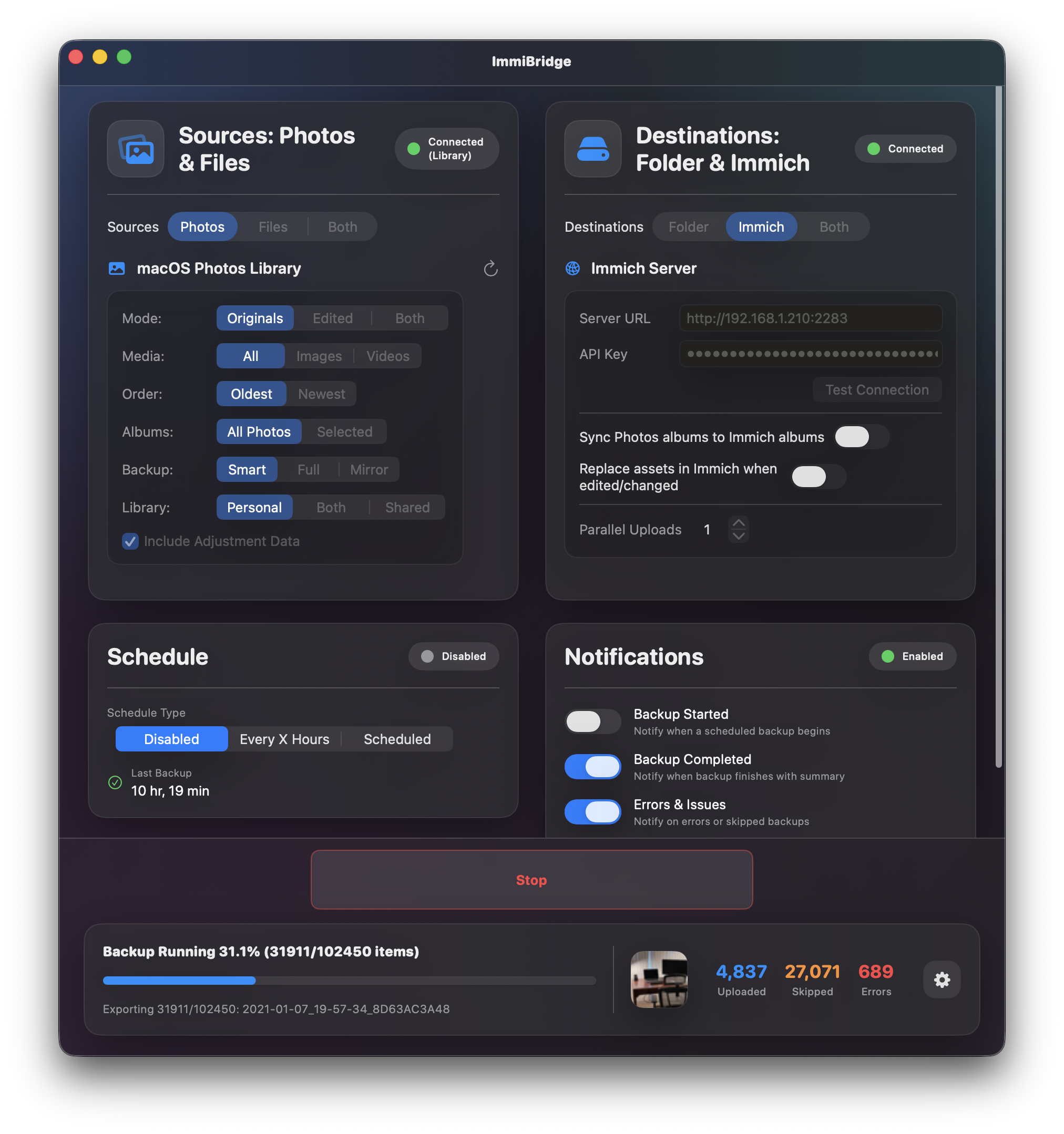
Features
- Export photos to local folders organized by date
- Upload directly to Immich photo servers
- Incremental, full, or mirror backup modes
- Filter by albums, media type, or date
- Pause and resume backups
- Scheduled automatic backups
- Menu bar integration
- iCloud photo download with progress tracking
- Metadata-only sync (update metadata without re-uploading files)
- Automatic updates via Sparkle
Installation
Download (Recommended)
- Download
ImmiBridge-x.x.x.dmgfrom the Releases page - Open the DMG and drag ImmiBridge to your Applications folder
- Launch ImmiBridge from Applications
- Grant Photos access when prompted
Build from Source
See CONTRIBUTING.md for detailed build instructions.
Quick start:
# Clone the repository
git clone https://github.com/emerysilb/immibridge.git
cd immibridgeOpen in Xcode
open ImmiBridge/ImmiBridge.xcodeproj
Building Signed Releases
To build a notarized DMG for distribution, you need an Apple Developer ID certificate ($99/year). See CONTRIBUTING.md for details.
Usage
Launch ImmiBridge and configure:
- Source: Choose Photos library and/or custom folders
- Destination: Local folder and/or Immich server
- Options: Backup mode, filters, scheduling
Backup Modes
| Mode | Exports | Uses Manifest | Deletes from Destination | |------|---------|---------------|--------------------------| | Smart Incremental | Only new/changed files | Yes | No | | Full | Everything, every time | No | No | | Mirror | Only new/changed files | Yes | Yes (orphaned files) |
Immich Integration
To connect to your Immich server:
- Go to the Destination tab
- Enter your Immich server URL (e.g.,
http://192.168.1.100:2283) - Enter your API key (generate one in Immich under User Settings → API Keys)
- Click Test Connection
- Uses SHA1 checksums to avoid duplicate uploads
- Live Photos are uploaded as paired video + still image
- Supports album syncing to Immich
Permissions
On first run, macOS will prompt for:
- Photos access: Required to read your photo library
- Local network access: Required if your Immich server is on your local network
Contributing
Contributions are welcome! See CONTRIBUTING.md for guidelines.
License
MIT License - see LICENSE for details.
--- Tranlated By Open Ai Tx | Last indexed: 2026-07-11 ---