🌐 Language
English
| Simplified Chinese
| Traditional Chinese
| Japanese
| Korean
| Hindi
| Thai
| French
| German
| Spanish
| Italian
| Russian
| Portuguese
| Dutch
| Polish
| Arabic
| Persian
| Turkish
| Vietnamese
| Indonesian
| Assamese
Nutty 


A Network UtilityAuthor: Siddhartha Das
A simple application made for elementary OS to provide essential information on network related aspects. The information presented in as the following tabs.
- My Info: Provides basic and detailed information for the device network card
- Usage: Provides network data usage in two views - historical usage and current usage
- Speed: Check Upload and Download speeds and obtain route times to a host
- Ports: Provides information about active ports and the applications using them on the local device
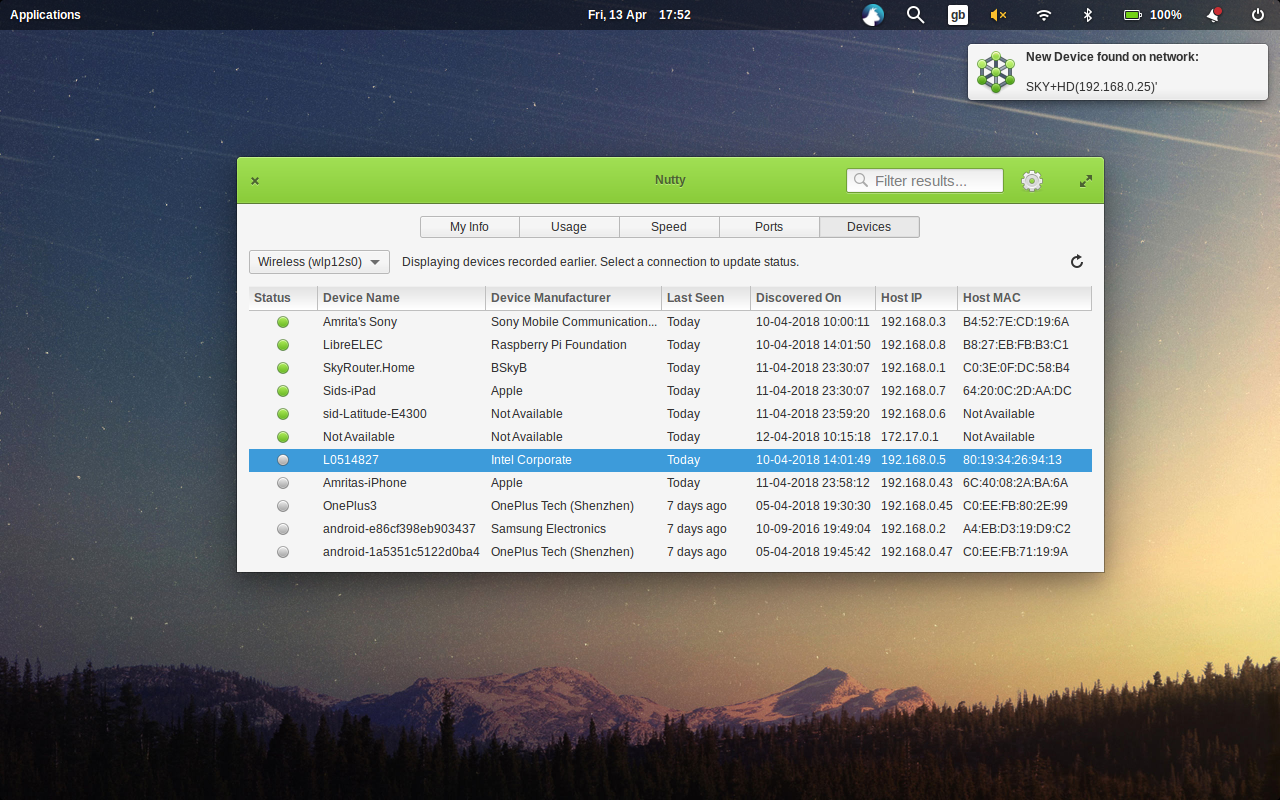
- Devices: Monitors, alerts, and provides information about other devices connected to the network
https://babluboy.github.io/nutty/
Building, Testing, and Installation from Source
You will need the following dependencies to build:
- libgranite-dev
- libnotify-dev
- libxml2-dev
- libxml2-utils
- libgee-0.8-dev
- libgtk-3-dev
- libsqlite3-dev
- meson
- valac
- net-tools
- nethogs
- nmap
- traceroute
- vnstat
- curl
- wireless-tools
- iproute2
- pciutils
sudo systemctl enable vnstatRun meson build to configure the build environment and run ninja test to build
git clone https://github.com/babluboy/nutty.git
cd nutty
meson build --prefix=/usr
cd build
ninjasudo ninja install, then run with com.github.babluboy.nuttysudo ninja install
com.github.babluboy.nuttysudo ninja uninstallInstallation from Deb package
To install Nutty from the .deb package, make sure you have installed all the above runtime dependencies of Nutty (no need for build dependencies). Then run the command below
sudo dpkg -i .deb .deb package runsudo apt autoremove com.github.babluboy.nutty.deb package of Nutty yourself then install the above build dependencies and then rungit clone https://github.com/babluboy/nutty.git
cd nutty
dpkg-buildpackage -us -uc
cd ..Screenshot
--- Tranlated By Open Ai Tx | Last indexed: 2026-04-16 ---
Original README: View on GitHub