Language: English | Português (Brasil) | 简体中文 | 繁體中文 | 日本語 | 한국어 | Türkçe
Everything Claude Code
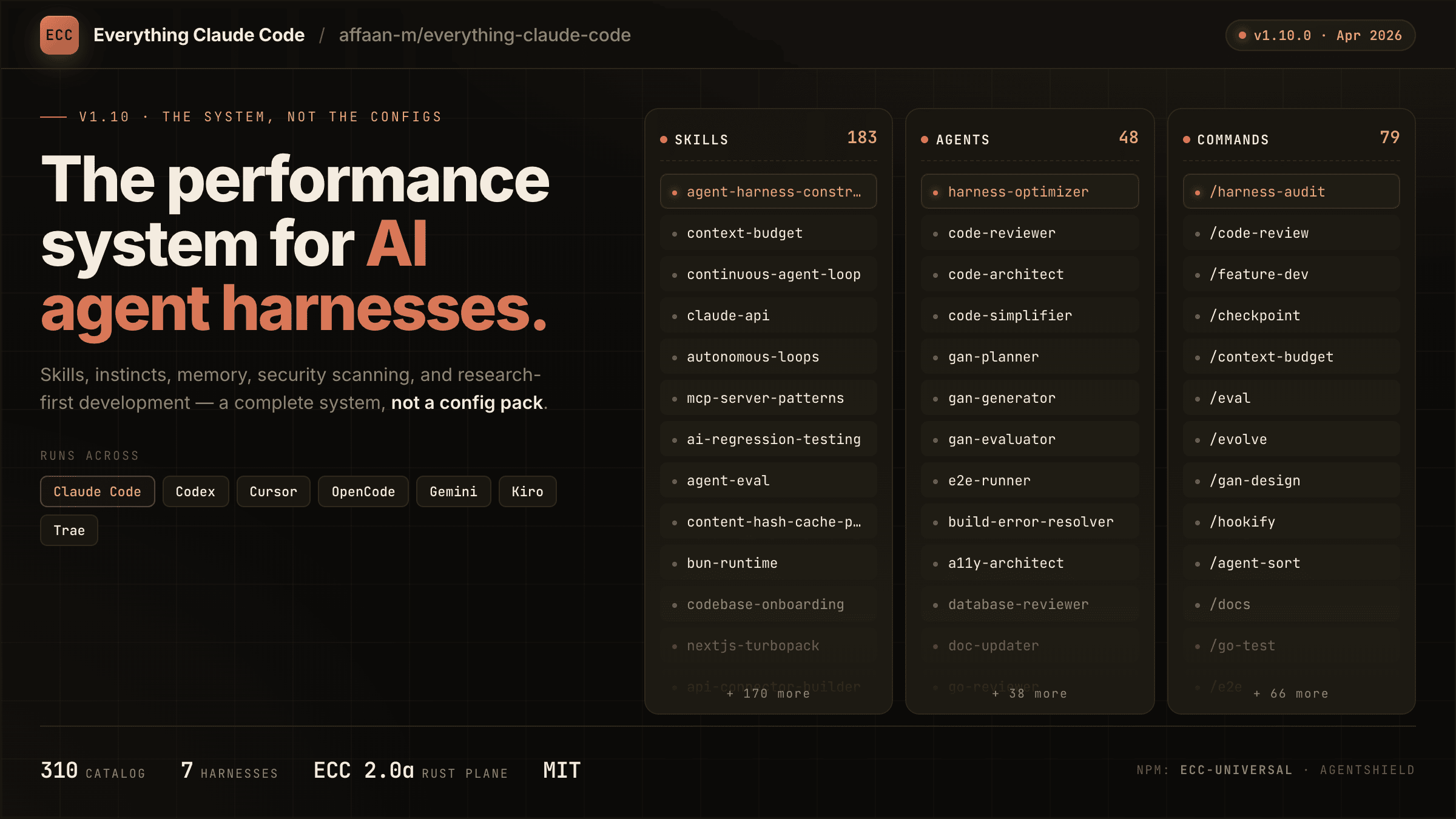








140K+ stars | 21K+ forks | 170+ contributors | 12+ language ecosystems | Anthropic Hackathon Winner
The performance optimization system for AI agent harnesses. From an Anthropic hackathon winner.
Not just configs. A complete system: skills, instincts, memory optimization, continuous learning, security scanning, and research-first development. Production-ready agents, skills, hooks, rules, MCP configurations, and legacy command shims evolved over 10+ months of intensive daily use building real products.
Works across Claude Code, Codex, Cursor, OpenCode, Gemini, and other AI agent harnesses.
ECC v2.0.0-rc.1 adds the public Hermes operator story on top of that reusable layer: start with the Hermes setup guide, then review the rc.1 release notes and cross-harness architecture.
The Guides
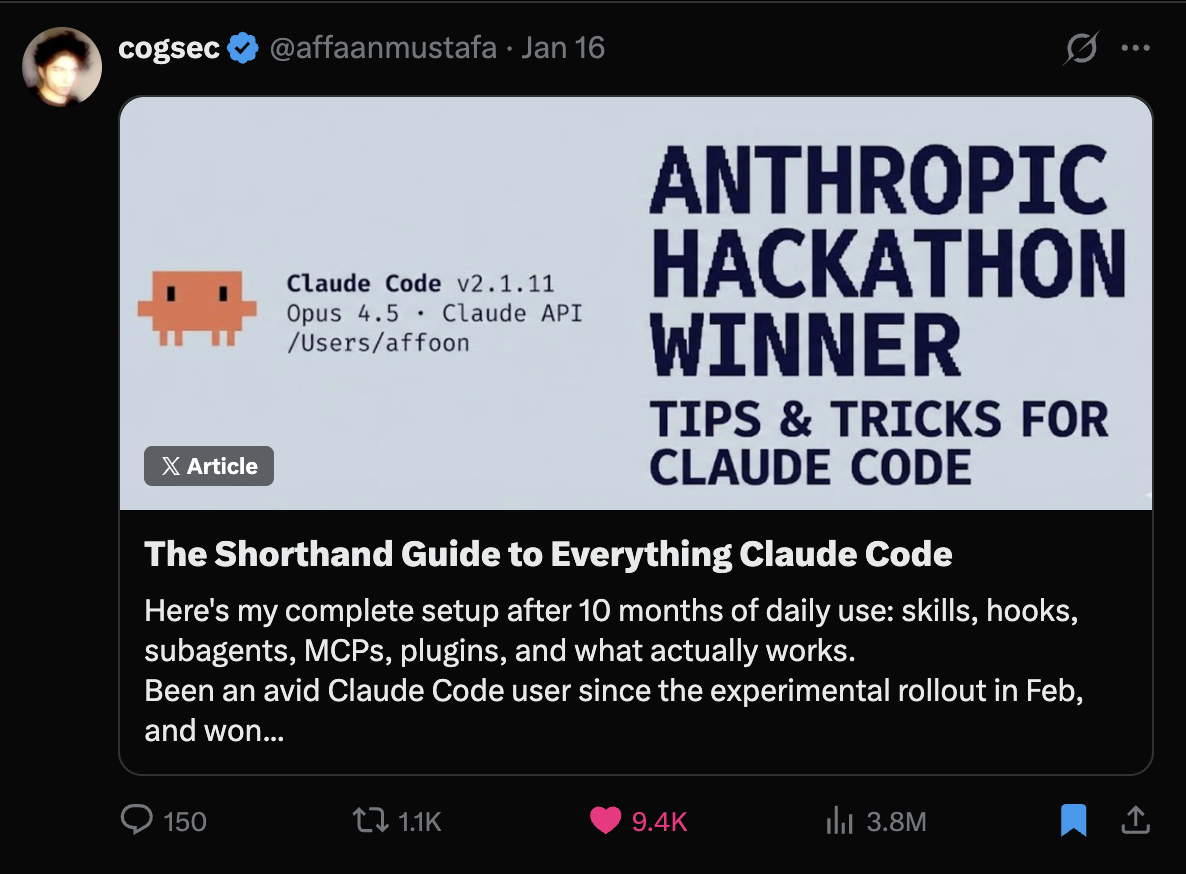
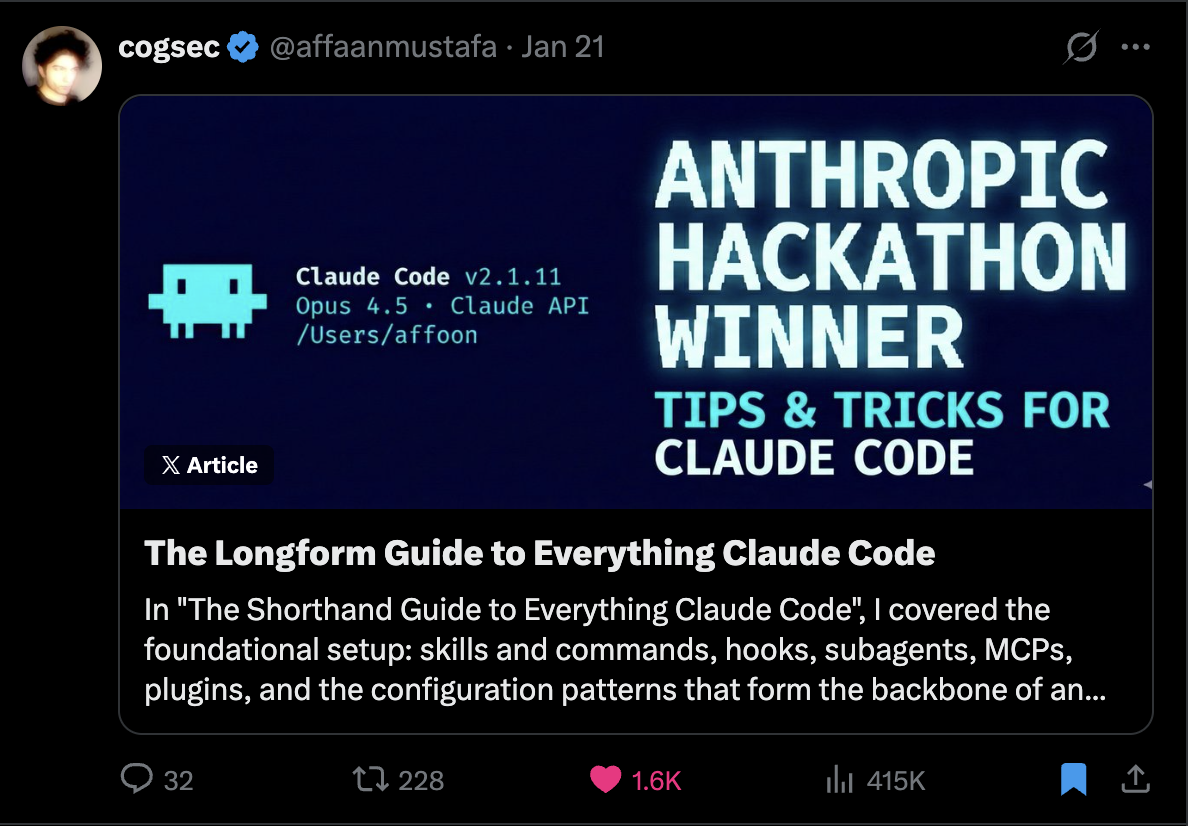
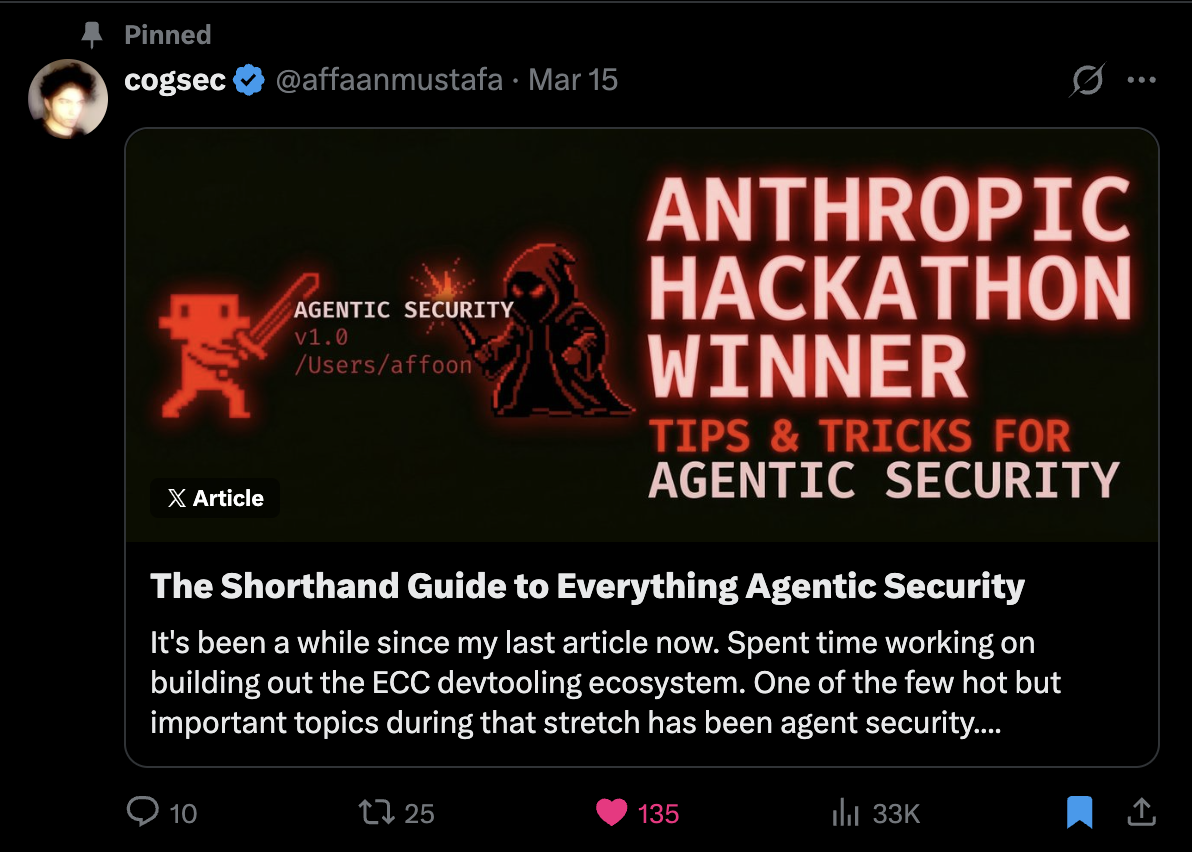
This repo is the raw code only. The guides explain everything.
|
|
|
| Shorthand Guide Setup, foundations, philosophy. Read this first. |
Longform Guide Token optimization, memory persistence, evals, parallelization. |
Security Guide Attack vectors, sandboxing, sanitization, CVEs, AgentShield. |
| Topic | What You'll Learn | |-------|-------------------| | Token Optimization | Model selection, system prompt slimming, background processes | | Memory Persistence | Hooks that save/load context across sessions automatically | | Continuous Learning | Auto-extract patterns from sessions into reusable skills | | Verification Loops | Checkpoint vs continuous evals, grader types, pass@k metrics | | Parallelization | Git worktrees, cascade method, when to scale instances | | Subagent Orchestration | The context problem, iterative retrieval pattern |
What's New
v2.0.0-rc.1 — Surface Refresh, Operator Workflows, and ECC 2.0 Alpha (Apr 2026)
- Dashboard GUI — New Tkinter-based desktop application (
ecc_dashboard.pyornpm run dashboard) with dark/light theme toggle, font customization, and project logo in header and taskbar. - Public surface synced to the live repo — metadata, catalog counts, plugin manifests, and install-facing docs now match the actual OSS surface: 48 agents, 182 skills, and 68 legacy command shims.
- Operator and outbound workflow expansion —
brand-voice,social-graph-ranker,connections-optimizer,customer-billing-ops,ecc-tools-cost-audit,google-workspace-ops,project-flow-ops, andworkspace-surface-auditround out the operator lane. - Media and launch tooling —
manim-video,remotion-video-creation, and upgraded social publishing surfaces make technical explainers and launch content part of the same system. - Framework and product surface growth —
nestjs-patterns, richer Codex/OpenCode install surfaces, and expanded cross-harness packaging keep the repo usable beyond Claude Code alone. - ECC 2.0 alpha is in-tree — the Rust control-plane prototype in
ecc2/now builds locally and exposesdashboard,start,sessions,status,stop,resume, anddaemoncommands. It is usable as an alpha, not yet a general release. - Ecosystem hardening — AgentShield, ECC Tools cost controls, billing portal work, and website refreshes continue to ship around the core plugin instead of drifting into separate silos.
v1.9.0 — Selective Install & Language Expansion (Mar 2026)
- Selective install architecture — Manifest-driven install pipeline with
install-plan.jsandinstall-apply.jsfor targeted component installation. State store tracks what's installed and enables incremental updates. - 6 new agents —
typescript-reviewer,pytorch-build-resolver,java-build-resolver,java-reviewer,kotlin-reviewer,kotlin-build-resolverexpand language coverage to 10 languages. - New skills —
pytorch-patternsfor deep learning workflows,documentation-lookupfor API reference research,bun-runtimeandnextjs-turbopackfor modern JS toolchains, plus 8 operational domain skills andmcp-server-patterns. - Session & state infrastructure — SQLite state store with query CLI, session adapters for structured recording, skill evolution foundation for self-improving skills.
- Orchestration overhaul — Harness audit scoring made deterministic, orchestration status and launcher compatibility hardened, observer loop prevention with 5-layer guard.
- Observer reliability — Memory explosion fix with throttling and tail sampling, sandbox access fix, lazy-start logic, and re-entrancy guard.
- 12 language ecosystems — New rules for Java, PHP, Perl, Kotlin/Android/KMP, C++, and Rust join existing TypeScript, Python, Go, and common rules.
- Community contributions — Korean and Chinese translations, biome hook optimization, video processing skills, operational skills, PowerShell installer, Antigravity IDE support.
- CI hardening — 19 test failure fixes, catalog count enforcement, install manifest validation, and full test suite green.
v1.8.0 — Harness Performance System (Mar 2026)
- Harness-first release — ECC is now explicitly framed as an agent harness performance system, not just a config pack.
- Hook reliability overhaul — SessionStart root fallback, Stop-phase session summaries, and script-based hooks replacing fragile inline one-liners.
- Hook runtime controls —
ECC_HOOK_PROFILE=minimal|standard|strictandECC_DISABLED_HOOKS=...for runtime gating without editing hook files. - New harness commands —
/harness-audit,/loop-start,/loop-status,/quality-gate,/model-route. - NanoClaw v2 — model routing, skill hot-load, session branch/search/export/compact/metrics.
- Cross-harness parity — behavior tightened across Claude Code, Cursor, OpenCode, and Codex app/CLI.
- 997 internal tests passing — full suite green after hook/runtime refactor and compatibility updates.
v1.7.0 — Cross-Platform Expansion & Presentation Builder (Feb 2026)
- Codex app + CLI support — Direct
AGENTS.md-based Codex support, installer targeting, and Codex docs frontend-slidesskill — Zero-dependency HTML presentation builder with PPTX conversion guidance and strict viewport-fit rules- 5 new generic business/content skills —
article-writing,content-engine,market-research,investor-materials,investor-outreach - Broader tool coverage — Cursor, Codex, and OpenCode support tightened so the same repo ships cleanly across all major harnesses
- 992 internal tests — Expanded validation and regression coverage across plugin, hooks, skills, and packaging
v1.6.0 — Codex CLI, AgentShield & Marketplace (Feb 2026)
- Codex CLI support — New
/codex-setupcommand generatescodex.mdfor OpenAI Codex CLI compatibility - 7 new skills —
search-first,swift-actor-persistence,swift-protocol-di-testing,regex-vs-llm-structured-text,content-hash-cache-pattern,cost-aware-llm-pipeline,skill-stocktake - AgentShield integration —
/security-scanskill runs AgentShield directly from Claude Code; 1282 tests, 102 rules - GitHub Marketplace — ECC Tools GitHub App live at github.com/marketplace/ecc-tools with free/pro/enterprise tiers
- 30+ community PRs merged — Contributions from 30 contributors across 6 languages
- 978 internal tests — Expanded validation suite across agents, skills, commands, hooks, and rules
v1.4.1 — Bug Fix (Feb 2026)
- Fixed instinct import content loss —
parse_instinct_file()was silently dropping all content after frontmatter (Action, Evidence, Examples sections) during/instinct-import. (#148, #161)
v1.4.0 — Multi-Language Rules, Installation Wizard & PM2 (Feb 2026)
- Interactive installation wizard — New
configure-eccskill provides guided setup with merge/overwrite detection - PM2 & multi-agent orchestration — 6 new commands (
/pm2,/multi-plan,/multi-execute,/multi-backend,/multi-frontend,/multi-workflow) for managing complex multi-service workflows - Multi-language rules architecture — Rules restructured from flat files into
common/+typescript/+python/+golang/directories. Install only the languages you need - Chinese (zh-CN) translations — Complete translation of all agents, commands, skills, and rules (80+ files)
- GitHub Sponsors support — Sponsor the project via GitHub Sponsors
- Enhanced CONTRIBUTING.md — Detailed PR templates for each contribution type
v1.3.0 — OpenCode Plugin Support (Feb 2026)
- Full OpenCode integration — 12 agents, 24 commands, 16 skills with hook support via OpenCode's plugin system (20+ event types)
- 3 native custom tools — run-tests, check-coverage, security-audit
- LLM documentation —
llms.txtfor comprehensive OpenCode docs
v1.2.0 — Unified Commands & Skills (Feb 2026)
- Python/Django support — Django patterns, security, TDD, and verification skills
- Java Spring Boot skills — Patterns, security, TDD, and verification for Spring Boot
- Session management —
/sessionscommand for session history - Continuous learning v2 — Instinct-based learning with confidence scoring, import/export, evolution
---
Quick Start
Get up and running in under 2 minutes:
Pick one path only
Most Claude Code users should use exactly one install path:
- Recommended default: install the Claude Code plugin, then copy only the rule folders you actually want.
- Use the manual installer only if you want finer-grained control, want to avoid the plugin path entirely, or your Claude Code build has trouble resolving the self-hosted marketplace entry.
- Do not stack install methods. The most common broken setup is:
/plugin installfirst, theninstall.sh --profile fullornpx ecc-install --profile fullafterward.
Low-context / no-hooks path
If hooks feel too global or you only want ECC's rules, agents, commands, and core workflow skills, skip the plugin and use the minimal manual profile:
./install.sh --profile minimal --target claude.\install.ps1 --profile minimal --target claude
or
npx ecc-install --profile minimal --target claudeThis profile intentionally excludes hooks-runtime.
If you want the normal core profile but need hooks off, use:
./install.sh --profile core --without baseline:hooks --target claudeAdd hooks later only if you want runtime enforcement:
./install.sh --target claude --modules hooks-runtimeFind the right components first
If you are not sure which ECC profile or component to install, ask the packaged advisor from any project:
npx ecc consult "security reviews" --target claudeIt returns matching components, related profiles, and preview/install commands. Use the preview command before installing if you want to inspect the exact file plan.
Step 1: Install the Plugin (Recommended)
NOTE: The plugin is convenient, but the OSS installer below is still the most reliable path if your Claude Code build has trouble resolving self-hosted marketplace entries.
# Add marketplace
/plugin marketplace add https://github.com/affaan-m/everything-claude-codeInstall plugin
/plugin install everything-claude-code@everything-claude-code
Naming + Migration Note
ECC now has three public identifiers, and they are not interchangeable:
- GitHub source repo:
affaan-m/everything-claude-code - Claude marketplace/plugin identifier:
everything-claude-code@everything-claude-code - npm package:
ecc-universal
everything-claude-code@everything-claude-code to keep the listing name, /plugin install, /plugin list, and repo docs aligned to one public install surface. Older posts may still show the old short-form nickname; that shorthand is deprecated. Separately, the npm package stayed on ecc-universal, so npm installs and marketplace installs intentionally use different names.Step 2: Install Rules (Required)
WARNING: Important: Claude Code plugins cannot distribute rules automatically.
>
If you already installed ECC via>/plugin install, do not run./install.sh --profile full,.\install.ps1 --profile full, ornpx ecc-install --profile fullafterward. The plugin already loads ECC skills, commands, and hooks. Running the full installer after a plugin install copies those same surfaces into your user directories and can create duplicate skills plus duplicate runtime behavior.
For plugin installs, manually copy only the>rules/directories you want under~/.claude/rules/ecc/. Start withrules/commonplus one language or framework pack you actually use. Do not copy every rules directory unless you explicitly want all of that context in Claude.
Use the full installer only when you are doing a fully manual ECC install instead of the plugin path.>
If your local Claude setup was wiped or reset, that does not mean you need to repurchase ECC. Start withnode scripts/ecc.js list-installed, then runnode scripts/ecc.js doctorandnode scripts/ecc.js repairbefore reinstalling anything. That usually restores ECC-managed files without rebuilding your setup. If the problem is account or marketplace access for ECC Tools, handle billing/account recovery separately.
# Clone the repo first
git clone https://github.com/affaan-m/everything-claude-code.git
cd everything-claude-codeInstall dependencies (pick your package manager)
npm install        # or: pnpm install | yarn install | bun installPlugin install path: copy only ECC rules into an ECC-owned namespace
mkdir -p ~/.claude/rules/ecc
cp -R rules/common ~/.claude/rules/ecc/
cp -R rules/typescript ~/.claude/rules/ecc/Fully manual ECC install path (use this instead of /plugin install)
./install.sh --profile full
# Windows PowerShellPlugin install path: copy only ECC rules into an ECC-owned namespace
New-Item -ItemType Directory -Force -Path "$HOME/.claude/rules/ecc" | Out-Null
Copy-Item -Recurse rules/common "$HOME/.claude/rules/ecc/"
Copy-Item -Recurse rules/typescript "$HOME/.claude/rules/ecc/"Fully manual ECC install path (use this instead of /plugin install)
.\install.ps1 --profile full
npx ecc-install --profile full
For manual install instructions see the README in the rules/ folder. When copying rules manually, copy the whole language directory (for example rules/common or rules/golang), not the files inside it, so relative references keep working and filenames do not collide.
Fully manual install (Fallback)
Use this only if you are intentionally skipping the plugin path:
./install.sh --profile full.\install.ps1 --profile full
or
npx ecc-install --profile full/plugin install.Reset / Uninstall ECC
If ECC feels duplicated, intrusive, or broken, do not keep reinstalling it on top of itself.
- Plugin path: remove the plugin from Claude Code, then delete the specific rule folders you manually copied under
~/.claude/rules/ecc/. - Manual installer / CLI path: from the repo root, preview removal first:
node scripts/uninstall.js --dry-runThen remove ECC-managed files:
node scripts/uninstall.jsnode scripts/ecc.js list-installed
node scripts/ecc.js doctor
node scripts/ecc.js repair
node scripts/ecc.js uninstall --dry-runECC only removes files recorded in its install-state. It will not delete unrelated files it did not install.
If you stacked methods, clean up in this order:
- Remove the Claude Code plugin install.
- Run the ECC uninstall command from the repo root to remove install-state-managed files.
- Delete any extra rule folders you copied manually and no longer want.
- Reinstall once, using a single path.
Step 3: Start Using
# Skills are the primary workflow surface.
Existing slash-style command names still work while ECC migrates off commands/.
Plugin install uses the canonical namespaced form
/everything-claude-code:plan "Add user authentication"Manual install keeps the shorter slash form:
/plan "Add user authentication"
Check available commands
/plugin list everything-claude-code@everything-claude-codeThat's it! You now have access to 48 agents, 182 skills, and 68 legacy command shims.
Dashboard GUI
Launch the desktop dashboard to visually explore ECC components:
npm run dashboard
or
python3 ./ecc_dashboard.py
Features:
- Tabbed interface: Agents, Skills, Commands, Rules, Settings
- Dark/Light theme toggle
- Font customization (family & size)
- Project logo in header and taskbar
- Search and filter across all components
Multi-model commands require additional setup
WARNING: multi-* commands are not covered by the base plugin/rules install above.
>
To use>/multi-plan,/multi-execute,/multi-backend,/multi-frontend, and/multi-workflow, you must also install theccg-workflowruntime.
Initialize it with npx ccg-workflow.
>
That runtime provides the external dependencies these commands expect, including:
- ~/.claude/bin/codeagent-wrapper
- ~/.claude/.ccg/prompts/*
>
Withoutccg-workflow, thesemulti-*commands will not run correctly.
Cross-Platform Support
This plugin now fully supports Windows, macOS, and Linux, alongside tight integration across major IDEs (Cursor, OpenCode, Antigravity) and CLI harnesses. All hooks and scripts have been rewritten in Node.js for maximum compatibility.
Package Manager Detection
The plugin automatically detects your preferred package manager (npm, pnpm, yarn, or bun) with the following priority:
- Environment variable:
CLAUDE_PACKAGE_MANAGER - Project config:
.claude/package-manager.json - package.json:
packageManagerfield - Lock file: Detection from package-lock.json, yarn.lock, pnpm-lock.yaml, or bun.lockb
- Global config:
~/.claude/package-manager.json - Fallback: First available package manager
# Via environment variable
export CLAUDE_PACKAGE_MANAGER=pnpmVia global config
node scripts/setup-package-manager.js --global pnpmVia project config
node scripts/setup-package-manager.js --project bunDetect current setting
node scripts/setup-package-manager.js --detect
Or use the /setup-pm command in Claude Code.
Hook Runtime Controls
Use runtime flags to tune strictness or disable specific hooks temporarily:
# Hook strictness profile (default: standard)
export ECC_HOOK_PROFILE=standardComma-separated hook IDs to disable
export ECC_DISABLED_HOOKS="pre:bash:tmux-reminder,post:edit:typecheck"Cap SessionStart additional context (default: 8000 chars)
export ECC_SESSION_START_MAX_CHARS=4000Disable SessionStart additional context entirely for low-context/local-model setups
export ECC_SESSION_START_CONTEXT=off
What's Inside
This repo is a Claude Code plugin - install it directly or copy components manually.
everything-claude-code/
|-- .claude-plugin/   # Plugin and marketplace manifests
|   |-- plugin.json         # Plugin metadata and component paths
|   |-- marketplace.json    # Marketplace catalog for /plugin marketplace add
|
|-- agents/           # 36 specialized subagents for delegation
|   |-- planner.md           # Feature implementation planning
|   |-- architect.md         # System design decisions
|   |-- tdd-guide.md         # Test-driven development
|   |-- code-reviewer.md     # Quality and security review
|   |-- security-reviewer.md # Vulnerability analysis
|   |-- build-error-resolver.md
|   |-- e2e-runner.md        # Playwright E2E testing
|   |-- refactor-cleaner.md  # Dead code cleanup
|   |-- doc-updater.md       # Documentation sync
|   |-- docs-lookup.md       # Documentation/API lookup
|   |-- chief-of-staff.md    # Communication triage and drafts
|   |-- loop-operator.md     # Autonomous loop execution
|   |-- harness-optimizer.md # Harness config tuning
|   |-- cpp-reviewer.md      # C++ code review
|   |-- cpp-build-resolver.md # C++ build error resolution
|   |-- go-reviewer.md       # Go code review
|   |-- go-build-resolver.md # Go build error resolution
|   |-- python-reviewer.md   # Python code review
|   |-- database-reviewer.md # Database/Supabase review
|   |-- typescript-reviewer.md # TypeScript/JavaScript code review
|   |-- java-reviewer.md     # Java/Spring Boot code review
|   |-- java-build-resolver.md # Java/Maven/Gradle build errors
|   |-- kotlin-reviewer.md   # Kotlin/Android/KMP code review
|   |-- kotlin-build-resolver.md # Kotlin/Gradle build errors
|   |-- rust-reviewer.md     # Rust code review
|   |-- rust-build-resolver.md # Rust build error resolution
|   |-- pytorch-build-resolver.md # PyTorch/CUDA training errors
|
|-- skills/           # Workflow definitions and domain knowledge
|   |-- coding-standards/           # Language best practices
|   |-- clickhouse-io/              # ClickHouse analytics, queries, data engineering
|   |-- backend-patterns/           # API, database, caching patterns
|   |-- frontend-patterns/          # React, Next.js patterns
|   |-- frontend-slides/            # HTML slide decks and PPTX-to-web presentation workflows (NEW)
|   |-- article-writing/            # Long-form writing in a supplied voice without generic AI tone (NEW)
|   |-- content-engine/             # Multi-platform social content and repurposing workflows (NEW)
|   |-- market-research/            # Source-attributed market, competitor, and investor research (NEW)
|   |-- investor-materials/         # Pitch decks, one-pagers, memos, and financial models (NEW)
|   |-- investor-outreach/          # Personalized fundraising outreach and follow-up (NEW)
|   |-- continuous-learning/        # Legacy v1 Stop-hook pattern extraction
|   |-- continuous-learning-v2/     # Instinct-based learning with confidence scoring
|   |-- iterative-retrieval/        # Progressive context refinement for subagents
|   |-- strategic-compact/          # Manual compaction suggestions (Longform Guide)
|   |-- tdd-workflow/               # TDD methodology
|   |-- security-review/            # Security checklist
|   |-- eval-harness/               # Verification loop evaluation (Longform Guide)
|   |-- verification-loop/          # Continuous verification (Longform Guide)
|   |-- videodb/                   # Video and audio: ingest, search, edit, generate, stream (NEW)
|   |-- golang-patterns/            # Go idioms and best practices
|   |-- golang-testing/             # Go testing patterns, TDD, benchmarks
|   |-- cpp-coding-standards/         # C++ coding standards from C++ Core Guidelines (NEW)
|   |-- cpp-testing/                # C++ testing with GoogleTest, CMake/CTest (NEW)
|   |-- django-patterns/            # Django patterns, models, views (NEW)
|   |-- django-security/            # Django security best practices (NEW)
|   |-- django-tdd/                 # Django TDD workflow (NEW)
|   |-- django-verification/        # Django verification loops (NEW)
|   |-- laravel-patterns/           # Laravel architecture patterns (NEW)
|   |-- laravel-security/           # Laravel security best practices (NEW)
|   |-- laravel-tdd/                # Laravel TDD workflow (NEW)
|   |-- laravel-verification/       # Laravel verification loops (NEW)
|   |-- python-patterns/            # Python idioms and best practices (NEW)
|   |-- python-testing/             # Python testing with pytest (NEW)
|   |-- springboot-patterns/        # Java Spring Boot patterns (NEW)
|   |-- springboot-security/        # Spring Boot security (NEW)
|   |-- springboot-tdd/             # Spring Boot TDD (NEW)
|   |-- springboot-verification/    # Spring Boot verification (NEW)
|   |-- configure-ecc/              # Interactive installation wizard (NEW)
|   |-- security-scan/              # AgentShield security auditor integration (NEW)
|   |-- java-coding-standards/     # Java coding standards (NEW)
|   |-- jpa-patterns/              # JPA/Hibernate patterns (NEW)
|   |-- postgres-patterns/         # PostgreSQL optimization patterns (NEW)
|   |-- nutrient-document-processing/ # Document processing with Nutrient API (NEW)
|   |-- docs/examples/project-guidelines-template.md  # Template for project-specific skills
|   |-- database-migrations/         # Migration patterns (Prisma, Drizzle, Django, Go) (NEW)
|   |-- api-design/                  # REST API design, pagination, error responses (NEW)
|   |-- deployment-patterns/         # CI/CD, Docker, health checks, rollbacks (NEW)
|   |-- docker-patterns/            # Docker Compose, networking, volumes, container security (NEW)
|   |-- e2e-testing/                 # Playwright E2E patterns and Page Object Model (NEW)
|   |-- content-hash-cache-pattern/  # SHA-256 content hash caching for file processing (NEW)
|   |-- cost-aware-llm-pipeline/     # LLM cost optimization, model routing, budget tracking (NEW)
|   |-- regex-vs-llm-structured-text/ # Decision framework: regex vs LLM for text parsing (NEW)
|   |-- swift-actor-persistence/     # Thread-safe Swift data persistence with actors (NEW)
|   |-- swift-protocol-di-testing/   # Protocol-based DI for testable Swift code (NEW)
|   |-- search-first/               # Research-before-coding workflow (NEW)
|   |-- skill-stocktake/            # Audit skills and commands for quality (NEW)
|   |-- liquid-glass-design/         # iOS 26 Liquid Glass design system (NEW)
|   |-- foundation-models-on-device/ # Apple on-device LLM with FoundationModels (NEW)
|   |-- swift-concurrency-6-2/       # Swift 6.2 Approachable Concurrency (NEW)
|   |-- perl-patterns/             # Modern Perl 5.36+ idioms and best practices (NEW)
|   |-- perl-security/             # Perl security patterns, taint mode, safe I/O (NEW)
|   |-- perl-testing/              # Perl TDD with Test2::V0, prove, Devel::Cover (NEW)
|   |-- autonomous-loops/           # Autonomous loop patterns: sequential pipelines, PR loops, DAG orchestration (NEW)
|   |-- plankton-code-quality/      # Write-time code quality enforcement with Plankton hooks (NEW)
|
|-- commands/         # Maintained slash-entry compatibility; prefer skills/
|   |-- plan.md             # /plan - Implementation planning
|   |-- code-review.md      # /code-review - Quality review
|   |-- build-fix.md        # /build-fix - Fix build errors
|   |-- refactor-clean.md   # /refactor-clean - Dead code removal
|   |-- quality-gate.md     # /quality-gate - Verification gate
|   |-- learn.md            # /learn - Extract patterns mid-session (Longform Guide)
|   |-- learn-eval.md       # /learn-eval - Extract, evaluate, and save patterns (NEW)
|   |-- checkpoint.md       # /checkpoint - Save verification state (Longform Guide)
|   |-- setup-pm.md         # /setup-pm - Configure package manager
|   |-- go-review.md        # /go-review - Go code review (NEW)
|   |-- go-test.md          # /go-test - Go TDD workflow (NEW)
|   |-- go-build.md         # /go-build - Fix Go build errors (NEW)
|   |-- skill-create.md     # /skill-create - Generate skills from git history (NEW)
|   |-- instinct-status.md  # /instinct-status - View learned instincts (NEW)
|   |-- instinct-import.md  # /instinct-import - Import instincts (NEW)
|   |-- instinct-export.md  # /instinct-export - Export instincts (NEW)
|   |-- evolve.md           # /evolve - Cluster instincts into skills
|   |-- prune.md            # /prune - Delete expired pending instincts (NEW)
|   |-- pm2.md              # /pm2 - PM2 service lifecycle management (NEW)
|   |-- multi-plan.md       # /multi-plan - Multi-agent task decomposition (NEW)
|   |-- multi-execute.md    # /multi-execute - Orchestrated multi-agent workflows (NEW)
|   |-- multi-backend.md    # /multi-backend - Backend multi-service orchestration (NEW)
|   |-- multi-frontend.md   # /multi-frontend - Frontend multi-service orchestration (NEW)
|   |-- multi-workflow.md   # /multi-workflow - General multi-service workflows (NEW)
|   |-- sessions.md         # /sessions - Session history management
|   |-- test-coverage.md    # /test-coverage - Test coverage analysis
|   |-- update-docs.md      # /update-docs - Update documentation
|   |-- update-codemaps.md  # /update-codemaps - Update codemaps
|   |-- python-review.md    # /python-review - Python code review (NEW)
|-- legacy-command-shims/   # Opt-in archive for retired shims such as /tdd and /eval
|   |-- tdd.md              # /tdd - Prefer the tdd-workflow skill
|   |-- e2e.md              # /e2e - Prefer the e2e-testing skill
|   |-- eval.md             # /eval - Prefer the eval-harness skill
|   |-- verify.md           # /verify - Prefer the verification-loop skill
|   |-- orchestrate.md      # /orchestrate - Prefer dmux-workflows or multi-workflow
|
|-- rules/            # Always-follow guidelines (copy to ~/.claude/rules/ecc/)
|   |-- README.md            # Structure overview and installation guide
|   |-- common/              # Language-agnostic principles
|   |   |-- coding-style.md    # Immutability, file organization
|   |   |-- git-workflow.md    # Commit format, PR process
|   |   |-- testing.md         # TDD, 80% coverage requirement
|   |   |-- performance.md     # Model selection, context management
|   |   |-- patterns.md        # Design patterns, skeleton projects
|   |   |-- hooks.md           # Hook architecture, TodoWrite
|   |   |-- agents.md          # When to delegate to subagents
|   |   |-- security.md        # Mandatory security checks
|   |-- typescript/          # TypeScript/JavaScript specific
|   |-- python/              # Python specific
|   |-- golang/              # Go specific
|   |-- swift/               # Swift specific
|   |-- php/                 # PHP specific (NEW)
|
|-- hooks/            # Trigger-based automations
|   |-- README.md                 # Hook documentation, recipes, and customization guide
|   |-- hooks.json                # All hooks config (PreToolUse, PostToolUse, Stop, etc.)
|   |-- memory-persistence/       # Session lifecycle hooks (Longform Guide)
|   |-- strategic-compact/        # Compaction suggestions (Longform Guide)
|
|-- scripts/          # Cross-platform Node.js scripts (NEW)
|   |-- lib/                     # Shared utilities
|   |   |-- utils.js             # Cross-platform file/path/system utilities
|   |   |-- package-manager.js   # Package manager detection and selection
|   |-- hooks/                   # Hook implementations
|   |   |-- session-start.js     # Load context on session start
|   |   |-- session-end.js       # Save state on session end
|   |   |-- pre-compact.js       # Pre-compaction state saving
|   |   |-- suggest-compact.js   # Strategic compaction suggestions
|   |   |-- evaluate-session.js  # Extract patterns from sessions
|   |-- setup-package-manager.js # Interactive PM setup
|
|-- tests/            # Test suite (NEW)
|   |-- lib/                     # Library tests
|   |-- hooks/                   # Hook tests
|   |-- run-all.js               # Run all tests
|
|-- contexts/         # Dynamic system prompt injection contexts (Longform Guide)
|   |-- dev.md              # Development mode context
|   |-- review.md           # Code review mode context
|   |-- research.md         # Research/exploration mode context
|
|-- examples/         # Example configurations and sessions
|   |-- CLAUDE.md             # Example project-level config
|   |-- user-CLAUDE.md        # Example user-level config
|   |-- saas-nextjs-CLAUDE.md   # Real-world SaaS (Next.js + Supabase + Stripe)
|   |-- go-microservice-CLAUDE.md # Real-world Go microservice (gRPC + PostgreSQL)
|   |-- django-api-CLAUDE.md      # Real-world Django REST API (DRF + Celery)
|   |-- laravel-api-CLAUDE.md     # Real-world Laravel API (PostgreSQL + Redis) (NEW)
|   |-- rust-api-CLAUDE.md        # Real-world Rust API (Axum + SQLx + PostgreSQL) (NEW)
|
|-- mcp-configs/      # MCP server configurations
|   |-- mcp-servers.json    # GitHub, Supabase, Vercel, Railway, etc.
|
|-- ecc_dashboard.py  # Desktop GUI dashboard (Tkinter)
|
|-- assets/           # Assets for dashboard
|   |-- images/
|       |-- ecc-logo.png
|
|-- marketplace.json  # Self-hosted marketplace config (for /plugin marketplace add)
Ecosystem Tools
Skill Creator
Two ways to generate Claude Code skills from your repository:
#### Option A: Local Analysis (Built-in)
Use the /skill-create command for local analysis without external services:
/skill-create                    # Analyze current repo
/skill-create --instincts        # Also generate instincts for continuous-learning-v2
This analyzes your git history locally and generates SKILL.md files.
#### Option B: GitHub App (Advanced)
For advanced features (10k+ commits, auto-PRs, team sharing):
Install GitHub App | ecc.tools
# Comment on any issue:
/skill-creator analyzeOr auto-triggers on push to default branch
Both options create:
- SKILL.md files - Ready-to-use skills for Claude Code
- Instinct collections - For continuous-learning-v2
- Pattern extraction - Learns from your commit history
AgentShield — Security Auditor
Built at the Claude Code Hackathon (Cerebral Valley x Anthropic, Feb 2026). 1282 tests, 98% coverage, 102 static analysis rules.
Scan your Claude Code configuration for vulnerabilities, misconfigurations, and injection risks.
# Quick scan (no install needed)
npx ecc-agentshield scanAuto-fix safe issues
npx ecc-agentshield scan --fixDeep analysis with three Opus 4.6 agents
npx ecc-agentshield scan --opus --streamGenerate secure config from scratch
npx ecc-agentshield init
What it scans: CLAUDE.md, settings.json, MCP configs, hooks, agent definitions, and skills across 5 categories — secrets detection (14 patterns), permission auditing, hook injection analysis, MCP server risk profiling, and agent config review.
The --opus flag runs three Claude Opus 4.6 agents in a red-team/blue-team/auditor pipeline. The attacker finds exploit chains, the defender evaluates protections, and the auditor synthesizes both into a prioritized risk assessment. Adversarial reasoning, not just pattern matching.
Output formats: Terminal (color-graded A-F), JSON (CI pipelines), Markdown, HTML. Exit code 2 on critical findings for build gates.
Use /security-scan in Claude Code to run it, or add to CI with the GitHub Action.
Continuous Learning v2
The instinct-based learning system automatically learns your patterns:
/instinct-status        # Show learned instincts with confidence
/instinct-import  # Import instincts from others
/instinct-export        # Export your instincts for sharing
/evolve                 # Cluster related instincts into skills
See skills/continuous-learning-v2/ for full documentation.
Keep continuous-learning/ only when you explicitly want the legacy v1 Stop-hook learned-skill flow.
Requirements
Claude Code CLI Version
Minimum version: v2.1.0 or later
This plugin requires Claude Code CLI v2.1.0+ due to changes in how the plugin system handles hooks.
Check your version:
claude --versionImportant: Hooks Auto-Loading Behavior
WARNING: For Contributors: Do NOT add a"hooks"field to.claude-plugin/plugin.json. This is enforced by a regression test.
Claude Code v2.1+ automatically loads hooks/hooks.json from any installed plugin by convention. Explicitly declaring it in plugin.json causes a duplicate detection error:
Duplicate hooks file detected: ./hooks/hooks.json resolves to already-loaded fileHistory: This has caused repeated fix/revert cycles in this repo (#29, #52, #103). The behavior changed between Claude Code versions, leading to confusion. We now have a regression test to prevent this from being reintroduced.
Installation
Option 1: Install as Plugin (Recommended)
The easiest way to use this repo - install as a Claude Code plugin:
# Add this repo as a marketplace
/plugin marketplace add https://github.com/affaan-m/everything-claude-codeInstall the plugin
/plugin install everything-claude-code@everything-claude-code
Or add directly to your ~/.claude/settings.json:
{
  "extraKnownMarketplaces": {
    "ecc": {
      "source": {
        "source": "github",
        "repo": "affaan-m/everything-claude-code"
      }
    }
  },
  "enabledPlugins": {
    "everything-claude-code@everything-claude-code": true
  }
}Note: The Claude Code plugin system does not support distributing rules via plugins (upstream limitation). You need to install rules manually:
>
> # Clone the repo first
git clone https://github.com/affaan-m/everything-claude-code.git>
# Option A: User-level rules (applies to all projects)
mkdir -p ~/.claude/rules/ecc
cp -r everything-claude-code/rules/common ~/.claude/rules/ecc/
cp -r everything-claude-code/rules/typescript ~/.claude/rules/ecc/ # pick your stack
cp -r everything-claude-code/rules/python ~/.claude/rules/ecc/
cp -r everything-claude-code/rules/golang ~/.claude/rules/ecc/
cp -r everything-claude-code/rules/php ~/.claude/rules/ecc/>
# Option B: Project-level rules (applies to current project only)
mkdir -p .claude/rules/ecc
cp -r everything-claude-code/rules/common .claude/rules/ecc/
cp -r everything-claude-code/rules/typescript .claude/rules/ecc/ # pick your stack
``Option 2: Manual Installation
If you prefer manual control over what's installed:
bash
Clone the repo
git clone https://github.com/affaan-m/everything-claude-code.gitCopy agents to your Claude config
cp everything-claude-code/agents/*.md ~/.claude/agents/Copy rules directories (common + language-specific)
mkdir -p ~/.claude/rules/ecc cp -r everything-claude-code/rules/common ~/.claude/rules/ecc/ cp -r everything-claude-code/rules/typescript ~/.claude/rules/ecc/ # pick your stack cp -r everything-claude-code/rules/python ~/.claude/rules/ecc/ cp -r everything-claude-code/rules/golang ~/.claude/rules/ecc/ cp -r everything-claude-code/rules/php ~/.claude/rules/ecc/Copy skills first (primary workflow surface)
Recommended (new users): core/general skills only
mkdir -p ~/.claude/skills/ecc cp -r everything-claude-code/.agents/skills/* ~/.claude/skills/ecc/ cp -r everything-claude-code/skills/search-first ~/.claude/skills/ecc/Optional: add niche/framework-specific skills only when needed
for s in django-patterns django-tdd laravel-patterns springboot-patterns; do
cp -r everything-claude-code/skills/$s ~/.claude/skills/ecc/
done
Optional: keep maintained slash-command compatibility during migration
mkdir -p ~/.claude/commands cp everything-claude-code/commands/*.md ~/.claude/commands/Retired shims live in legacy-command-shims/commands/.
Copy individual files from there only if you still need old names such as /tdd.
bash#### Install hookshooks/hooks.jsonDo not copy the raw repo
into~/.claude/settings.jsonor~/.claude/hooks/hooks.json. That file is plugin/repo-oriented and is meant to be installed through the ECC installer or loaded as a plugin, so raw copying is not a supported manual install path.Use the installer to install only the Claude hook runtime so command paths are rewritten correctly:
macOS / Linux
bash ./install.sh --target claude --modules hooks-runtimeWindows PowerShell
pwsh -File .\install.ps1 --target claude --modules hooks-runtimebash export ECC_DISABLED_MCPS="github,context7,exa,playwright,sequential-thinking,memory"That writes resolved hooks to~/.claude/hooks/hooks.jsonand leaves any existing~/.claude/settings.jsonuntouched./plugin installIf you installed ECC via
, do not copy those hooks intosettings.json. Claude Code v2.1+ already auto-loads pluginhooks/hooks.json, and duplicating them insettings.jsoncauses duplicate execution and cross-platform hook conflicts.%USERPROFILE%\\.claudeWindows note: the Claude config directory is
, not~/claude./mcp#### Configure MCPs
Claude plugin installs intentionally do not auto-enable ECC's bundled MCP server definitions. This avoids overlong plugin MCP tool names on strict third-party gateways while keeping manual MCP setup available.
Use Claude Code's
command or CLI-managed MCP setup for live Claude Code server changes. Use/mcpfor Claude Code runtime disables; Claude Code persists those choices in~/.claude.json.mcp-configs/mcp-servers.jsonFor repo-local MCP access, copy desired MCP server definitions from
into a project-scoped.mcp.json.If you already run your own copies of ECC-bundled MCPs, set:
markdownECC-managed install and Codex sync flows will skip or remove those bundled servers instead of re-adding duplicates.ECC_DISABLED_MCPSis an ECC install/sync filter, not a live Claude Code toggle.YOUR_*_HEREImportant: Replace
placeholders with your actual API keys.Key Concepts
Agents
Subagents handle delegated tasks with limited scope. Example:
name: code-reviewer description: Reviews code for quality, security, and maintainability tools: ["Read", "Grep", "Glob", "Bash"] model: opus
You are a senior code reviewer...
markdowncommands/Skills
Skills are the primary workflow surface. They can be invoked directly, suggested automatically, and reused by agents. ECC still ships maintained
during migration, while retired short-name shims live underlegacy-command-shims/for explicit opt-in only. New workflow development should land inskills/first.
TDD Workflow
- Define interfaces first
- Write failing tests (RED)
- Implement minimal code (GREEN)
- Refactor (IMPROVE)
- Verify 80%+ coverage
Hooks
Hooks trigger on tool events. Example - warn about console.log:
rules/ common/ # Universal principles (always install) typescript/ # TS/JS specific patterns and tools python/ # Python specific patterns and tools golang/ # Go specific patterns and tools swift/ # Swift specific patterns and tools php/ # PHP specific patterns and toolscommon/Rules
Rules are always-follow guidelines, organized into
(language-agnostic) + language-specific directories:
/everything-claude-code:plan "Add user authentication with OAuth" → planner creates implementation blueprint tdd-workflow skill → tdd-guide enforces write-tests-first /code-review → code-reviewer checks your workSeerules/README.mdfor installation and structure details./everything-claude-code:plan "Add auth"Which Agent Should I Use?
Not sure where to start? Use this quick reference. Skills are the canonical workflow surface; maintained slash entries stay available for command-first workflows.
| I want to... | Use this surface | Agent used | |--------------|-----------------|------------| | Plan a new feature |
| planner | | Design system architecture |/everything-claude-code:plan+ architect agent | architect | | Write code with tests first |tdd-workflowskill | tdd-guide | | Review code I just wrote |/code-review| code-reviewer | | Fix a failing build |/build-fix| build-error-resolver | | Run end-to-end tests |e2e-testingskill | e2e-runner | | Find security vulnerabilities |/security-scan| security-reviewer | | Remove dead code |/refactor-clean| refactor-cleaner | | Update documentation |/update-docs| doc-updater | | Review Go code |/go-review| go-reviewer | | Review Python code |/python-review| python-reviewer | | Review TypeScript/JavaScript code | (invoketypescript-reviewerdirectly) | typescript-reviewer | | Audit database queries | (auto-delegated) | database-reviewer |/tddCommon Workflows
Slash forms below are shown where they remain part of the maintained command surface. Retired short-name shims such as
and/evallive inlegacy-command-shims/for explicit opt-in only.Starting a new feature:
Fixing a bug:
Preparing for production:
FAQ
How do I check which agents/commands are installed?
bash export ANTHROPIC_BASE_URL=https://your-gateway.example.com export ANTHROPIC_AUTH_TOKEN=your-token claudeThis shows all available agents, commands, and skills from the plugin."hooks"
My hooks aren't working / I see "Duplicate hooks file" errors
This is the most common issue. Do NOT add a
field to.claude-plugin/plugin.json. Claude Code v2.1+ automatically loadshooks/hooks.jsonfrom installed plugins. Explicitly declaring it causes duplicate detection errors. See #29, #52, #103.ANTHROPIC_BASE_URL
Can I use ECC with Claude Code on a custom API endpoint or model gateway?
Yes. ECC does not hardcode Anthropic-hosted transport settings. It runs locally through Claude Code's normal CLI/plugin surface, so it works with:
- Anthropic-hosted Claude Code
- Official Claude Code gateway setups using
andANTHROPIC_AUTH_TOKENCompatible custom endpoints that speak the Anthropic API Claude Code expects Minimal example:
bashIf your gateway remaps model names, configure that in Claude Code rather than in ECC. ECC's hooks, skills, commands, and rules are model-provider agnostic once theclaudeCLI is already working.ECC_SESSION_START_MAX_CHARS=4000Official references:
My context window is shrinking / Claude is running out of context
Too many MCP servers eat your context. Each MCP tool description consumes tokens from your 200k window, potentially reducing it to ~70k. SessionStart context is capped at 8000 characters by default; lower it with
or disable it withECC_SESSION_START_CONTEXT=offfor local-model or low-context setups./mcpFix: Disable unused MCPs from Claude Code with
. Claude Code writes those runtime choices to~/.claude.json;.claude/settings.jsonand.claude/settings.local.jsonare not reliable toggles for already-loaded MCP servers.Keep under 10 MCPs enabled and under 80 tools active.
Can I use only some components (e.g., just agents)?
Yes. Use Option 2 (manual installation) and copy only what you need:
Just agents
cp everything-claude-code/agents/*.md ~/.claude/agents/Just rules
mkdir -p ~/.claude/rules/ecc/ cp -r everything-claude-code/rules/common ~/.claude/rules/ecc/bashEach component is fully independent..cursor/
Does this work with Cursor / OpenCode / Codex / Antigravity?
Yes. ECC is cross-platform:
- Cursor: Pre-translated configs in
. See Cursor IDE Support..gemini/GEMINI.mdGemini CLI: Experimental project-local support via and shared installer plumbing..opencode/OpenCode: Full plugin support in . See OpenCode Support..agent/Codex: First-class support for both macOS app and CLI, with adapter drift guards and SessionStart fallback. See PR #257. Antigravity: Tightly integrated setup for workflows, skills, and flattened rules in . See Antigravity Guide.skills/your-skill-name/SKILL.mdNon-native harnesses: Manual fallback path for Grok and similar interfaces. See Manual Adaptation Guide. Claude Code: Native — this is the primary target.
How do I contribute a new skill or agent?
See CONTRIBUTING.md. The short version:
- Fork the repo
- Create your skill in
(with YAML frontmatter)agents/your-agent.mdOr create an agent in Submit a PR with a clear description of what it does and when to use it Running Tests
The plugin includes a comprehensive test suite:
Run all tests
node tests/run-all.jsRun individual test files
node tests/lib/utils.test.js node tests/lib/package-manager.test.js node tests/hooks/hooks.test.js
Contributing
Contributions are welcome and encouraged.
This repo is meant to be a community resource. If you have:
- Useful agents or skills
- Clever hooks
- Better MCP configurations
- Improved rules
Please contribute! See CONTRIBUTING.md for guidelines.Ideas for Contributions
- Language-specific skills (Rust, C#, Kotlin, Java) — Go, Python, Perl, Swift, and TypeScript already included
- Framework-specific configs (Rails, FastAPI) — Django, NestJS, Spring Boot, and Laravel already included
- DevOps agents (Kubernetes, Terraform, AWS, Docker)
- Testing strategies (different frameworks, visual regression)
- Domain-specific knowledge (ML, data engineering, mobile)
Community Ecosystem Notes
These are not bundled with ECC and are not audited by this repo, but they are worth knowing about if you are exploring the broader Claude Code skills ecosystem:
- claude-seo — SEO-focused skill and agent collection
- claude-ads — Ad-audit and paid-growth workflow collection
- claude-cybersecurity — Security-oriented skill and agent collection
---Cursor IDE Support
ECC provides Cursor IDE support with hooks, rules, agents, skills, commands, and MCP configs adapted for Cursor's project layout.
Quick Start (Cursor)
macOS/Linux
./install.sh --target cursor typescript ./install.sh --target cursor python golang swift phpWindows PowerShell
.\install.ps1 --target cursor typescript .\install.ps1 --target cursor python golang swift phpCursor stdin JSON → adapter.js → transforms → scripts/hooks/*.js (shared with Claude Code)scripts/hooks/What's Included
| Component | Count | Details | |-----------|-------|---------| | Hook Events | 15 | sessionStart, beforeShellExecution, afterFileEdit, beforeMCPExecution, beforeSubmitPrompt, and 10 more | | Hook Scripts | 16 | Thin Node.js scripts delegating to
via shared adapter | | Rules | 34 | 9 common (alwaysApply) + 25 language-specific (TypeScript, Python, Go, Swift, PHP) | | Agents | 48 |.cursor/agents/ecc-*.mdwhen installed; prefixed to avoid collisions with user or marketplace agents | | Skills | Shared + Bundled |.cursor/skills/for translated additions | | Commands | Shared |.cursor/commands/if installed | | MCP Config | Shared |.cursor/mcp.jsonif installed |AGENTS.mdCursor Loading Notes
ECC does not install root
into.cursor/. Cursor treats nestedAGENTS.mdfiles as directory context, so copying ECC's repo identity into a host project would pollute that project..cursor/agents/ecc-*.mdCursor-native loading behavior can vary by Cursor build. ECC installs agents as
; if your Cursor build does not expose project agents, those files still work as explicit reference definitions instead of hidden global prompt context..cursor/hooks/adapter.jsHook Architecture (DRY Adapter Pattern)
Cursor has more hook events than Claude Code (20 vs 8). The
module transforms Cursor's stdin JSON to Claude Code's format, allowing existingscripts/hooks/*.jsto be reused without duplication.
yamlKey hooks:description
- beforeShellExecution — Blocks dev servers outside tmux (exit 2), git push review
- afterFileEdit — Auto-format + TypeScript check + console.log warning
- beforeSubmitPrompt — Detects secrets (sk-, ghp_, AKIA patterns) in prompts
- beforeTabFileRead — Blocks Tab from reading .env, .key, .pem files (exit 2)
- beforeMCPExecution / afterMCPExecution — MCP audit logging
Rules Format
Cursor rules use YAML frontmatter with
,globs, andalwaysApply:
description: "TypeScript coding style extending common rules" globs: ["/.ts", "/.tsx", "/.js", "/.jsx"] alwaysApply: false
Codex macOS App + CLI Support
ECC provides first-class Codex support for both the macOS app and CLI, with a reference configuration, Codex-specific AGENTS.md supplement, and shared skills.
Quick Start (Codex App + CLI)
Run Codex CLI in the repo — AGENTS.md and .codex/ are auto-detected
codexAutomatic setup: sync ECC assets (AGENTS.md, skills, MCP servers) into ~/.codex
npm install && bash scripts/sync-ecc-to-codex.shor: pnpm install && bash scripts/sync-ecc-to-codex.sh
or: yarn install && bash scripts/sync-ecc-to-codex.sh
or: bun install && bash scripts/sync-ecc-to-codex.sh
Or manually: copy the reference config to your home directory
cp .codex/config.toml ~/.codex/config.tomlbashThe sync script safely merges ECC MCP servers into your existing~/.codex/config.tomlusing an add-only strategy — it never removes or modifies your existing servers. Run with--dry-runto preview changes, or--update-mcpto force-refresh ECC servers to the latest recommended config.[mcp_servers.context7]For Context7, ECC uses the canonical Codex section name
while still launching the@upstash/context7-mcppackage. If you already have a legacy[mcp_servers.context7-mcp]entry,--update-mcpmigrates it to the canonical section name.AGENTS.mdCodex macOS app:
- Open this repository as your workspace.
- The root
is auto-detected..codex/config.tomland.codex/agents/*.tomlwork best when kept project-local..codex/config.tomlThe reference intentionally does not pinmodelormodel_provider, so Codex uses its own current default unless you override it..codex/config.tomlOptional: copy to~/.codex/config.tomlfor global defaults; keep the multi-agent role files project-local unless you also copy.codex/agents/..codex/config.tomlWhat's Included
| Component | Count | Details | |-----------|-------|---------| | Config | 1 |
— top-level approvals/sandbox/web_search, MCP servers, notifications, profiles | | AGENTS.md | 2 | Root (universal) +.codex/AGENTS.md(Codex-specific supplement) | | Skills | 32 |.agents/skills/— SKILL.md + agents/openai.yaml per skill | | MCP Servers | 6 | GitHub, Context7, Exa, Memory, Playwright, Sequential Thinking (7 with Supabase via--update-mcpsync) | | Profiles | 2 |strict(read-only sandbox) andyolo(full auto-approve) | | Agent Roles | 3 |.codex/agents/— explorer, reviewer, docs-researcher |.agents/skills/Skills
Skills at
are auto-loaded by Codex:claude-apiCanonical Anthropic skills such as
,frontend-design, andskill-creatorare intentionally not re-bundled here. Install those fromanthropics/skillswhen you want the official versions.AGENTS.md| Skill | Description | |-------|-------------| | agent-introspection-debugging | Debug agent behavior, routing, and prompt boundaries | | agent-sort | Sort agent catalogs and assignment surfaces | | api-design | REST API design patterns | | article-writing | Long-form writing from notes and voice references | | backend-patterns | API design, database, caching | | brand-voice | Source-derived writing style profiles from real content | | bun-runtime | Bun as runtime, package manager, bundler, and test runner | | coding-standards | Universal coding standards | | content-engine | Platform-native social content and repurposing |
| crosspost | Multi-platform content distribution across X, LinkedIn, Threads | | deep-research | Multi-source research with synthesis and source attribution | | dmux-workflows | Multi-agent orchestration using tmux pane manager | | documentation-lookup | Up-to-date library and framework docs via Context7 MCP | | e2e-testing | Playwright E2E tests | | eval-harness | Eval-driven development | | everything-claude-code | Development conventions and patterns for the project | | exa-search | Neural search via Exa MCP for web, code, company research | | fal-ai-media | Unified media generation for images, video, and audio | | frontend-patterns | React/Next.js patterns | | frontend-slides | HTML presentations, PPTX conversion, visual style exploration | | investor-materials | Decks, memos, models, and one-pagers | | investor-outreach | Personalized outreach, follow-ups, and intro blurbs | | market-research | Source-attributed market and competitor research | | mcp-server-patterns | Build MCP servers with Node/TypeScript SDK | | nextjs-turbopack | Next.js 16+ and Turbopack incremental bundling | | product-capability | Translate product goals into scoped capability maps | | security-review | Comprehensive security checklist | | strategic-compact | Context management | | tdd-workflow | Test-driven development with 80%+ coverage | | verification-loop | Build, test, lint, typecheck, security | | video-editing | AI-assisted video editing workflows with FFmpeg and Remotion | | x-api | X/Twitter API integration for posting and analytics |
Key Limitation
Codex does not yet provide Claude-style hook execution parity. ECC enforcement there is instruction-based via
, optionalmodel_instructions_fileoverrides, and sandbox/approval settings.features.multi_agent = trueMulti-Agent Support
Current Codex builds support stable multi-agent workflows.
- Enable
in.codex/config.toml[agents.Define roles under ] .codex/agents/Point each role at a file under /agentUse in the CLI to inspect or steer child agentsexplorerECC ships three sample role configs:
| Role | Purpose | |------|---------| |
| Read-only codebase evidence gathering before edits | |reviewer| Correctness, security, and missing-test review | |docs_researcher| Documentation and API verification before release/docs changes |OpenCode Support
ECC provides full OpenCode support including plugins and hooks.
Quick Start
Install OpenCode
npm install -g opencodeRun in the repository root
opencodebash cd everything-claude-code opencodeThe configuration is automatically detected from.opencode/opencode.json.tool.execute.beforeFeature Parity
| Feature | Claude Code | OpenCode | Status | |---------|-------------|----------|--------| | Agents | PASS: 48 agents | PASS: 12 agents | Claude Code leads | | Commands | PASS: 68 commands | PASS: 31 commands | Claude Code leads | | Skills | PASS: 182 skills | PASS: 37 skills | Claude Code leads | | Hooks | PASS: 8 event types | PASS: 11 events | OpenCode has more! | | Rules | PASS: 29 rules | PASS: 13 instructions | Claude Code leads | | MCP Servers | PASS: 14 servers | PASS: Full | Full parity | | Custom Tools | PASS: Via hooks | PASS: 6 native tools | OpenCode is better |
Hook Support via Plugins
OpenCode's plugin system is MORE sophisticated than Claude Code with 20+ event types:
| Claude Code Hook | OpenCode Plugin Event | |-----------------|----------------------| | PreToolUse |
| | PostToolUse |tool.execute.after| | Stop |session.idle| | SessionStart |session.created| | SessionEnd |session.deleted|file.editedAdditional OpenCode events:
,file.watcher.updated,message.updated,lsp.client.diagnostics,tui.toast.show, and more./planMaintained Slash Entries
| Command | Description | |---------|-------------| |
| Create implementation plan | |/code-review| Review code changes | |/build-fix| Fix build errors | |/refactor-clean| Remove dead code | |/learn| Extract patterns from session | |/checkpoint| Save verification state | |/quality-gate| Run the maintained verification gate | |/update-docs| Update documentation | |/update-codemaps| Update codemaps | |/test-coverage| Analyze coverage | |/go-review| Go code review | |/go-test| Go TDD workflow | |/go-build| Fix Go build errors | |/python-review| Python code review (PEP 8, type hints, security) | |/multi-plan| Multi-model collaborative planning | |/multi-execute| Multi-model collaborative execution | |/multi-backend| Backend-focused multi-model workflow | |/multi-frontend| Frontend-focused multi-model workflow | |/multi-workflow| Full multi-model development workflow | |/pm2| Auto-generate PM2 service commands | |/sessions| Manage session history | |/skill-create| Generate skills from git | |/instinct-status| View learned instincts | |/instinct-import| Import instincts | |/instinct-export| Export instincts | |/evolve| Cluster instincts into skills | |/promote| Promote project instincts to global scope | |/projects| List known projects and instinct stats | |/prune| Delete expired pending instincts (30d TTL) | |/learn-eval| Extract and evaluate patterns before saving | |/setup-pm| Configure package manager | |/harness-audit| Audit harness reliability, eval readiness, and risk posture | |/loop-start| Start controlled agentic loop execution pattern | |/loop-status| Inspect active loop status and checkpoints | |/quality-gate| Run quality gate checks for paths or entire repo | |/model-route| Route tasks to models by complexity and budget |Plugin Installation
Option 1: Use directly
Option 2: Install as npm packagejson { "plugin": ["ecc-universal"] }Then add to youropencode.json:
json { "model": "sonnet", "env": { "MAX_THINKING_TOKENS": "10000", "CLAUDE_AUTOCOMPACT_PCT_OVERRIDE": "50" } }That npm plugin entry enables ECC's published OpenCode plugin module (hooks/events and plugin tools). It does not automatically add ECC's full command/agent/instruction catalog to your project config..opencode/For the full ECC OpenCode setup, either:
- run OpenCode inside this repository, or
- copy the bundled
config assets into your project and wire theinstructions,agent, andcommandentries inopencode.json.opencode/MIGRATION.mdDocumentation
- Migration Guide:
.opencode/README.mdOpenCode Plugin README: .opencode/instructions/INSTRUCTIONS.mdConsolidated Rules: llms.txtLLM Documentation: (complete OpenCode docs for LLMs)AGENTS.md---
Cross-Tool Feature Parity
ECC is the first plugin to maximize every major AI coding tool. Here's how each harness compares:
| Feature | Claude Code | Cursor IDE | Codex CLI | OpenCode | |---------|------------|------------|-----------|----------| | Agents | 48 | Shared (AGENTS.md) | Shared (AGENTS.md) | 12 | | Commands | 68 | Shared | Instruction-based | 31 | | Skills | 182 | Shared | 10 (native format) | 37 | | Hook Events | 8 types | 15 types | None yet | 11 types | | Hook Scripts | 20+ scripts | 16 scripts (DRY adapter) | N/A | Plugin hooks | | Rules | 34 (common + lang) | 34 (YAML frontmatter) | Instruction-based | 13 instructions | | Custom Tools | Via hooks | Via hooks | N/A | 6 native tools | | MCP Servers | 14 | Shared (mcp.json) | 7 (auto-merged via TOML parser) | Full | | Config Format | settings.json | hooks.json + rules/ | config.toml | opencode.json | | Context File | CLAUDE.md + AGENTS.md | AGENTS.md | AGENTS.md | AGENTS.md | | Secret Detection | Hook-based | beforeSubmitPrompt hook | Sandbox-based | Hook-based | | Auto-Format | PostToolUse hook | afterFileEdit hook | N/A | file.edited hook | | Version | Plugin | Plugin | Reference config | 2.0.0-rc.1 |
Key architectural decisions:
- AGENTS.md at root is the universal cross-tool file (read by all 4 tools)
- DRY adapter pattern lets Cursor reuse Claude Code's hook scripts without duplication
- Skills format (SKILL.md with YAML frontmatter) works across Claude Code, Codex, and OpenCode
- Codex's lack of hooks is compensated by
, optionalmodel_instructions_fileoverrides, and sandbox permissions~/.claude/settings.json---
Background
I've been using Claude Code since the experimental rollout. Won the Anthropic x Forum Ventures hackathon in Sep 2025 with @DRodriguezFX — built zenith.chat entirely using Claude Code.
These configs are battle-tested across multiple production applications.
Token Optimization
Claude Code usage can be expensive if you don't manage token consumption. These settings significantly reduce costs without sacrificing quality.
Recommended Settings
Add to
:
/model opus| Setting | Default | Recommended | Impact | |---------|---------|-------------|--------| |model| opus | sonnet | ~60% cost reduction; handles 80%+ of coding tasks | |MAX_THINKING_TOKENS| 31,999 | 10,000 | ~70% reduction in hidden thinking cost per request | |CLAUDE_AUTOCOMPACT_PCT_OVERRIDE| 95 | 50 | Compacts earlier — better quality in long sessions |Switch to Opus only when you need deep architectural reasoning:
json // ~/.claude/settings.json { "model": "sonnet", "env": { "MAX_THINKING_TOKENS": "10000", "CLAUDE_AUTOCOMPACT_PCT_OVERRIDE": "50", "CLAUDE_CODE_SUBAGENT_MODEL": "haiku" } } `/model sonnetDaily Workflow Commands
| Command | When to Use | |---------|-------------| |
| Default for most tasks | |/model opus| Complex architecture, debugging, deep reasoning | |/clear| Between unrelated tasks (free, instant reset) | |/compact| At logical task breakpoints (research done, milestone complete) | |/cost| Monitor token spending during session |strategic-compactStrategic Compaction
The
skill (included in this plugin) suggests/compactat logical breakpoints instead of relying on auto-compaction at 95% context. Seeskills/strategic-compact/SKILL.mdfor the full decision guide./mcpWhen to compact:
When NOT to compact:
- After research/exploration, before implementation
- After completing a milestone, before starting the next
- After debugging, before continuing feature work
- After a failed approach, before trying a new one
- Mid-implementation (you'll lose variable names, file paths, partial state)
Context Window Management
Critical: Don't enable all MCPs at once. Each MCP tool description consumes tokens from your 200k window, potentially reducing it to ~70k.
- Keep under 10 MCPs enabled per project
- Keep under 80 tools active
- Use
to disable unused Claude Code MCP servers; those runtime choices persist in~/.claude.jsonECC_DISABLED_MCPSUse only to filter ECC-generated MCP configs during install/sync flowsAgent Teams Cost Warning
Agent Teams spawns multiple context windows. Each teammate consumes tokens independently. Only use for tasks where parallelism provides clear value (multi-module work, parallel reviews). For simple sequential tasks, subagents are more token-efficient.
WARNING: Important Notes
Token Optimization
Hitting daily limits? See the Token Optimization Guide for recommended settings and workflow tips.
Quick wins:
Use
between unrelated tasks, /compact at logical breakpoints, and /cost` to monitor spending.Customization
These configs work for my workflow. You should:
- Start with what resonates
- Modify for your stack
- Remove what you don't use
- Add your own patterns
Community Projects
Projects built on or inspired by Everything Claude Code:
| Project | Description | |---------|-------------| | EVC | Marketing agent workspace — 42 commands for content operators, brand governance, and multi-channel publishing. Visual overview. |
Built something with ECC? Open a PR to add it here.
Sponsors
This project is free and open source. Sponsors help keep it maintained and growing.
Become a Sponsor | Sponsor Tiers | Sponsorship Program
Star History
Links
- Shorthand Guide (Start Here): The Shorthand Guide to Everything Claude Code
- Longform Guide (Advanced): The Longform Guide to Everything Claude Code
- Security Guide: Security Guide | Thread
- Follow: @affaanmustafa
License
MIT - Use freely, modify as needed, contribute back if you can.
Star this repo if it helps. Read both guides. Build something great.
--- Tranlated By Open Ai Tx | Last indexed: 2026-05-06 ---