🌐 语言
Auto bind Python from CC++ ===================
一个足够简单易用并且可配置的用于将C/C++代码自动绑定为Python代码并生成whl包的工程
本项目克隆自:https://github.com/Neutree/c_cpp_project_framework 并且编译代码部分与原仓库保持一致
pybind11 automatic binding partial reference code:https://github.com/sipeed/MaixPy/tree/main/components/maix
Quick Start
- 1. Clone this repository and enter the /examples/demo directory
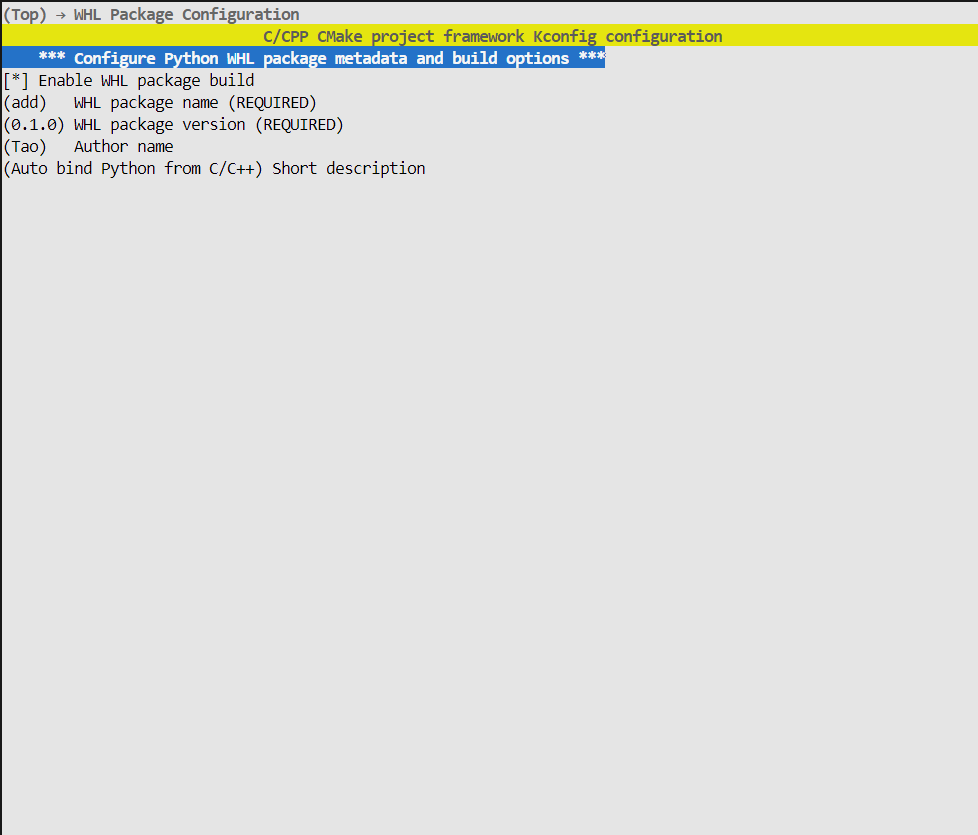
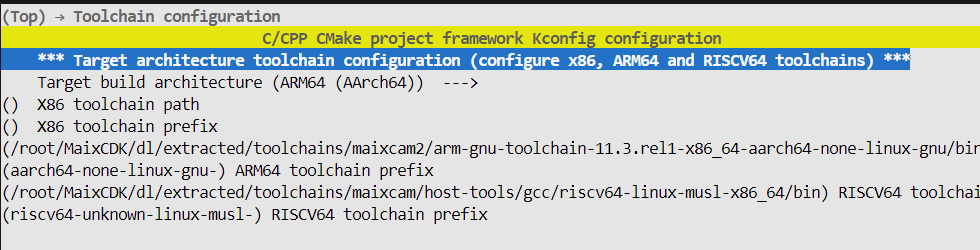
x86 corresponds to local compilation, arm64 corresponds to MaixCam2 compilation, RISCV64 corresponds to MaiCam/Pro compilation
- 2. Write a C/C++ function and hpp header file. The file name should be the same as the whl package for automatic recognition:
C++
namespace add::test
{
int add(int a, int b)
{
return a + b;
}
}
为对应的函数写上@modul注释,后面跟上函数路径:
C++
namespace add::test
{
/
- My function, add two integer.
- @param a arg a, int type
- @param b arg b, int type
- @return int type, will a + b
- @module add.test.add
*/
int add(int a, int b);
}
其中第一行为函数介绍,@param为参数介绍,@return为返回值介绍(可空)
如果只需要编译并打包为whl文件则无需修改main.cpp
使用python project build即可开始编译并打包whl文件
编译后安装whl后即可在直接直接调用:
Python
import add
add.test.add(1,1)
``
注意:
- 一个头文件代表一个模块名,表示要import的模块,例如add.hpp对应import add,其模块名必须以add开头
- 直接运行cpp_bind_python.py可以只生成绑定后的cpp文件,添加--doc DOC参数可以自动从注释生成文档
Original README: View on GitHub