🌐 Language
Auto bind Python from C/C++ ===================
A sufficiently simple, easy-to-use, and configurable project for automatically binding C/C++ code to Python code and generating whl packages
This project is cloned from:https://github.com/Neutree/c_cpp_project_framework and the compilation code section remains consistent with the original repository
Reference code for pybind11 automatic binding:https://github.com/sipeed/MaixPy/tree/main/components/maix
Quick Start
- 1. Clone this repository and enter the /examples/demo directory.
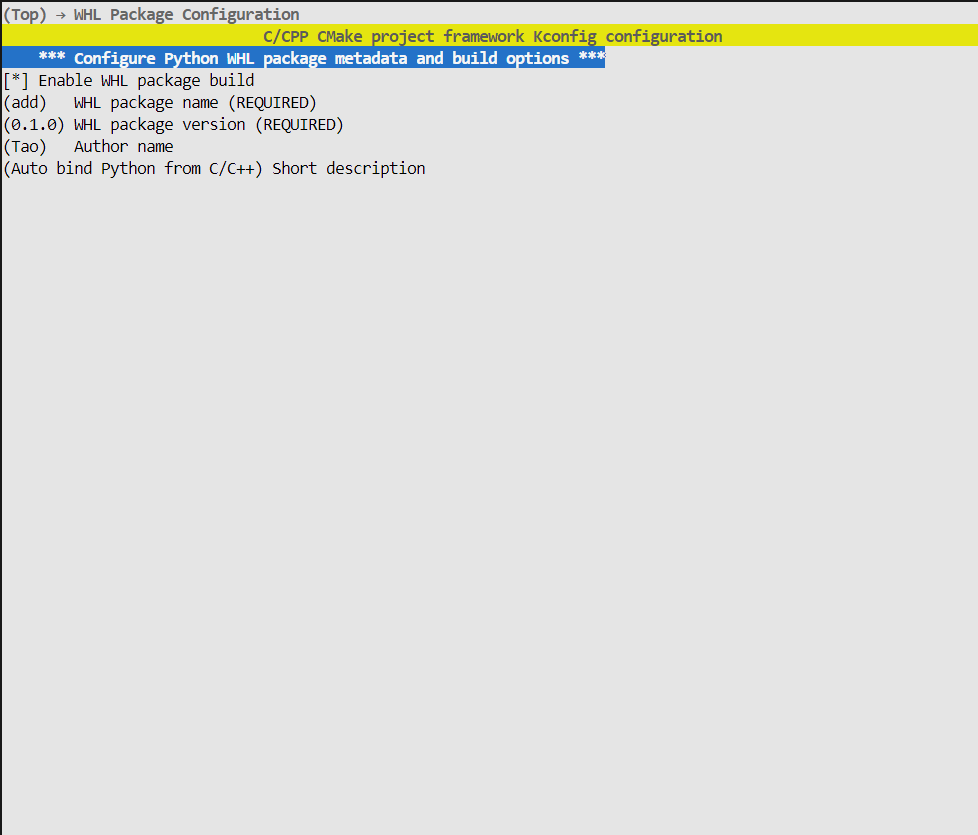
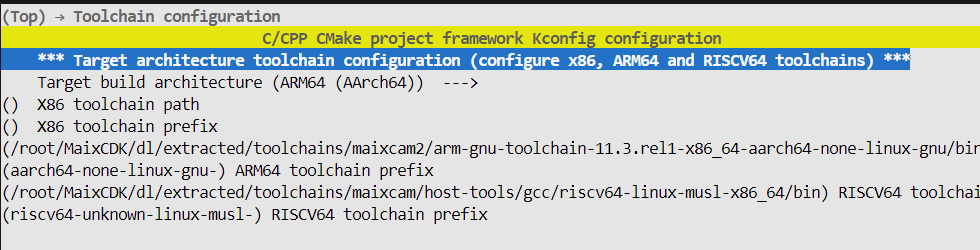
python project.py menuconfig to enter the graphical interface to configure the compilation toolchain and whether to package the whl file.
Here, x86 corresponds to compiling on the local machine, arm64 corresponds to compiling for MaixCam2, and RISCV64 corresponds to compiling for MaiCam/Pro.
- 2. Write a C/C++ function and its hpp header file. The file name should match the whl package name for automatic recognition:
C++
namespace add::test
{
int add(int a, int b)
{
return a + b;
}
}
Write @modul comments for the corresponding functions, followed by the function path:
C++
namespace add::test
{
/
- My function, add two integer.
- @param a arg a, int type
- @param b arg b, int type
- @return int type, will a + b
- @module add.test.add
*/
int add(int a, int b);
}
The first line is the function introduction, @param is the parameter description, and @return is the return value description (optional)
If you only need to compile and package as a whl file, there is no need to modify main.cpp
You can start compiling and packaging the whl file by using python project build
After compiling and installing the whl, you can directly call it:
Python
import add
add.test.add(1,1)
``
Note:
- A header file represents a module name, indicating the module to import, for example add.hpp corresponds to import add, and its module name must start with add
- Running cpp_bind_python.py directly can generate only the bound cpp file, adding the --doc DOC parameter can automatically generate documentation from comments
Original README: View on GitHub