CreamLinux
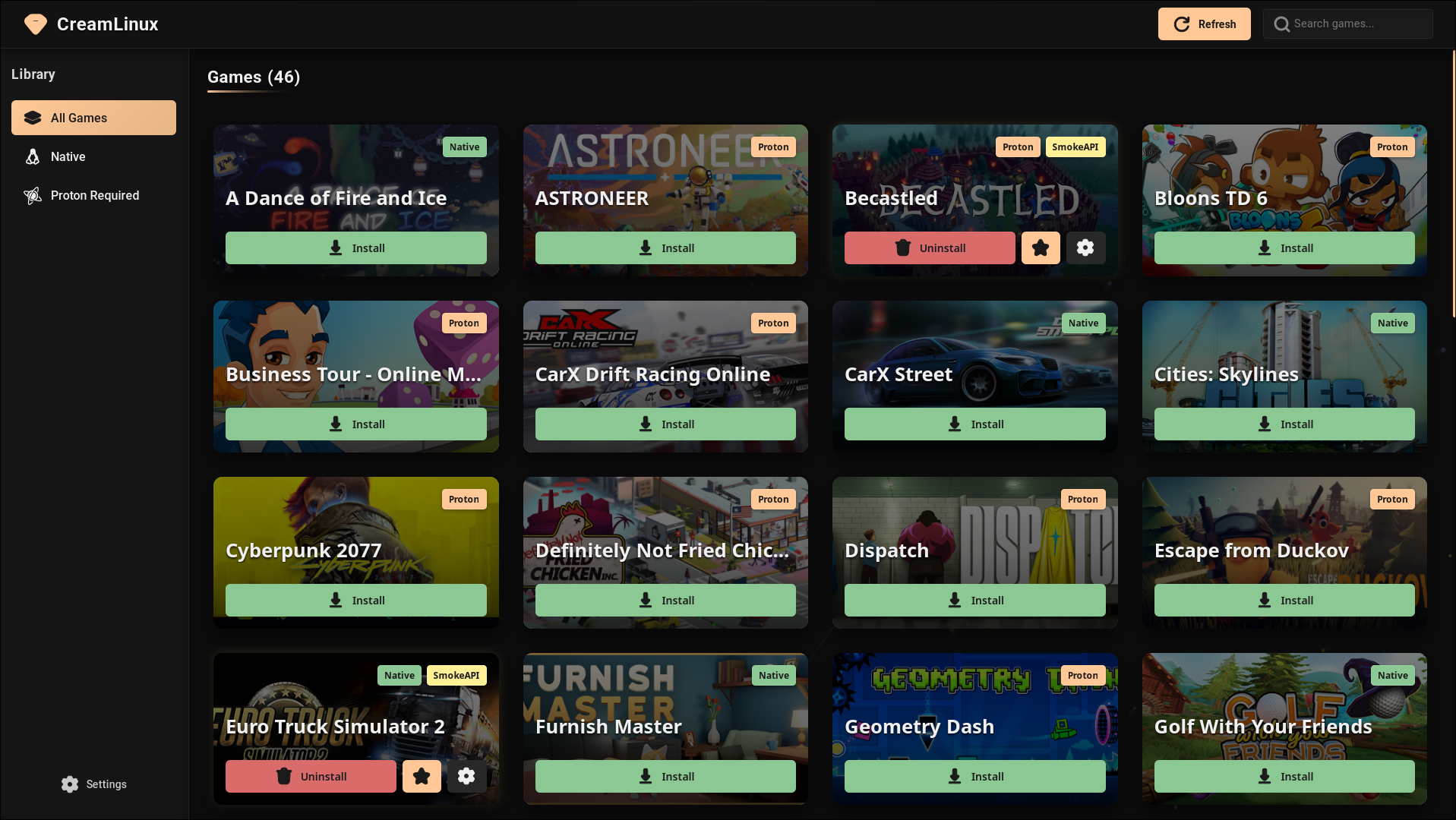
CreamLinux is a GUI application for Linux that simplifies the management of DLC IDs in Steam games. It provides a user-friendly interface to install and configure CreamAPI (for native Linux games) and SmokeAPI (for Windows games running through Proton).
Watch the demo here:
Beta Status
⚠️ IMPORTANT: CreamLinux is currently in BETA. This means:
- Some features may be incomplete or subject to change
- You might encounter bugs or unexpected behavior
- The application is under active development
- Your feedback and bug reports are invaluable
Features
- Auto-discovery: Automatically finds Steam games installed on your system
- Native support: Installs CreamLinux for native Linux games
- Proton support: Installs SmokeAPI for Windows games running through Proton
- DLC management: Easily select which DLCs to enable
- Modern UI: Clean, responsive interface that's easy to use
Installation
AppImage (Recommended)
- Download the latest
creamlinux.AppImagefrom the Releases page - Make it executable:
chmod +x creamlinux.AppImage
``
- Run it:
`bash
./creamlinux.AppImage
`
For Nvidia users use this command:
`
WEBKIT_DISABLE_DMABUF_RENDERER=1 ./creamlinux.AppImage
`Building from Source
#### Prerequisites
- Rust 1.77.2 or later
- Node.js 18 or later
- webkit2gtk-4.1 (libwebkit2gtk-4.1 for debian)
- npm or yarn
#### Steps- Clone the repository:
bash
git clone https://github.com/Novattz/creamlinux-installer.git
cd creamlinux-installer
`- Install dependencies:
bash
npm install # or yarn
`- Build the application:
bash
NO_STRIP=true npm run tauri build
`- The compiled binary will be available in
Desktop Integration
If you're using the AppImage version, you can integrate it into your desktop environment:
- Create a desktop entry file:
bash
mkdir -p ~/.local/share/applications
`- Create
with the following content (adjust the path to your AppImage):
`
[Desktop Entry]
Name=Creamlinux
Exec=/absolute/path/to/CreamLinux.AppImage
Icon=/absolute/path/to/creamlinux-icon.png
Type=Application
Categories=Game;Utility;
Comment=DLC Manager for Steam games on Linux
`- Update your desktop database so creamlinux appears in your app launcher:
Troubleshooting
Common Issues
- Game doesn't load: Make sure the launch options are correctly set in Steam
- DLCs not showing up: Try refreshing the game list and reinstalling
- Cannot find Steam: Ensure Steam is installed and you've launched it at least once
Debug Logs
Logs are stored at:
License
This project is licensed under the MIT License - see the LICENSE file for details.
Credits
- Creamlinux - Native support
- SmokeAPI - Proton support
- Tauri - Framework for building the desktop application
- React - UI library