🌐 Language
English
| Simplified Chinese
| Traditional Chinese
| Japanese
| Korean
| Hindi
| Thai
| French
| German
| Spanish
| Italian
| Russian
| Portuguese
| Dutch
| Polish
| Arabic
| Persian
| Turkish
| Vietnamese
| Indonesian
Magic AI Drawing
Chinese | English




An AI drawing application developed based on Next.js with the following main features:
- 🎨 Supports multiple AI models (Sora, DALL-E, GPT, GEMINI, etc.) and custom model addition
- 🖼️ Provides text-to-image and image-to-image functions, supports multi-image reference and area editing
- 🔐 All data and API keys are stored locally to ensure privacy and security
- 💻 Supports web and desktop application packaging for cross-platform use
Online Experience
Access address: https://image-front-eight.vercel.app/
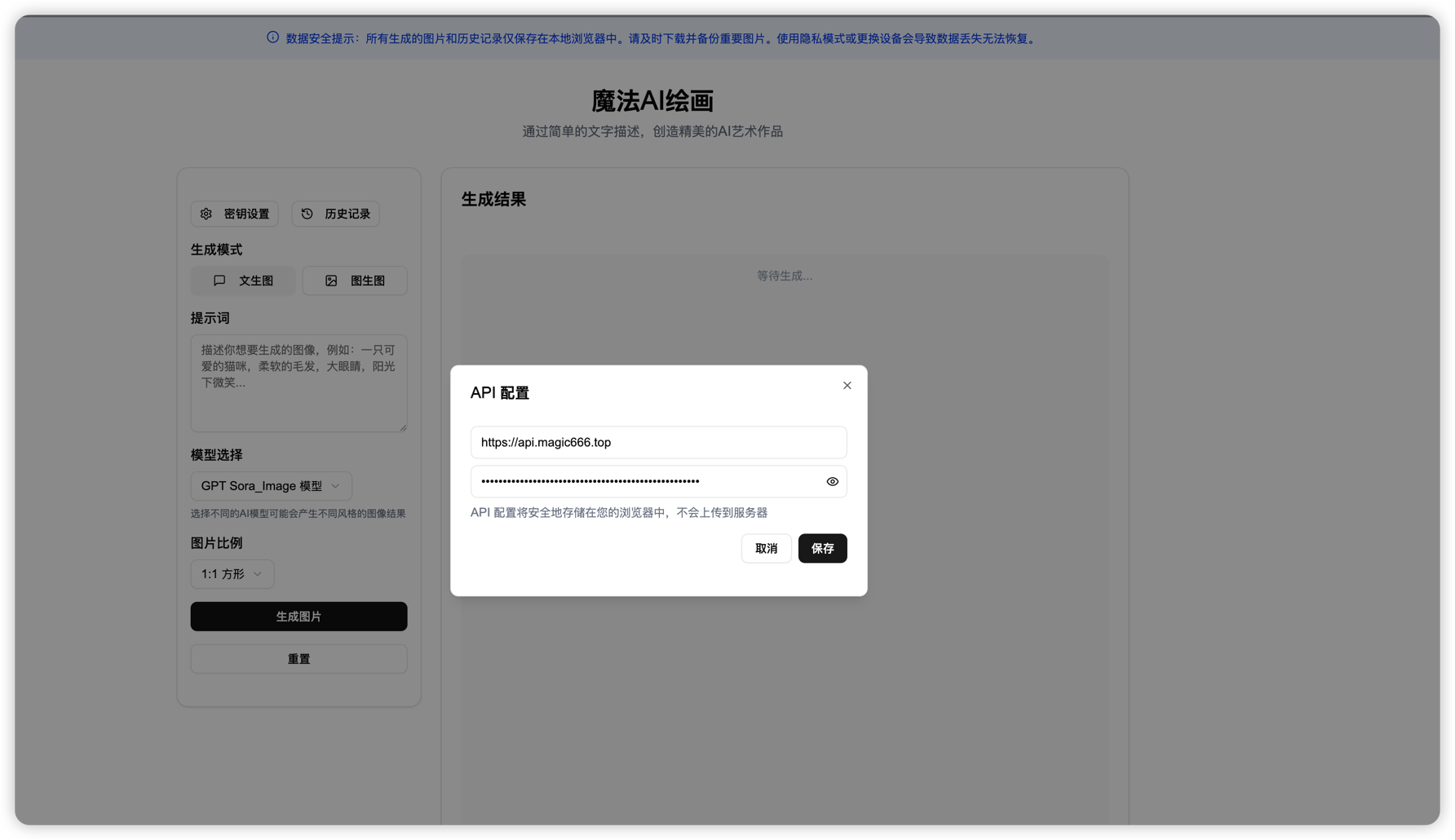
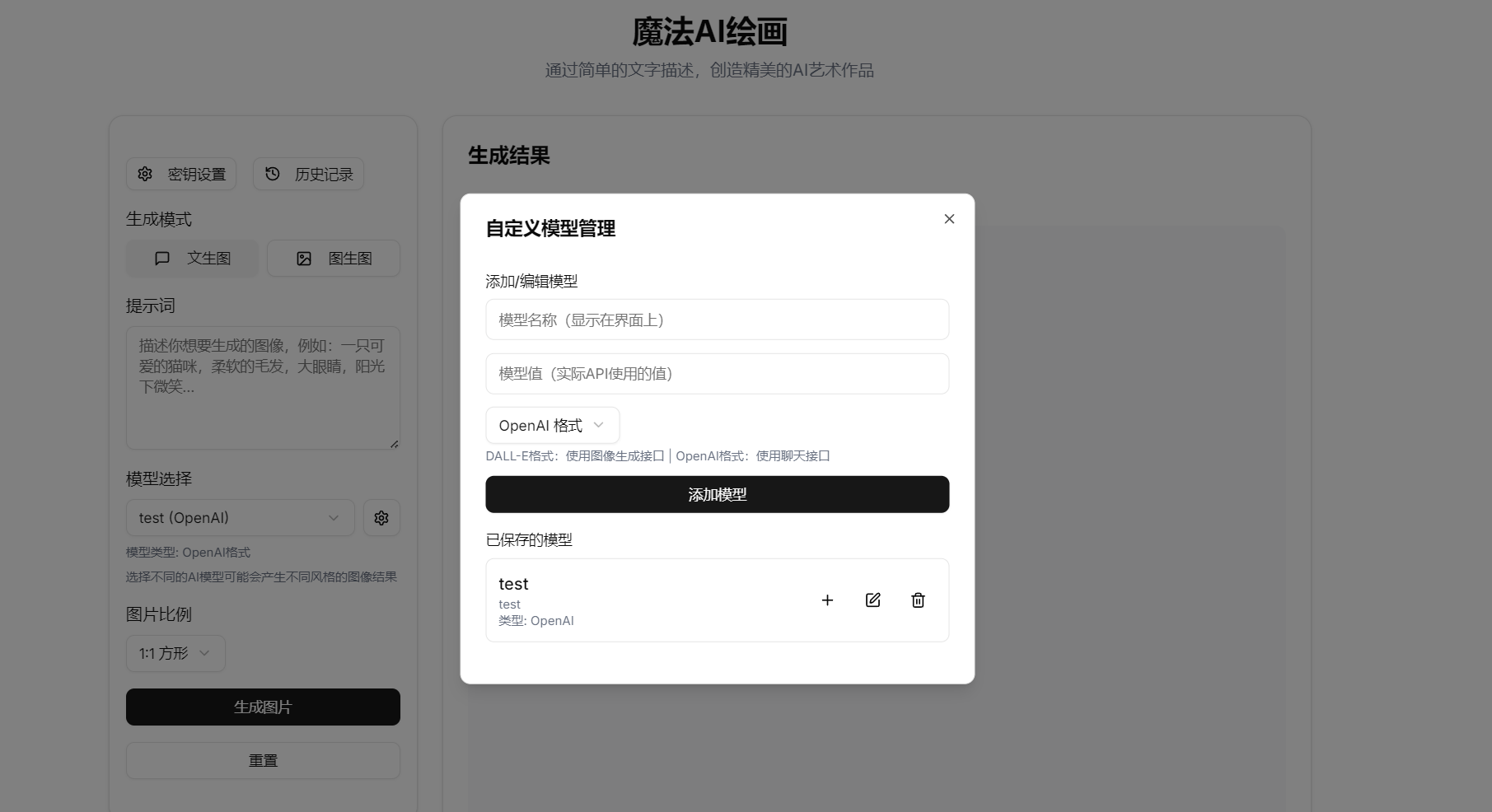
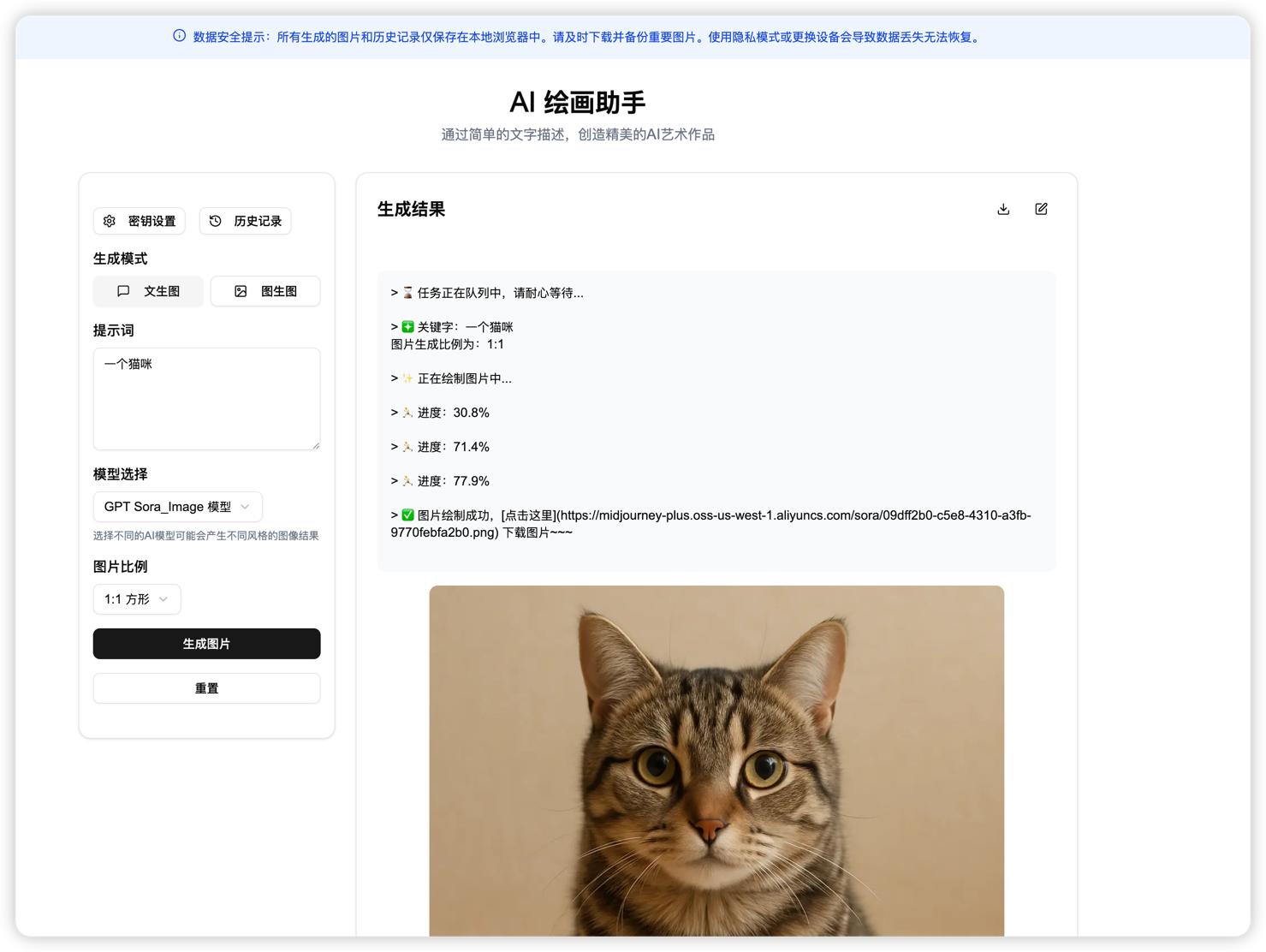
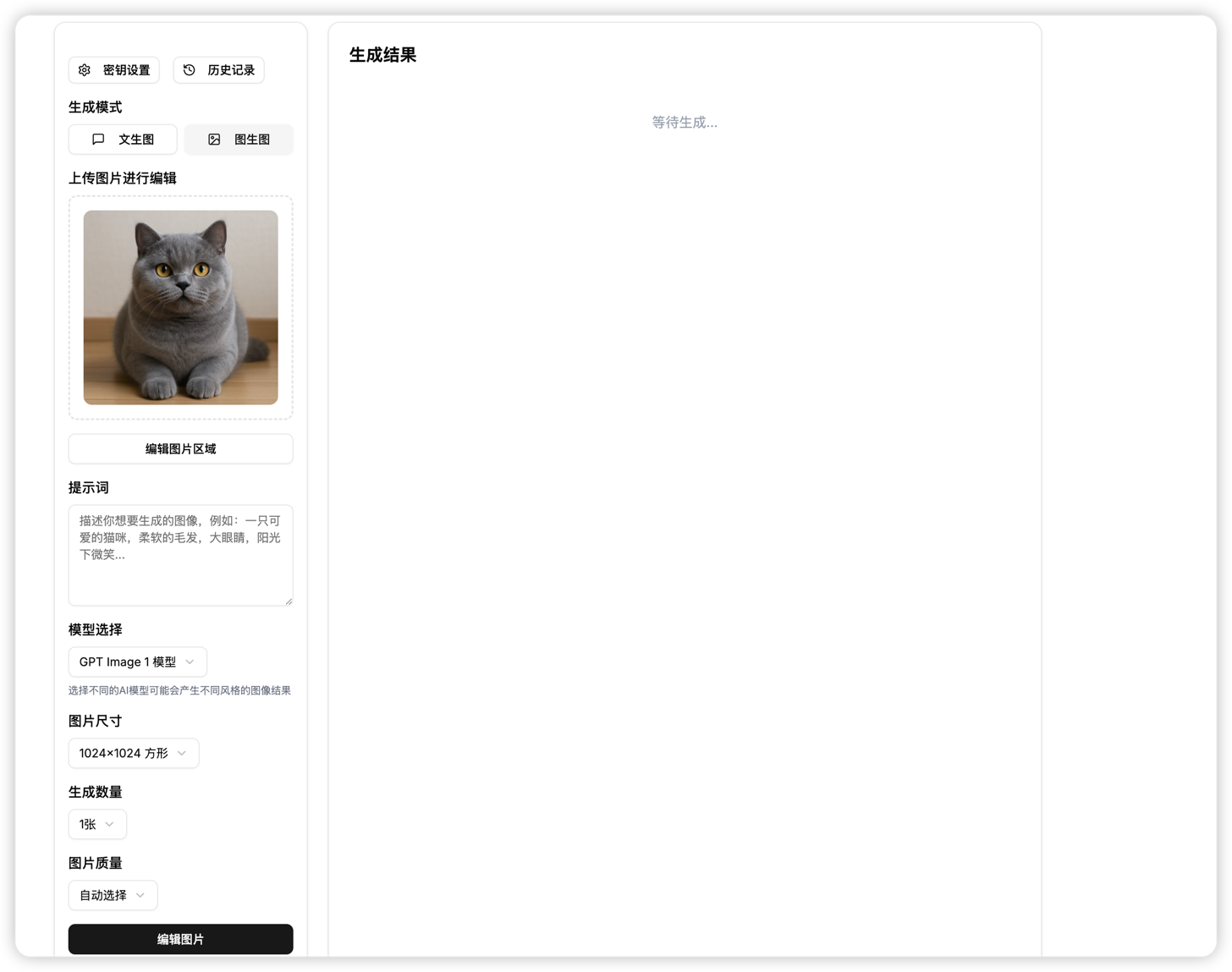
Application Screenshots
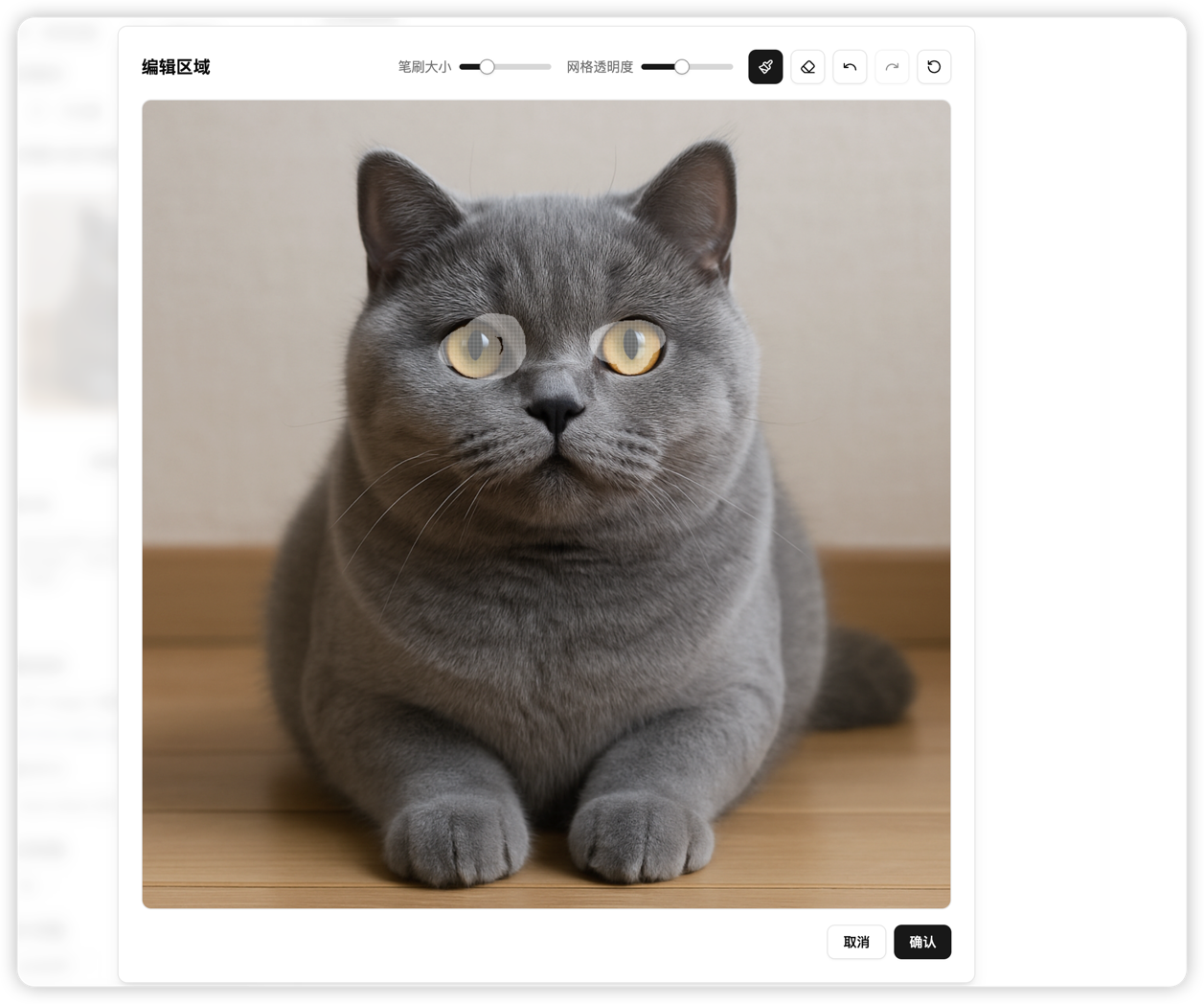
Feature Highlights
- 🎨 Supports multiple AI models
- GPT Sora_Image model
- GPT 4o_Image model
- GPT Image 1 model
- DALL-E 3 model
- GEMINI model
- 🆕 Custom models (supports adding private models)
- 🔄 Multi-model switching
- Supports quick switching between different models
- Each model has independent configuration options
- ✍️ Text-to-image function
- Supports custom prompts
- Allows selection of image aspect ratios
- Supports various image sizes
- 🖼️ Image-to-image function
- Supports image editing
- Supports area mask editing
- Supports image quality adjustment
- Supports multiple image references (upload multiple images at the same time)
- 🔒 Data Security
- All generated images and history are stored only in the local browser
- Supports custom API proxy address
- Supports API Key configuration
- 📱 UI Design
- Modern user interface
- Smooth interactive experience
- Markdown format display
- Code highlighting support
- 🖥️ Cross-platform support
- Supports packaging as desktop applications (Windows, macOS, Linux)
- Supports offline usage (API interface configuration required)
Tech Stack
- Next.js 14
- TypeScript
- Tailwind CSS
- shadcn/ui
- React
- Tauri (desktop app packaging)
Local Development
- Clone the project
git clone https://github.com/HappyDongD/magic_image.git
cd magic_image- Install Dependencies
npm install
或
yarn install
或
pnpm install- Start the development server
npm run dev
或
yarn dev
或
pnpm dev- Visit http://localhost:3000
Desktop Application Packaging
This project uses Tauri for desktop application packaging, supporting Windows, macOS, and Linux systems.
Environment Preparation
Before packaging the desktop application, the following dependencies need to be installed:
- Install Rust:
- Visit https://www.rust-lang.org/tools/install
- Follow the instructions to install Rust and Cargo
- System Dependencies:
- Windows: Install Visual Studio C++ Build Tools
- macOS: Install Xcode Command Line Tools (
xcode-select --install) - Linux: Install relevant dependencies, see Tauri Documentation
Development Mode
# 安装 Tauri CLI
npm install -D @tauri-apps/cli启动桌面应用开发模式
npm run tauri:dev
Building Desktop Applications
# 构建桌面应用安装包
npm run desktopsrc-tauri/target/release/bundle directory.Vercel Deployment
- Fork this project to your GitHub account
- Create a new project on Vercel
- Import your GitHub repository
- Click deploy
Usage Instructions
- API key configuration is required for first use
- Click "Key Settings" at the top right
- Enter the API key and base URL
- Click save
- You can also quickly configure via URL parameters:
http://localhost:3000?url=你的API地址&apikey=你的API密钥
`
例如:
`
http://localhost:3000?url=https%3A%2F%2Fapi.example.com&apikey=sk-xxx
``
Note: Special characters in the URL need to be URL encoded- Select generation mode
- Text-to-image: Generate images via text descriptions
- Image-to-image: Upload images for editing
- Set generation parameters
- Choose AI model (built-in or custom model)
- Set image ratio
- Adjust image quality (image-to-image mode)
- Custom model management
- Click the settings icon next to the model selection box
- Add new model: enter model name, model value, and select model type
- Edit model: click the edit button of an existing model
- Delete model: click the delete button of an existing model
- Select model: click the plus button of a model to immediately choose and use it
- Model type description
- DALL-E format: uses the image generation API (/v1/images/generations)
- OpenAI format: uses the chat API (/v1/chat/completions)
- Generate images
- Enter prompt
- Click the "Generate Image" button
- Wait for generation to complete
- Image management
- View history records
- Download generated images
- Edit existing images
Notes
- All generated images and history records are saved only in the local browser
- Using privacy mode or changing devices will result in data loss
- Please download and back up important images in time
- API configuration will be securely stored in your browser and will not be uploaded to the server
- HTTPS sites loading HTTP resources will be blocked by browsers, and the application will automatically convert HTTP APIs to HTTPS
Contribution Guide
You are welcome to submit Issues and Pull Requests to help improve the project.
License
This project uses the Apache License 2.0.
According to the license, you may:
- ✅ Commercial use: You can use the software for commercial purposes
- ✅ Modification: You can modify the software source code
- ✅ Distribution: You can distribute the software
- ✅ Private use: You can use the software privately
- ✅ Patent grant: This license also provides a patent grant
- 📝 License and copyright notice: You must include the original license and copyright notice
- 📝 Notice of changes: You must declare significant changes to the original code
- 📝 Trademark statement: You may not use the contributor's trademarks
Buy Me a Coffee
If this project is helpful to you, feel free to buy me a coffee ☕️

Buy me a coffee
Contact Information
If you have any questions or suggestions, feel free to contact me via WeChat:

Scan QR code to add WeChat
--- Tranlated By Open Ai Tx | Last indexed: 2025-09-09 ---