FramePFX
FramePFX is an open source, non-linear video editor, written in C# using Avalonia for the UI.
Remake
I am currently working on a complete remake (in the remake branch). The main differences being a new audio engine, audio driven playback rather than by video, and TimeSpan based positioning rather than by frame.Docs
Here are some links to the documentation files, if you want to learn more about the frontend and backend
Command system, Context Menu System, Shortcuts
Previews
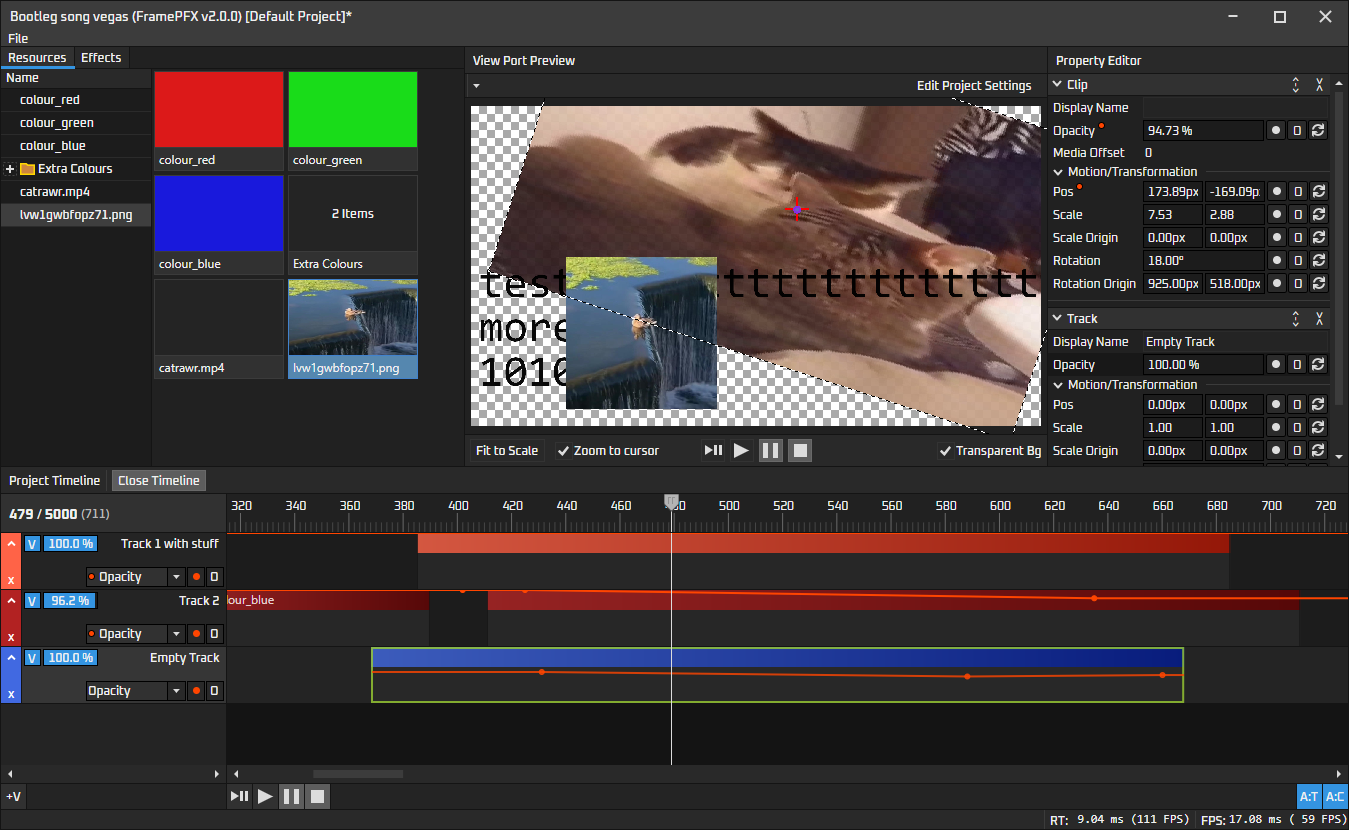
This is the latest version using Avalonia:
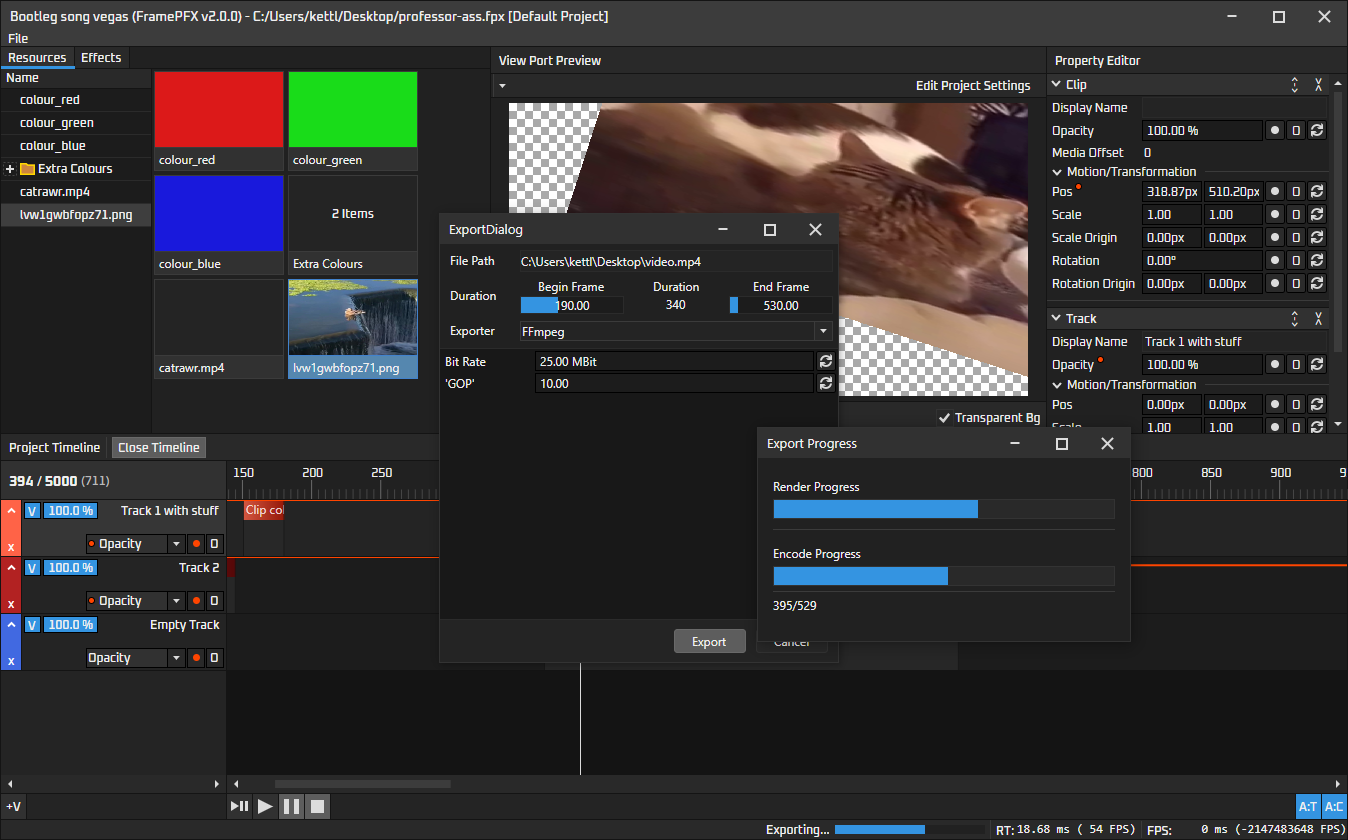
Here is a preview of the export process. Export button is in File>Export, you specify a path and then click Export. To cancel the render you just click Cancel on the dialog behind the export progress window
The grey panel below "Exporter: FFmpeg" is encoder-specific details
Customisable GUI!
Themes can be customised to your liking. They can be saved to disk and modified in-app. The built-in themes (Dark and Light) should not be modified because changes aren't saved. You should create a copy and modify that copy instead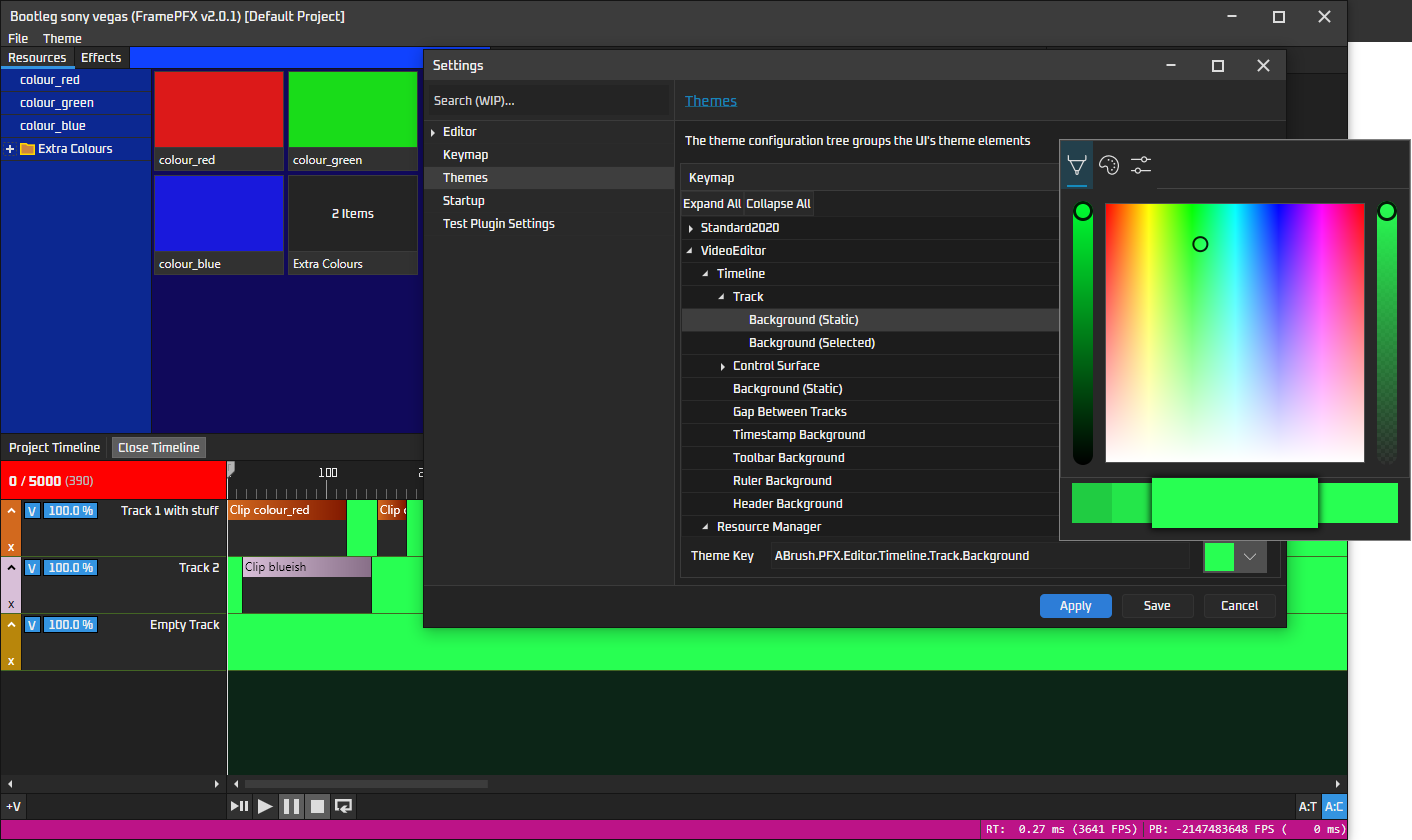
Building
FramePFX assumes everything is 64 bit --- x86/32-bit/AnyCPU won't work properly!The native projects are automatically downloaded and compiled when you first build the C# projects, however, if you want media clips and exporting to work, FFmpeg needs to be downloaded separately. Here is the specific version that works currently (windows only): https://github.com/BtbN/FFmpeg-Builds/releases/download/autobuild-2024-09-30-15-36/ffmpeg-N-117275-g04182b5549-win64-gpl-shared.zip
Downloading
Clone the project recursively:git clone --recursive https://github.com/AngryCarrot789/FramePFX
If you want to install FFmpeg to use video media clips and FFmpeg export:
- Create ffmpeg folder in solution:
cd FramePFX && mkdir ffmpeg - From the downloaded ffmpeg archive, copy the 4 dirs and the LICENCE.txt into that new ffmpeg folder
\FramePFX\ffmpeg\bin, and one of them should be avcodec-61.dll. If it's not 61 you have the wrong version of FFmpeg.
You can delete the EXE files if you want, since they aren't usedBuild project
- Open FramePFX.sln. You will get an error about the
portaudioproject not being loaded; Ignore it, and build the solution by going to theBuildmenu and clickingBuild Solution
>Don't modify the portaudio project because it's automatically generated by cmake, so your changes may be overwritten.
Windows only commands
The projects in the solution use windows commands like mkdir and xcopy, which may not work on other platforms. Feel free to create a pull request on a more cross-platform solution!
Possible build problems
Sometimes, the SkiaSharp nuget library doesn't copy the skia library files to the bin folder when you clone this repo and built. There are 2 fixes I found:- Copy
\packages\SkiaSharp.2.88.7\runtimes\win-x64\native\libSkiaSharp.dllinto the editor's bin folder. - Or, delete the
packagesfolder in the solution dir, then right-click the solution in visual studio and click "Clean Solution", then click Restore Nuget Packages, then rebuild all.
Plugins!
FramePFX now supports plugins! The plugin API is very work in progress, but it can load plugins. Plugins currently must be compiled using the same dependency versions that FramePFX uses, since we don't use AssemblyLoadContextYou can find more info here: Plugin system + FramePFX API
Examples
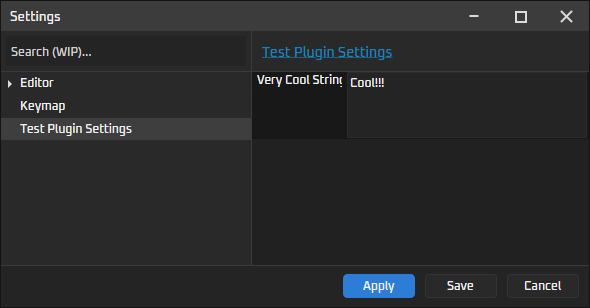
TheAnotherTestPlugin plugin adds a test configuration page (found in File > Open Editor Settings), and also adds a useless test exporter to the export dialog.Adding the page is very simple, and is doable from the plugin's OnApplicationLoaded handler:
public override async Task OnApplicationLoaded() {
    ApplicationConfigurationManager.Instance.RootEntry.AddEntry(new ConfigurationEntry() {
        DisplayName = "Test Plugin Settings",
        Id = "config.testplugineditorsettings",

        // This page is just a PropertyEditor page.
        // Completely custom xaml pages are a bit wonky at the moment,
        // only user controls will work properly due to resource dictionaries
        Page = new TestPluginConfigurationPage()
    });
}
TODO
Avalonia Remake:
- Implement UI for Effects list that can be dropped into a clip/track
Rendering Engine
- While we have access to port-audio, I think the entire rendering engine needs an overhaul.
Rendering video too needs to be redone, since the view port is typically quite small, but we are rendering full-sized video frames of each clip and then just scaling down. This isn't so bad for, say, rectangles and basic primitive shapes. However, rendering a 4K video frame from an MP4 file is a long and nasty task, then scaling down to 1080p (or whatever the MediaScale of the clip is) and then finally down to the viewport (typically around the 500x300 size) in the end is just hugely wasteful, so we need either RenderFull and RenderPreview methods, or, a new rendering system. The current technique of async-rendering doesn't seem so bad.
Automation Engine
- Add support for smooth interpolation (e.g. a curve between 2 key frames). I tried doing this, but had a hard time figuring out the math to do the interpolation, and also doing the hit testing for the UI
Clips
- AVMediaVideoClip is extremely slow for large resolution videos (e.g. 4K takes around 40ms to decode and render onscreen),
- Implement fading between 2 clips
History system
- There's no undo functionality yet. I might try and implement this once I implement a few of the other features like audio and maybe hardware accelerated final-frame assembly in the renderer
Bugs to fix
- Importing certain video files can cause the render to fail (some sort of "found invalid data while decoding" error)
Multi-thread synchronisation
- We need to create locks to make accessing and modifying the application state safer, especially now that the activity system works.
Contributing
Contributions are welcomed with open arms! Just create a pull request, or an issue then PR, whichever you fancy. You can find information on how to compile and run/debug the app if you scroll up a bit. The TODO list is above, but you can also just search// TODO: in the code baseYou can find detailed explanations in the docs folder, which explains the core parts of the editor (such as the commands, automation, etc.). There's still lots to be documented so it doesn't explain everything
The code base isn't perfect so feel free to help try and standardize things!
Licence
All source files in FramePFX are under the GNU General Public License version 3.0 or later (GPL v3.0+). FramePFX uses libraries that have other licences, such as MIT/LGPL licences.If any source file is missing a copyright notice, it is assumed to be licenced under the same licence as FramePFX
Currently, the used LGPL parts are:
- FFmpeg.AutoGen, which is licenced under the GNU Lesser General Public License version 3.0 (LGPL v3.0)
- FFmpeg