🖥️ PCTools
A simple Python program that seamlessly integrates Windows with Home Assistant to achieve hardware monitoring, remote control, and other functions.




✨ Features
| Feature | Description |
|------|------|
| 📊 Aida64 Monitoring | Periodically updates selected sensor data |
| 🎮 Remote Commands | Automatically syncs .bat and .lnk files in the commands folder to HA |
| 📸 Web Monitoring | Screenshots / Camera / Real-time stream |
| 💬 Message Notification | Listens to HA text input and displays Toast messages |
| 🌐 Sidebar Webpage | Shortcut key to call out HA webpage sidebar |
| ⌨️ Shortcut Key Linkage | Shortcut keys trigger HA binary sensors |
| 📱 Foreground App Feedback | Automatically reports current app name, supports Runtime Tracker |
| 🖥️ Monitor Control | Multi-monitor brightness / power / DDC-CI commands |
| 🔊 Volume Control | Controls Windows system volume |
| 🌙 Dark Mode | Switches system/app dark mode |
| 📶 Bluetooth Control | Turns system Bluetooth on/off |
| ⚡ Command Line | Executes custom CMD/PowerShell |
| 🎨 Wallpaper Engine | Controls Wallpaper Engine |
| ⌨️ Key Simulation | Simulates keyboard input (including media keys) |
| 🔗 URL Launcher | Opens custom URLs |
Web Monitoring Endpoints:
- Screenshot:
http://127.0.0.1:5000/screenshot.jpg - Camera:
http://127.0.0.1:5000/video_feed - Real-time Screen:
http://127.0.0.1:5000/screen
📷 Screenshot Showcase
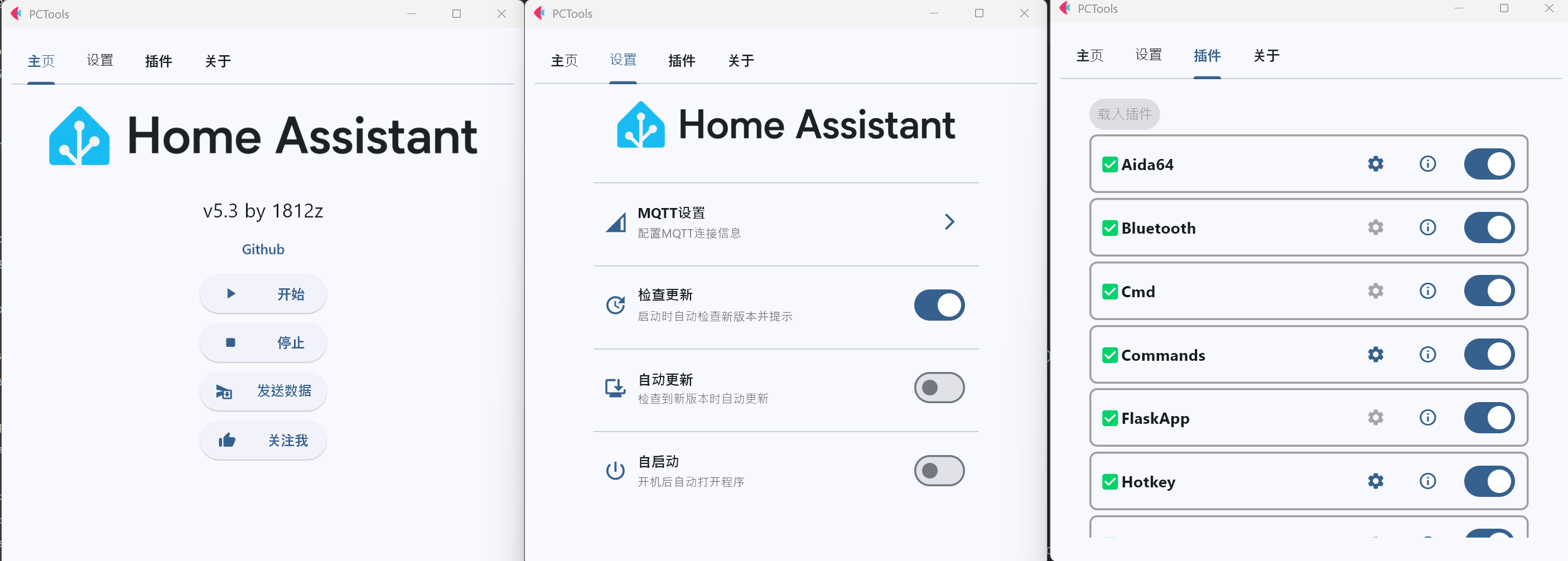
🖼️ Software Interface
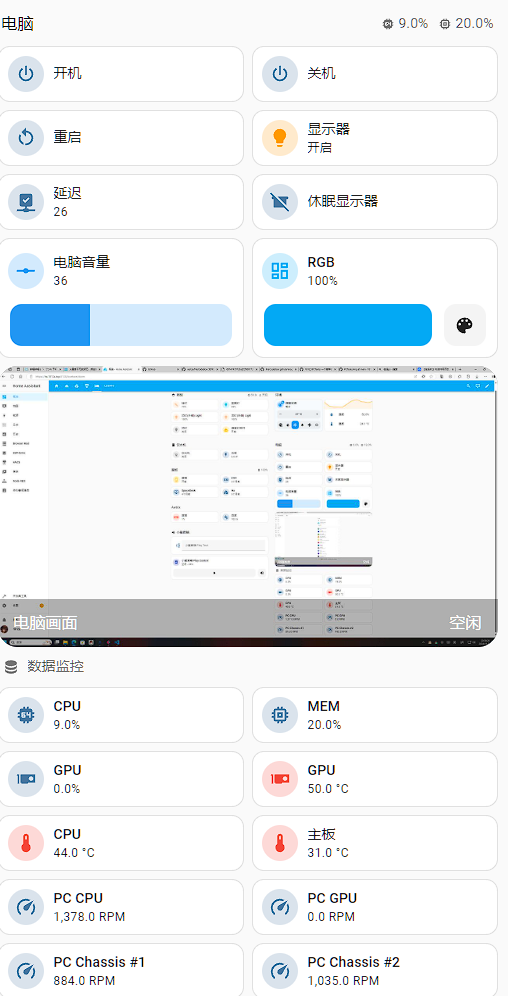
📱 HA Interface
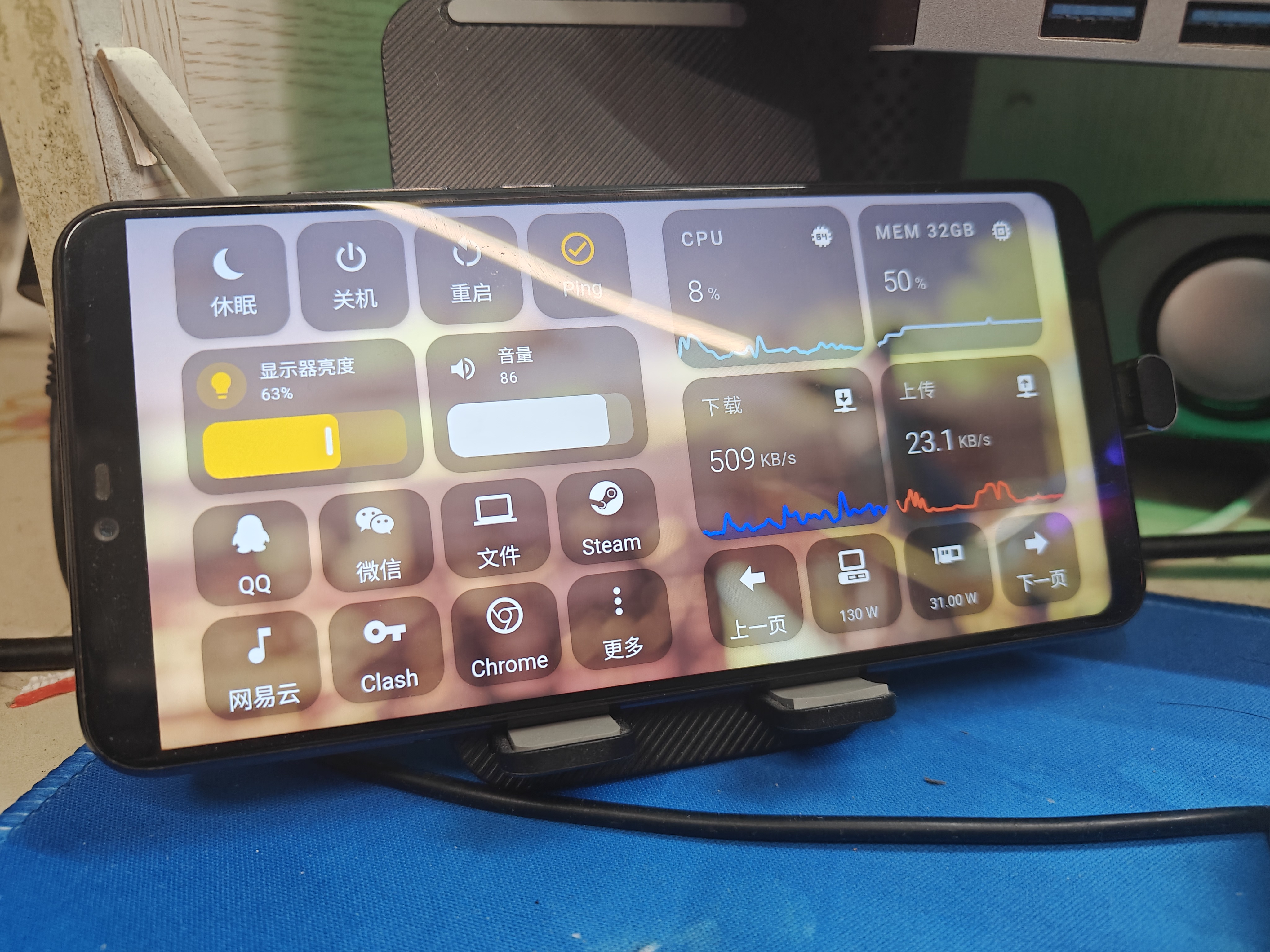
Alternative Secondary Screen (Recommended to use with HA_Helper)
Main Page
🚀 Quick Start
1️⃣ Install Environment
Method One: Download the archive in Releases (with built-in runtime environment)
Method Two: Manual configuration
# Python 3.12
pip install -r requirements.txt
2️⃣ Install Third-Party Dependencies (Optional)
| Dependency | Purpose | |------|------| | MQTT Server | Connect to Home Assistant | | Aida64 | Hardware information monitoring | | Twinkle Tray | Monitor brightness adjustment |
3️⃣ Configure Dependencies
- Aida64: Enable memory sharing and select the required sensor data
- Twinkle Tray: Ensure it can properly read monitor information
- Wallpaper Engine: Launch to support related operations
4️⃣ Run the Program
- Run
打开GUI.batto start the interface - Enter settings to configure parameters (press Enter to save)
- Enable required plugins (a program restart is recommended)
- Click start, then check new devices in HA’s MQTT integration
5️⃣ Auto-start on Boot (Optional)
Click Auto-start in settings, the program will run in the background, and you can view the icon in the system tray
📋 Development Plan
- [x] Keyboard shortcut linkage
- [x] Code optimization
- [x] Plugin logic optimization
- [ ] PC fan control
- [ ] Toast multi-button callback
- [ ] Plugin marketplace
- [ ] Media control
- [ ] NetEase Cloud Music lyrics synchronization
💡 Recommended Combinations
| Software | Description | |------|------| | OpenRGB | RGB lighting control, supports HA integration | | HASS.Agent | More stable similar tool |
Acknowledgements
- python_aida64 - Aida64 data reading
📝 Others
- Supports headless mode:
python core.py - Some pages require switching before they refresh