P R O T E I N V I E W
Explore molecular structures in your terminal



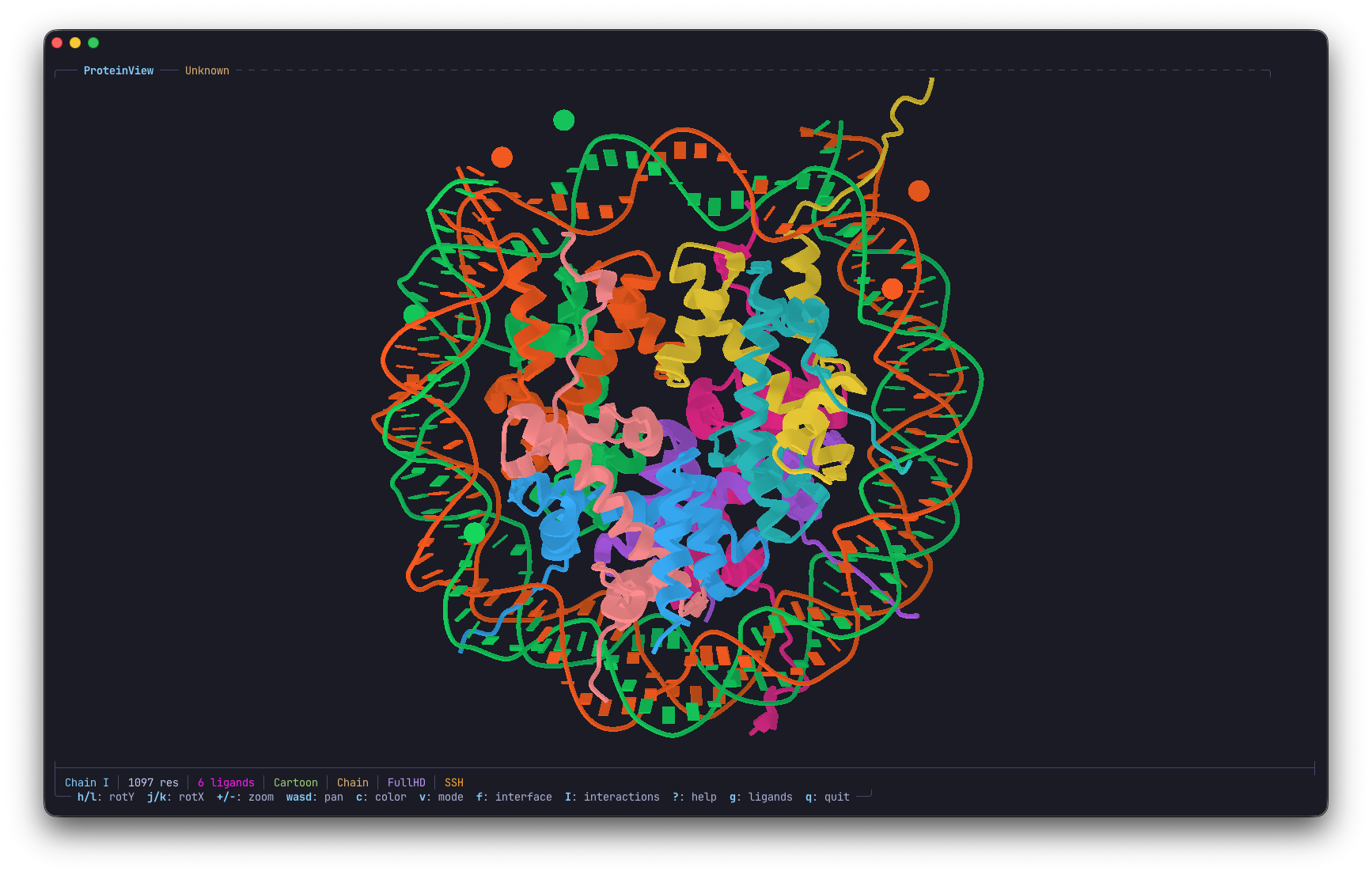
Nucleosome core particle — histone octamer wrapped in DNA, rendered with Kitty graphics protocol
Terminal molecular structure viewer — load, rotate, and explore proteins, nucleic acids, and small molecules from PDB/CIF files right in your terminal. No browser, no GUI, no dependencies.
Features
- 3-tier render modes — Braille, HD, and FullHD (Sixel/Kitty) with automatic SSH detection
- PNG-compressed Kitty protocol — ~10-20x smaller than raw RGBA, making FullHD viable over SSH
- Cartoon ribbon visualization — Lambert-shaded ribbons with depth fog for helices, sheets, and coils
- RNA/DNA support — backbone, wireframe, and cartoon modes with base-type coloring
- Small molecule rendering — ligands as ball-and-stick, ions as spheres
- Interface analysis — inter-chain contacts, binding pockets, and interaction visualization (H-bonds, salt bridges, hydrophobic contacts)
- 7 color schemes — structure, chain, element (CPK), B-factor, rainbow, pLDDT (AlphaFold)
- Interactive controls — vim-style rotation, zoom, pan with auto-rotation
- PDB & mmCIF — both formats supported, with RCSB PDB fetch (
--fetch) - Single static binary — zero runtime dependencies
Render Modes
Three rendering tiers to match your terminal and connection:
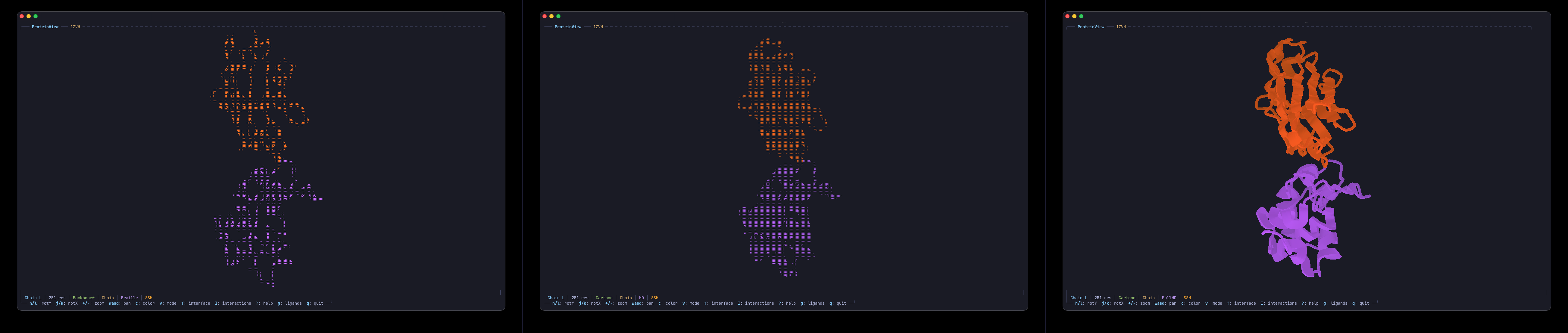
Left: Braille (works everywhere, including SSH/tmux) · Middle: HD (Lambert-shaded braille) · Right: FullHD (Kitty pixel graphics)
| Mode | Key | Quality | SSH Performance |
|------|-----|---------|-----------------|
| Braille | default | Text-based, monochrome per cell | Excellent |
| HD | m | Shaded braille with lighting + depth fog | Excellent |
| FullHD | M | Sixel/Kitty pixel graphics | Good (PNG compressed) |
--hd is SSH-aware: defaults to HD over SSH, FullHD locally. Use --fullhd to force pixel graphics.
Visualization Modes
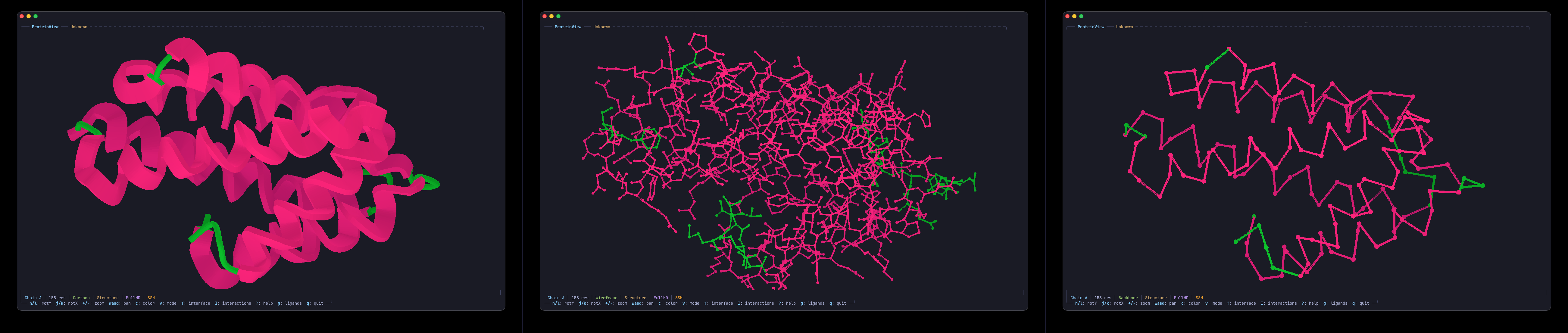
Left: Cartoon (ribbon) · Middle: Wireframe (all-atom) · Right: Backbone (CA trace)
| Mode | Description | |------|-------------| | Cartoon | Smooth ribbon rendering — helices, beta-sheets, and coils with Lambert shading. Default. | | Wireframe | All-atom bonds including inter-residue peptide and phosphodiester linkages. | | Backbone | CA trace (proteins) / C4' trace (nucleic acids) with spheres and thick connecting lines. |
Interface Analysis & Interactions
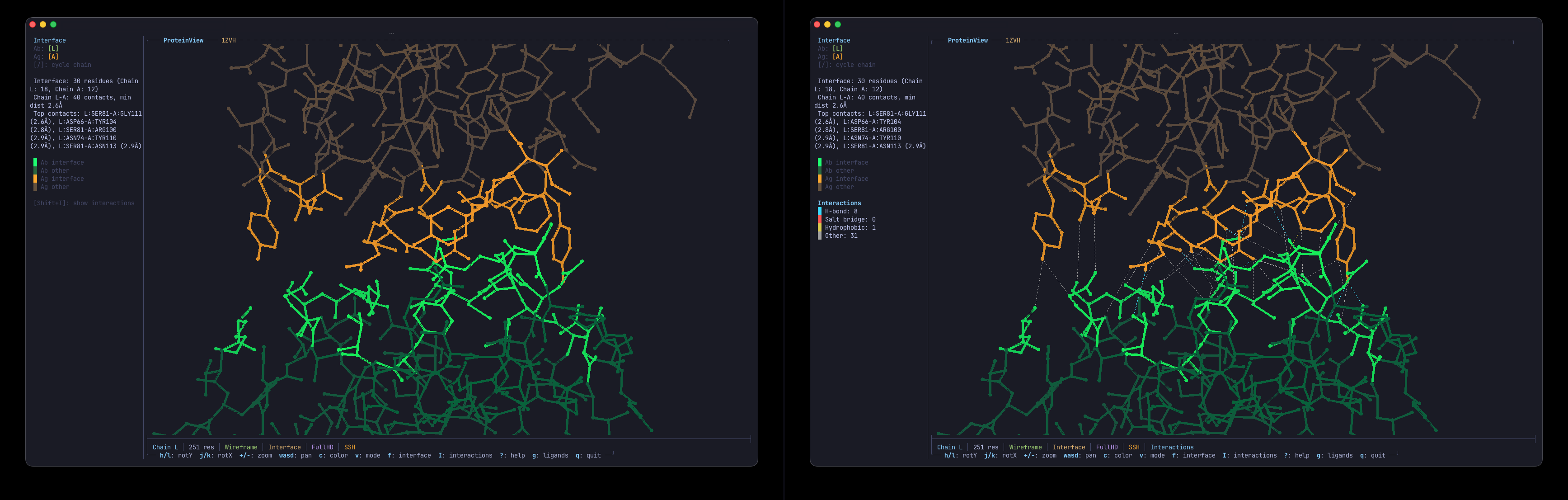
Left: Interface residue coloring with sidebar panel · Right: Dashed interaction lines (H-bonds, salt bridges, hydrophobic contacts)
Press f to toggle interface mode — highlights contact residues across chain boundaries with a detailed sidebar. Press I to overlay interaction lines:
| Color | Interaction | Distance | |-------|-------------|----------| | Cyan | Hydrogen bond | ≤ 3.5 Å | | Red | Salt bridge | ≤ 4.0 Å | | Yellow | Hydrophobic contact | ≤ 4.5 Å | | Gray | Other | ≤ 4.5 Å |
Nucleic Acids
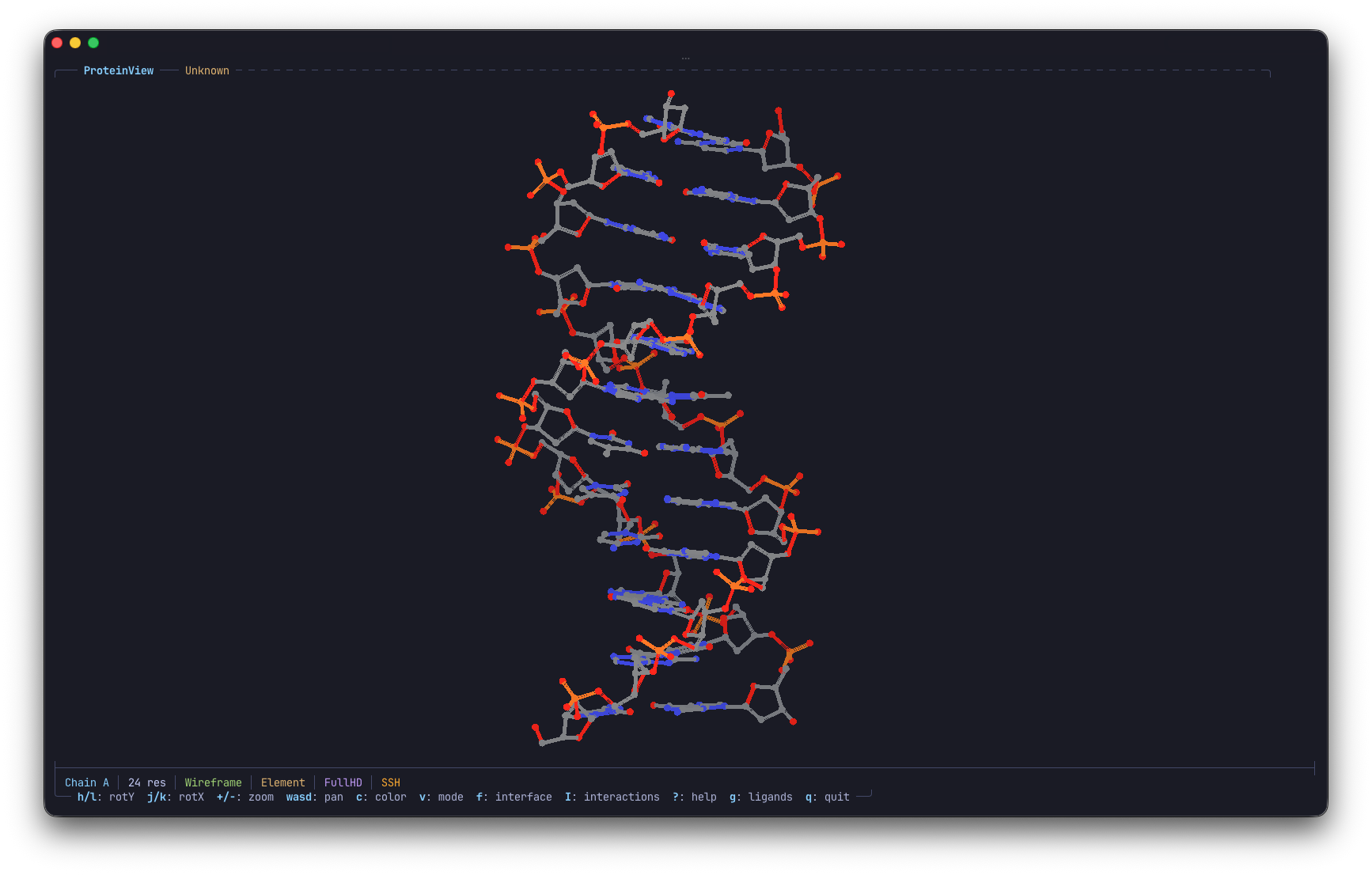
B-DNA dodecamer in wireframe mode with CPK element coloring
Full support for DNA and RNA structures — backbone traces, wireframe bonds, and cartoon ribbons with nucleotide base-type coloring (A=red, U/T=blue, G=green, C=yellow).
AlphaFold & pLDDT
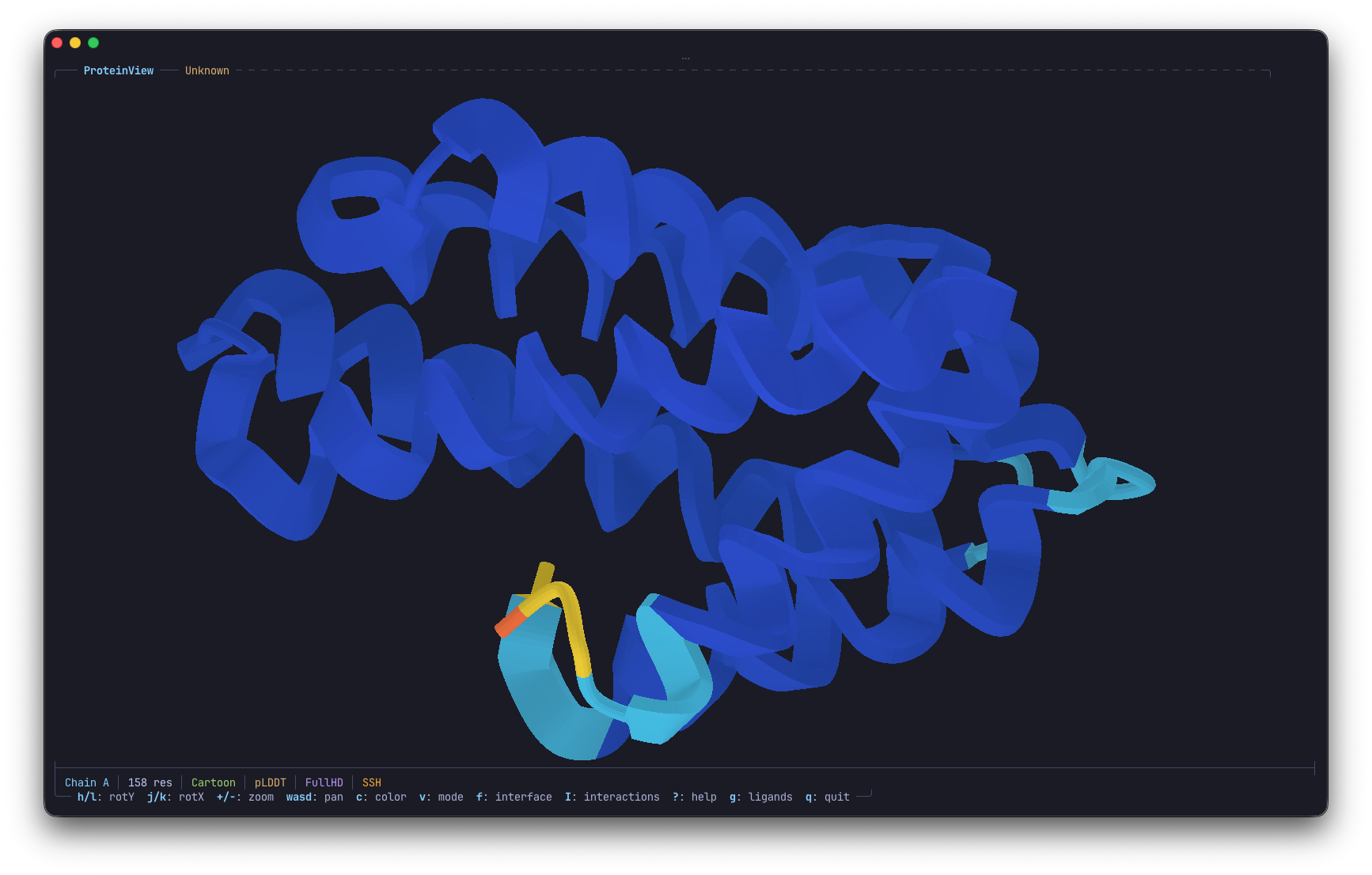
AlphaFold prediction with pLDDT confidence coloring — blue (high confidence) to orange/yellow (low confidence)
Automatically detects AlphaFold structures and offers pLDDT confidence coloring. Cycle through color schemes with c.
Installation
Requires Rust 1.85+. If you don't have Rust, install it with:
curl --proto '=https' --tlsv1.2 -sSf https://sh.rustup.rs | shgit clone https://github.com/001TMF/ProteinView.git
cd ProteinViewBasic install
cargo install --path .With RCSB PDB fetch support
cargo install --path . --features fetchUpdate an existing installation
cargo install --path . --forceQuick Start
# View a local PDB file
proteinview examples/1AOI.pdbHD mode (fast text-based shading)
proteinview examples/4HHB.pdb --hdFullHD pixel mode (Kitty/Sixel terminals)
proteinview examples/4HHB.pdb --fullhdFetch from RCSB PDB
proteinview --fetch 1UBQChoose color scheme and visualization
proteinview examples/1UBQ.pdb --color rainbow --mode wireframe
Keybindings
| Key | Action |
|-----|--------|
| h/l | Rotate Y |
| j/k | Rotate X |
| u/i | Roll |
| +/- | Zoom |
| w/a/s/d | Pan |
| r | Reset view |
| c | Cycle color scheme |
| v | Cycle viz mode |
| m | Braille / HD |
| M | HD / FullHD |
| f | Interface analysis |
| I | Interface interactions |
| g | Toggle ligands |
| [/] | Prev/next chain |
| Space | Auto-rotate |
| ? | Help |
| q | Quit |
Color Schemes
| Scheme | Description | |--------|-------------| | Structure | Helix (red), sheet (yellow), coil (green). Default. | | Chain | Distinct color per chain. | | Element | CPK coloring (C, N, O, S, P, metals). | | B-factor | Blue (rigid) to red (flexible). | | Rainbow | N-terminus (blue) to C-terminus (red). | | pLDDT | AlphaFold confidence (blue=high, orange=low). |
Terminal Support
| Terminal | Braille | HD | FullHD | |----------|---------|-----|--------| | Any Unicode terminal | Yes | Yes | -- | | Kitty | Yes | Yes | Yes (PNG) |
| WezTerm | Yes | Yes | Yes (Sixel) | | iTerm2 | Yes | Yes | Yes | | foot | Yes | Yes | Yes (Sixel) | | tmux/screen | Yes | Yes | -- |
Building
cargo build --releaseWith RCSB fetch support
cargo build --release --features fetch
Contributing
Contributions are welcome! Here's how to get started:
- Fork the repository
- Create a feature branch (
git checkout -b feature/my-feature) - Make your changes and add tests
- Run
cargo testto verify - Open a pull request against
develop
License
--- Tranlated By Open Ai Tx | Last indexed: 2026-07-17 ---